Test Automation for Beginners: Don't Start With Login
Written byDominik SzahidewiczReviewed byPaweł Bylina


Updated: August 28, 2026View as Markdown
You recorded your first test on a Tuesday. Login, obviously — it's the first thing anyone does in your app, so it seemed like the natural place to start. It passed. You showed someone. Two days later it went red, and you couldn't tell whether the app was broken or the test was. It stayed red. Three weeks after that, nobody was opening the dashboard.
That's the default outcome for a first suite, and the usual diagnosis — you picked the wrong tool, or you should have learned to code first — is wrong on both counts.
Most people searching for test automation for beginners aren't beginners in any meaningful sense. You're a manual tester, a support lead, or a product owner at a 20–200 person company shipping a web app every week or two. You know exactly which flows matter. You know which one support reopens every month and which one broke during the last release. What you don't have is a way to make those checks repeat without you clicking through them. That's not a skills gap — it's an ownership and infrastructure gap, and it needs a different fix.
So this isn't a learn-automation guide. It's the three decisions that determine whether your suite is still running in six months.
Watch the pattern, because it's consistent:
Something breaks in production. A checkout fails, or signup silently stops sending emails, and a customer finds it before you do. The reaction is immediate and correct: we need automated tests. Someone spends two focused weeks building them. Twenty, thirty tests. The dashboard goes green. Everyone exhales.
Next release, four tests fail. Two are real bugs. Two are because a button moved. Nobody has time that week, so the failures sit. The release after, eleven failed. Now nobody trusts the dashboard, because a red suite that's usually wrong is worse than no suite — it trains you to ignore it. Six weeks in, the tests are decoration. Three months in, something breaks in production again.
The tests didn't fail because they were recorded instead of coded. They failed because when they went red, nobody's job said fix this today.
Here's the part that surprised us in our own data. In our February 2026 product-market-fit survey of 70 BugBug users, we broke the results down by role. The group that valued the tool most wasn't the most technical one:
| Role | Would be "very disappointed" without it |
|---|---|
| Product Owner | 60.0% |
| QA / Test Engineer | 50.0% |
| Founder / CTO | 50.0% |
| Software Developer | 37.5% |
Developers came last. Not because the tool is bad for developers, but because a developer has other options - they can write Playwright and often prefer to. The people who get the most out of automation are the ones who understand the product deeply and have no other route to repeatable checks.
Which is a roundabout way of saying: the ownership question isn't a footnote. It's the first decision, and it determines the tool, not the other way round. Brand24 is the clearest version of this we've seen — a 100+ person SaaS with no QA team, where the Product Owner sets up hourly website monitoring himself. That suite has run over 100,000 times since April 2021 and caught five-plus critical production issues, including a broken login after a failed release and a pricing page that rendered completely blank. Zero engineers were involved in building it.
Before you record anything: someone's name goes next to the suite, and a red test becomes a same-day task for that person. If you can't answer that, the tool choice genuinely doesn't matter.
Second decision, and the one almost everyone gets wrong.
Your first automated test should not be login. It's the most obvious candidate and the worst possible starting point, because authentication stacks nearly every hard problem in test automation into the first thing you build:
None of that is a flaw in your tool. It's the intrinsic difficulty of the flow. But as a first test, you have no baseline — you don't yet know what a stable test feels like. So when login flakes for five unrelated reasons in a fortnight, you draw the obvious conclusion: automation is unreliable. And you stop.
Start read-only instead. No state to manage, nothing to clean up, no side effects:
One flow. Three assertions. Run it three days running and watch it stay green. That green baseline is the real goal of week one — not coverage. It's what makes a red test mean something later.
Then automate login in week two, once you can tell a broken app from a brittle test.
💡 Also check our guide on how to reduce test maintenance overhead.
Ask this on Reddit and the top-voted answer will tell you yes, then recommend Playwright or Cypress. The objection deserves a straight answer rather than a defensive one, because part of it is correct — and we have our own numbers on it.
In the same PMF survey, we asked the users who weren't strongly attached to BugBug what held it back. Reliability and flakiness came up for 13.2% of them. Not the largest theme — flow control and branching logic (26.3%) and AI assistance (36.8%) were both bigger — but it's real, it's ours, and pretending otherwise would be insulting to anyone who has lived it.
The most useful evidence sits in two G2 reviews of the same product, published months apart, reaching opposite conclusions.
One reviewer, testing a platform with many dynamic elements and complex navigation, reported frequent errors — worse in cloud runs than local ones. Another, a founder automating a Jira Forge app, built roughly 180 tests and described them as running reliably. The second review explains the gap in its own words: to get that stability, they modified their application to generate consistent test IDs the tests could reference.
Same tool, opposite experiences, and the variable isn't the recorder. It's whether the app gives the test something dependable to grab.
Where the objection is genuinely true: if your app ships CSS-module class names that change every build, or renders deep markup with no stable identifiers, a recorder has less to hold on to. Code frameworks give you more escape hatches when a selector strategy fails — custom logic, explicit waits, retry patterns, without leaving your editor. On heavily dynamic DOMs that flexibility is a real advantage.
Where it's the first-test problem in disguise: a lot of "recorders are flaky" experiences trace back to someone whose first three tests were login, signup, and checkout — the flows most likely to fail for reasons unrelated to how the test was made. A hand-written Playwright test of that signup would also fail intermittently until someone handled the inbox dependency and the session reset. The tool took the blame for the flow.
What stabilises a test regardless of tool: data-testid attributes on the elements you care about, short tests, and read-only flows before stateful ones. Adding test IDs is a one-line ask to your developers and the single highest-return thing you can do — the 180-test reviewer above is the proof.
But the objection ultimately lands somewhere else. Flakiness isn't a tooling debate — it's a maintenance debate. Every suite drifts, coded or recorded. A Playwright repo with no maintainer rots just as fast as a recorded suite with no maintainer, and it rots less visibly, because it lives in a folder nobody outside engineering opens. The question that predicts survival isn't how were these tests created? It's who fixes them on Thursday?
Any honest version of this article in 2026 has to name the alternative you'll hear most: point an AI coding assistant at your app and have it generate Playwright tests. It works. Playwright's CLI and MCP server are built for exactly this, and for someone comfortable in a terminal it's a fast path to a real suite.
We can be precise about how real this competition is. When we asked our users what they'd switch to if BugBug vanished tomorrow, Playwright was the runaway answer — 12 of 70, more than double the next option. One respondent simply wrote "Claude."
Be clear-eyed about what that solves, though. It solves generation — the part that was already getting cheap. It doesn't solve:
If a developer on your team wants to own a Playwright repo, take that path. Genuinely — no ceiling, and the skills compound. If the person who owns regression is a manual tester, a support lead, or a PM, generating tests you can't operate is how you end up with a second dead suite instead of a first one.
💡We just shipped Test Import & Export with YAML - check how it works
Six starting points. For a first suite the column that matters isn't features — it's how long until one test runs green. Those figures are indicative, drawn from vendor documentation and customer-reported setup times rather than a controlled bake-off, and they assume a read-only flow on a straightforward web app. A complex app pushes every row higher.
| Tool | Code required | Free tier | Time to first green test | Best for |
|---|---|---|---|---|
| Playwright + Codegen | Yes (recorder generates it, you maintain it) | Free, open source | Half a day to a day | A developer who'll own the repo |
| Selenium IDE | No | Free | About an hour | Throwaway checks, learning the concepts |
| Katalon Recorder | No | Free tier | An hour or two | Teams already inside the Katalon ecosystem |
| Ghost Inspector | No | Paid from day one | About an hour | Small teams wanting scheduled monitoring, budget approved |
| testRigor | No (plain-English steps) | Free tier | A few hours | Teams wanting natural-language tests who can absorb enterprise pricing later |
| BugBug | No (custom JavaScript optional) | Free — unlimited local runs | Under 10 min | Team-owned regression for Chromium web app |
The verdicts, since a table can't carry nuance:
Playwright + Codegen is the strongest technical answer here and the reason this question is harder than it was three years ago. Codegen records your clicks and writes real Playwright code you edit afterwards. Avoid if nobody will maintain a repo — the generated code is yours to keep, which also makes it yours to fix.
Selenium IDE is free, instant, and fine for learning what an assertion is. Avoid if you need scheduled runs, CI integration, or anything a team depends on. It's a sketchpad, not a suite.
Katalon Recorder records without code and is a reasonable free entry point. Avoid if you're testing form-heavy flows where input fidelity matters — and know that the free recorder is the front door to a much larger commercial platform.
Ghost Inspector is a solid hosted recorder with scheduling built in. Avoid if you want to trial before paying, or if you're testing detailed keyboard interactions — it simulates input in JavaScript rather than driving a real browser, so some form-field behaviour won't reproduce faithfully.
testRigor lets you write steps as English sentences, which demos beautifully. Avoid if you're price-sensitive or worried about portability — tests live in a proprietary format and paid tiers aim well above SMB budgets.
BugBug records through a Chrome extension, runs locally or in the cloud, and lets you rerun from any step rather than re-recording a flow to fix certain step. Avoid if you need Firefox, Safari, mobile, or desktop coverage — it's Chromium-only, and that's a hard boundary rather than a roadmap caveat. Reviewers also consistently flag two things worth knowing before you commit: cloud runners are slower than local execution, and parallel cloud runs get expensive at volume.
💡 Want the wider landscape instead of a starting shortlist? We keep longer lists of codeless automation testing tools and record and play automation tools
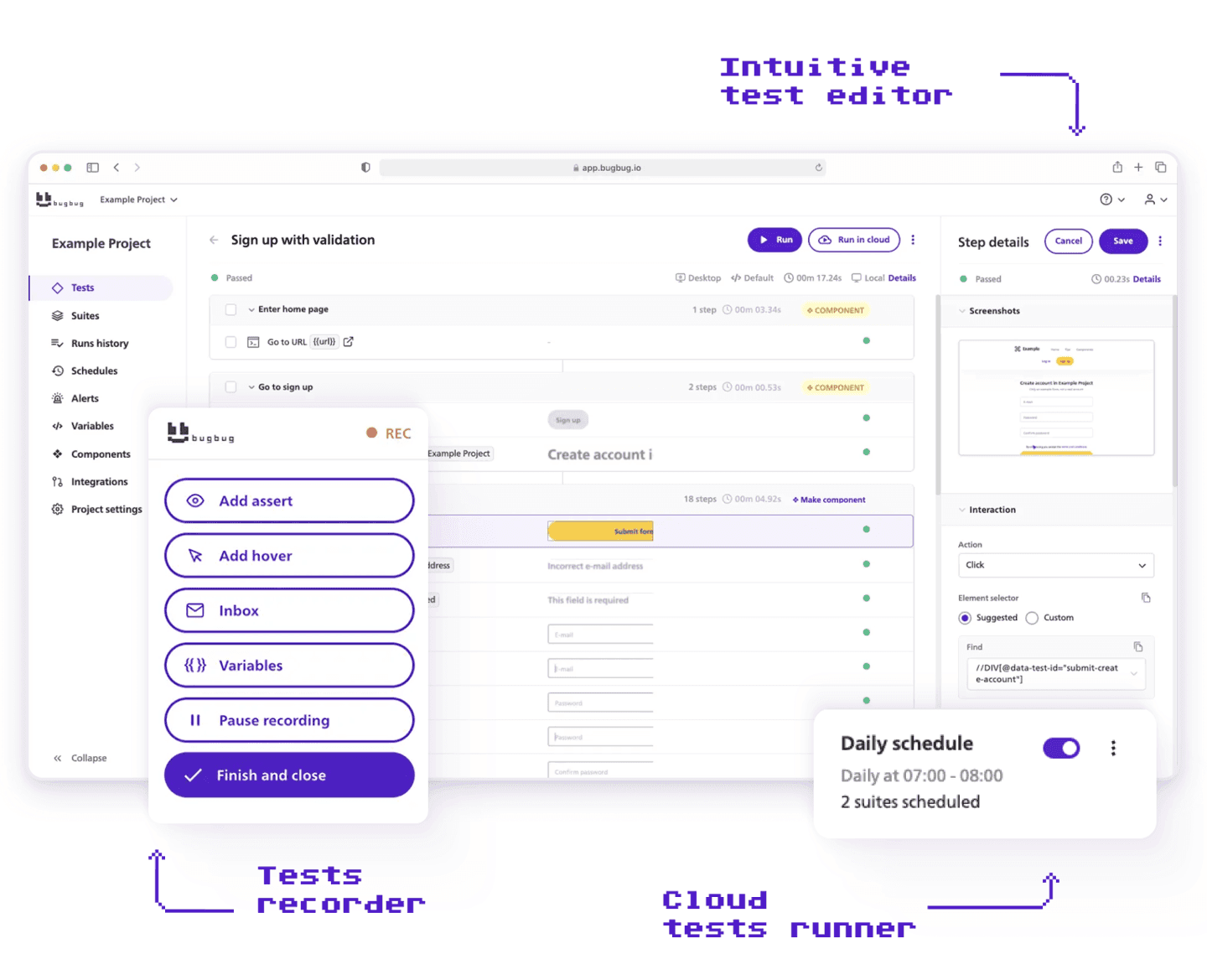
Take the read-only flow you picked — the search, the filter, the dashboard load. The whole sequence:
Where a tool like BugBug earns its place in this sequence: when step 14 of a longer test needs changing, you edit that step and rerun from step 12 — no re-recording from the top. That single mechanic is most of the difference between maintenance taking five minutes and twenty, which is most of the difference between a suite that survives and one that doesn't. It also gives you an inbox at bugbug-inbox.com for signup and password-reset emails, which is what makes login testable in week two without wiring up a mail API.
The honest boundary, again: Chromium only. If cross-browser coverage is a requirement rather than a nice-to-have, this isn't your tool.
Want something to practise on before pointing a recorder at production? Try the example SaaS app or one of these deliberately broken test sites.
💡 If you're just starting: check out our beginner's tutorial to automation testing
The second-most-common beginner mistake, after starting with login: recording one enormous journey. Sign up, confirm email, log in, browse, add to cart, apply a discount, check out, verify the receipt. Forty steps, one test, and it feels productive because it touches everything.
It breaks constantly, and worse, it breaks uninformatively. All you learn is that something in the middle went wrong.
Rule of thumb: If a failure doesn't tell you which feature broke, the test is too long. Split that checkout journey into four — cart behaviour, discount logic, payment step, receipt confirmation. Each fails on its own and names its own culprit. Four short tests also fail independently, so one broken feature doesn't turn the whole dashboard red.
Your test needs an account, and that account needs a predictable state. A test that adds an item to a cart passes on an empty cart and fails on a cart holding three items from yesterday's run. Three things to sort before you scale past five tests:
That's roughly a day of developer time, once. It's also the most common reason a suite that worked in week two stops working in week six. Polly.Help, a 50-person SaaS in the Netherlands, handled this with reusable components and per-environment configuration — their technical lead's summary was that automation increased productivity and saved money through fewer breaking changes, not that it eliminated setup work.
Here's the shape maintenance actually takes, from a reviewer who has run a recorded suite on a free plan for two and a half years: the effort is front-loaded at setup, then near-zero, then spikes whenever something significant changes in the app — a redesigned submit button, a moved form. That's the honest rhythm. Not zero maintenance, but concentrated and predictable rather than constant. And the payoff scales: one founder automating a Jira app reported a full manual test suite that used to take three to four days now runs largely unattended at roughly a tenth of the effort.
Three decisions, and only one is about software.
Fair objection, and worth raising before you commit rather than after. The answer is more concrete than it used to be: BugBug tests export and import as YAML, so a recorded test is a readable file your developer can review in a pull request, diff against last month's version, and keep in git. If you outgrow the tool, you leave with your tests rather than a screenshot of them.
That matters more than it sounds, because the alternative most teams actually choose isn't a beautiful Playwright suite built by a future hire. It's another quarter of manual regression, and another customer finding the broken checkout before you do.
Ready to catch some bugs? Pick your read-only flow, record it, and run it three days running. That's the whole first week.

Your next release. Properly tested.
Join 1,200+ QA teams that automated their regression coverage with BugBug.


Dominik Szahidewicz is a Software Quality Evangelist specialising in quality assurance, test automation, and modern software testing practices. He creates practical, research-driven content that helps QA professionals, developers, and product teams improve test coverage, automate repetitive testing, and release more reliable web applications.
Drawing on his experience in technical writing, data analysis, and application consulting, Dominik translates complex testing concepts into clear, actionable guidance. His areas of interest include end-to-end testing, no-code test automation, regression testing, and the use of AI in software quality assurance.

Paweł Bylina is a software engineer, test automation product leader, and founder and CEO of BugBug, a no-code end-to-end testing platform used by teams in more than 50 countries. He has over 15 years of experience building software and leading engineering teams as a developer, engineering manager, CTO, and SaaS founder.
Paweł created BugBug after repeatedly seeing teams struggle with test automation that was costly to implement and difficult to maintain. He now works closely with QA engineers, developers, and engineering leaders to improve how software teams create and maintain reliable automated test coverage.
His expertise includes end-to-end testing, regression testing, browser automation, no-code test automation, QA strategy, and software quality. He shares practical insights drawn from building BugBug and working with software teams worldwide.
Join thousands of QA experts. Subscribe to our newsletter.
Get more testing tips and product related content. Zero spam.
What does AI for QA actually look like on a team without dedicated QA? Check our curated list of 10 best ai tools for testing in 2026.
Learn how to automate regression testing without devs or QA. Discover a risk-based strategy and practical workflows.
This article delves into the journey of becoming an Automated Test Engineer, offering insights into the essential skills, knowledge, and steps required to embark on this career path and increase your current salary.
Build a CI/CD testing pipeline in 30 minutes with BugBug. Learn how to run reliable E2E smoke tests on every PR, block bad merges, and scale safely.
Build an effective QA strategy aligned with your business goals. Explore best practices in quality assurance and test automation.
Discover how to calculate ROI for test automation with easy formulas and practical examples. Learn to evaluate costs and track results effectively.
Discover the essential QA tester skills for 2026! Learn the technical and soft skills required to excel as a QA Tester.
Learn how to create a test plan for the testing process of your web application. Discover how to write a test plan with examples in the article.
This article delves into the significance of crafting comprehensive test cases for login pages, highlighting various scenarios.