

Product teams
Record critical workflows in the browser with visual test recorder. Read every step. Keep control of test intent.
Finally, QA and developers share one test language. Record visually, export to readable YAML, and keep your tests versionable and portable.
Visual editor
Exported YAML
test: Sign in steps: - goto: /login - type: value: qa@acme.com - click: Sign in+ - assert: dashboard visible
TEST IMPORT & EXPORT
Create tests the easy way, then keep them as human-readable files your team can review, version, back up, and work with outside BugBug.
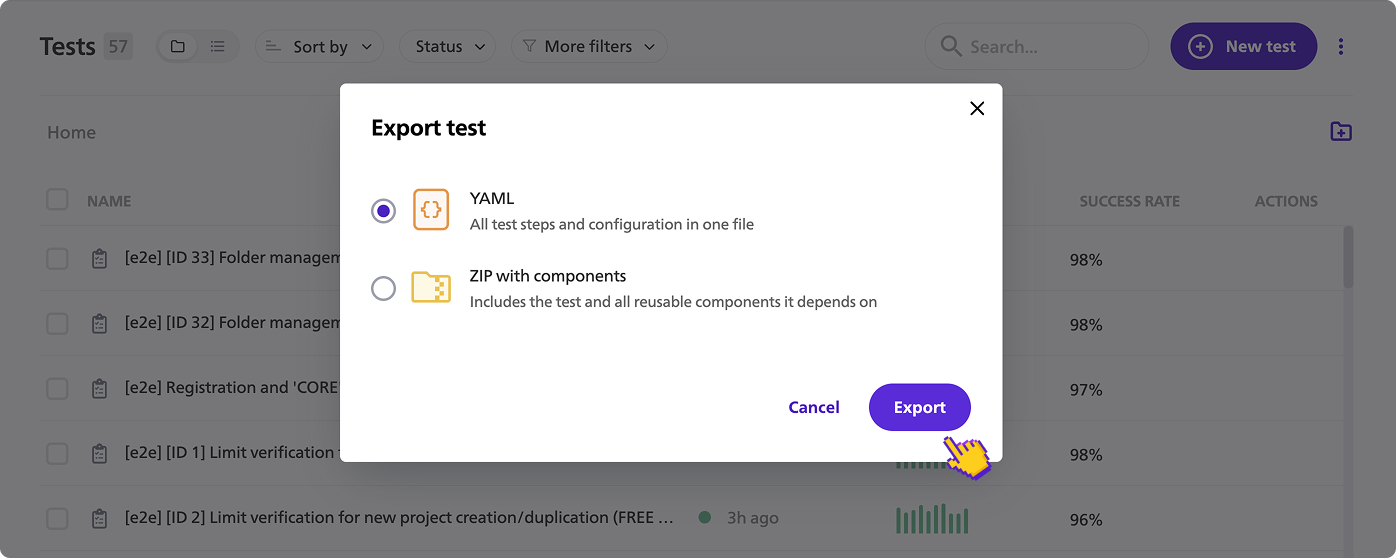
Export individual tests as YAML or download your whole project as a ZIP — so you always have a copy of your test assets.
Import tests or restore a complete project without rebuilding your regression coverage from scratch.
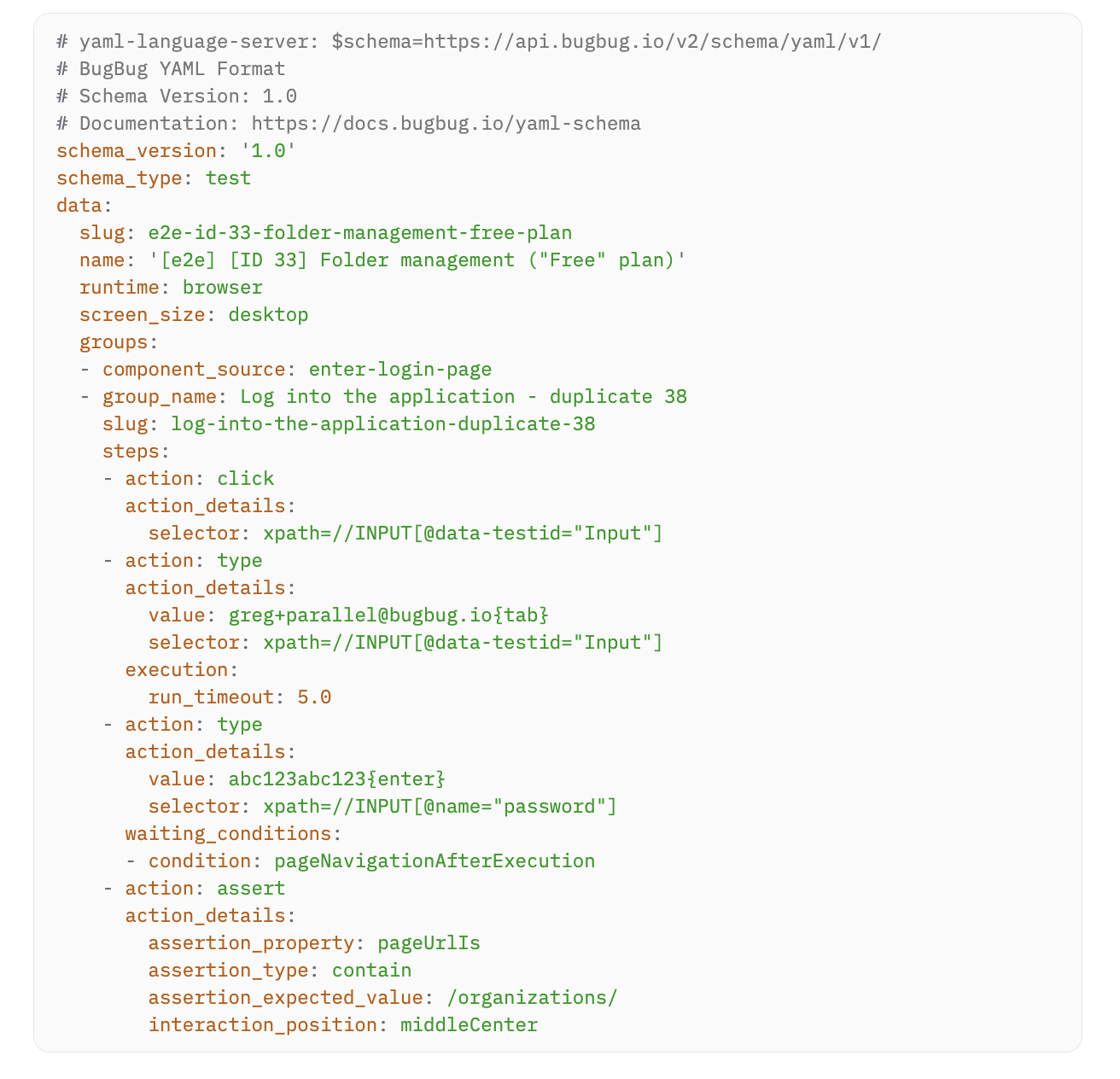
Readable YAML makes every step and selector easy to inspect, diff, and review in pull requests.
Keep tests outside the visual editor. Store them in Git, track changes, and keep an independent backup.
~90%
Reduction in time spent on repetitive regression testing
5x
Faster test creation than writing scripts from scratch
~70%
Less time spent fixing tests after every app update














Step 01
Record browser workflows and add assertions without writing code.
Step 02
Export tests as readable YAML or whole projects as ZIP.
Step 03
Store YAML in Git, review diffs, and use it in engineering workflows.
Step 04
Import tests back into BugBug and run them locally, in the cloud, or through CI.
WHY YAML FORMAT
YAML turns recorded flows into inspectable, dev-compatible test assets.
See test steps, assertions and reusable parts in a structured format.
Understand exactly what changed before a test update is approved.
Keep environment-specific values visible and manageable.
Apply shared components and conventions across the suite.
Keep test history in the same review workflow as product changes.
Let engineering systems and approved agents work with structured test assets.
No vendor lock-in
Export your suite. Keep the YAML in your repo. Continue to inspect, version and work with your test definitions outside the recorder.
Your exported YAML remains yours, even if you leave BugBug.
Your BugBug workspace, flows, reports and elements stay accessible.
Paid execution pauses; your work does not disappear. Return and continue where you left off.
Visual editor
Exported YAML
test: Sign in steps: - goto: /login - type: value: qa@acme.com - click: Sign in+ - assert: dashboard visible
FAQ
A human-readable representation of your test assets, designed for review, versioning and re-import.