New feature: Test import & export in YAML
Written byDominik SzahidewiczReviewed byMariusz Wójcik


Updated: August 26, 2026View as Markdown
Your tests can now move in and out of BugBug as human-readable YAML.
Export a single test for review, editing, or version control. Export a complete project as ZIP for backup. Import tests back into BugBug when you need them.
The goal is simple: make visually created tests easier to keep, review, share, and work with outside the recorder.
💡 Import and export are available on every BugBug plan, including FREE.
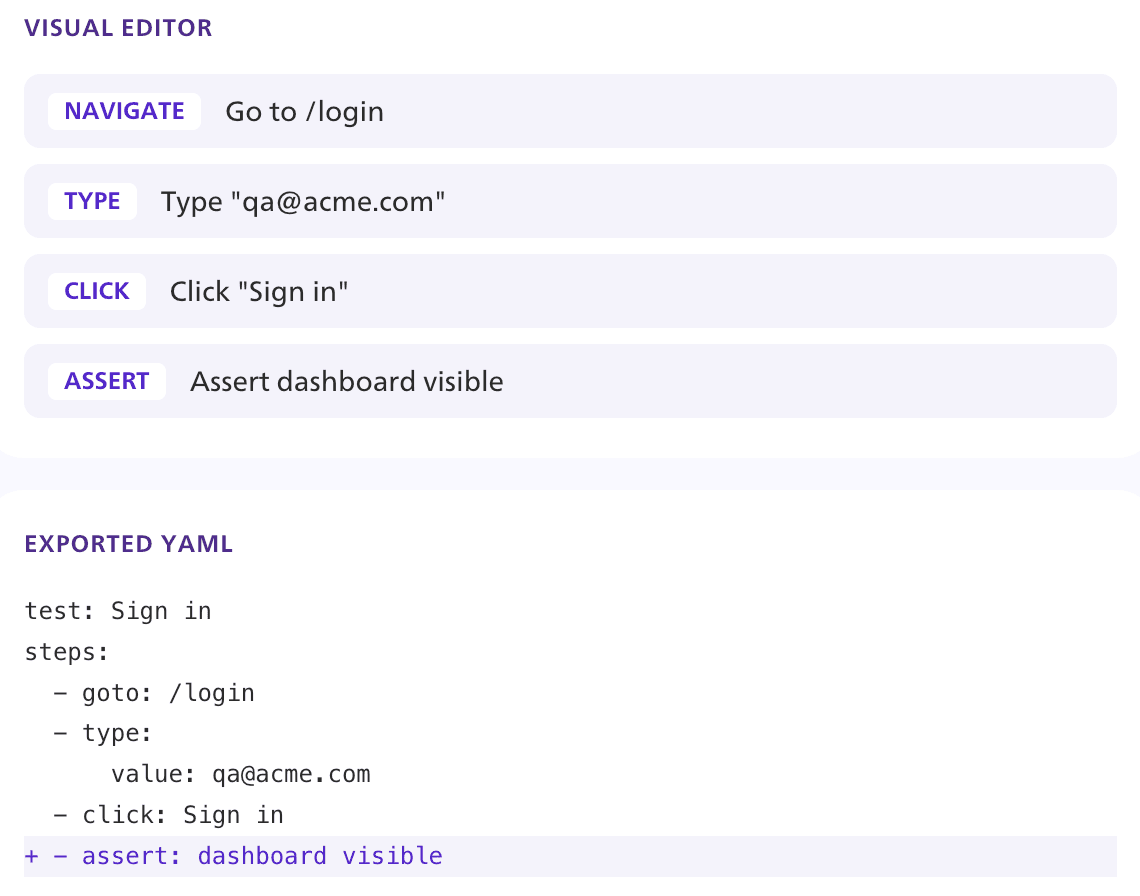
Visual test automation makes tests easier to create, but teams often need to work with those test assets outside the visual editor too.
Product teams may want to keep creating customer journeys visually. QA needs to maintain regression coverage. Developers may want to inspect changes, keep files in Git, or work with structured definitions in their existing workflows.
BugBug YAML gives all of them access to the same test definitions.
💡 Check out how YAML Export, Import & Backup works.
Exported tests remain readable outside the platform. You can keep them with the rest of your code, review changes in a diff, edit them, and maintain your own copies.
Because tests are stored as structured text, changes can be inspected before they are imported back into BugBug.
That makes it easier to answer a simple question:
What exactly changed in this test?
A full project export can contain:
So you can keep a complete copy of the test assets and files your project depends on.
BugBug supports two export formats: YAML and ZIP.
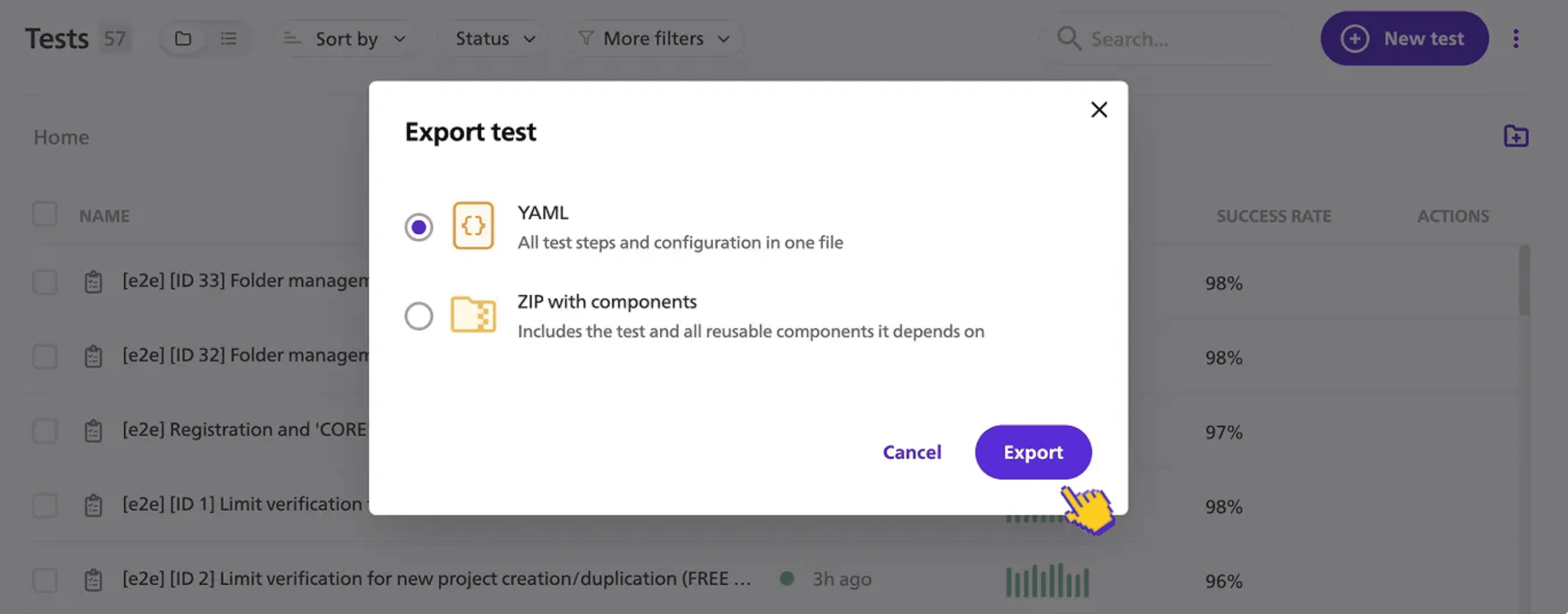
A YAML file contains the test definition: its steps, settings, and references to reusable components.
For example:
schema_version: '1.0'
schema_type: test
data:
  test_name: Sign in
  groups:
  - group_name: Login
    steps:
    - action: goto
      action_details:
        url: https://example.com/login
The format is structured and readable, so it can be inspected or edited outside BugBug.
If the test uses a reusable component, YAML references that component rather than copying it into the file. This keeps the test definition smaller and easier to review.
A ZIP bundles the exported item with the dependencies and files it needs.
Use ZIP when a test or project needs to travel together with assets such as:
A complete project ZIP also includes suites, profiles, settings, and folder structure.
You can import an individual test as YAML or ZIP into an existing project.
BugBug identifies tests and components by their slug.
If an incoming test already exists, BugBug shows the current and incoming YAML side by side so you can decide whether to:
A whole project ZIP works differently: importing it always creates a new project instead of overwriting an existing one.
Every exported BugBug YAML file references the BugBug JSON Schema.
Compatible editors can use it for autocomplete and validation. The same schema can also be used in your CI pipeline to catch invalid YAML before import.
Product teams can record and maintain critical workflows in BugBug without needing to work directly with YAML.
The visual recorder remains the interface for creating and understanding the test.
QA can export tests, keep copies outside the platform, review changes, and bring them back into BugBug.
For larger backups, project ZIPs keep related tests, components, suites, profiles, settings, and artifacts together.
Developers can inspect YAML, review diffs, store files in Git, and work with the same test definitions through engineering workflows.
The result is less duplication between visually created regression tests and the structured assets engineering wants to review.
Product teams can work visually. QA can manage the regression suite. Developers can inspect and version structured files.
They are still working with the same BugBug test assets, rather than maintaining separate versions of the same customer journey.
BugBug YAML describes what a test does — the steps, the settings, the components it reuses. It is not standalone Playwright, Cypress, or Selenium code, and a .bugbug.yaml file will not run on its own. Import it into BugBug and execute it:
That is the trade-off, stated plainly: BugBug remains the environment that runs your tests.
But readable, structured text has a second life. Hand a .bugbug.yaml file to Claude, ChatGPT, Cursor, or whatever your team already uses, and ask for the same flow as a Playwright spec — the steps, selectors, and assertions are all there in plain text for the model to work from. Same for Cypress, Selenium, or an internal framework nobody outside your company has heard of.
That gets you a working draft, not a finished suite. You will still review selectors, waits, and assertions the way you would review any generated code. But the starting point is your actual recorded flow, not a blank file and a description from memory.
Which means the real question — what happens to my tests if I leave? — has a better answer than "you export a file you can read." You export a file your team, and your AI tooling, can act on.
YAML and ZIP import/export are available on all BugBug plans, including FREE.
Build tests visually. Keep the definitions as YAML. Back up the complete project when you need to.

Your next release. Properly tested.
Join 1,200+ QA teams that automated their regression coverage with BugBug.


Dominik Szahidewicz is a Software Quality Evangelist specialising in quality assurance, test automation, and modern software testing practices. He creates practical, research-driven content that helps QA professionals, developers, and product teams improve test coverage, automate repetitive testing, and release more reliable web applications.
Drawing on his experience in technical writing, data analysis, and application consulting, Dominik translates complex testing concepts into clear, actionable guidance. His areas of interest include end-to-end testing, no-code test automation, regression testing, and the use of AI in software quality assurance.

Senior software engineer at BugBug, where he's spent 6 years helping shape the product. He's a T-shaped developer skilled in frontend with React and TypeScript, browser extensions, backend work, and building AI agents and tooling. His strengths also include UX instincts, a product-minded approach, and process automation.
Join thousands of QA experts. Subscribe to our newsletter.
Get more testing tips and product related content. Zero spam.
BugBug’s new Advanced Reports bring professional-grade QA documentation to teams that value transparency and compliance.
We're introducing a new level feature: the ability to edit your test and rewind the playback position from any selected point.
Learn how to automate regression testing without devs or QA. Discover a risk-based strategy and practical workflows.
This article delves into the journey of becoming an Automated Test Engineer, offering insights into the essential skills, knowledge, and steps required to embark on this career path and increase your current salary.
Learn how to create a test plan for the testing process of your web application. Discover how to write a test plan with examples in the article.
This article delves into the significance of crafting comprehensive test cases for login pages, highlighting various scenarios.
Build a CI/CD testing pipeline in 30 minutes with BugBug. Learn how to run reliable E2E smoke tests on every PR, block bad merges, and scale safely.
Build an effective QA strategy aligned with your business goals. Explore best practices in quality assurance and test automation.
Discover how to calculate ROI for test automation with easy formulas and practical examples. Learn to evaluate costs and track results effectively.