No-Code Playwright Alternatives for Non-Developers (2026)
Written byDominik SzahidewiczReviewed byMariusz Wójcik


Updated: November 26, 2026View as Markdown
A no-code alternative to Playwright lets you build browser tests by describing them to an AI agent, recording clicks or writing plain-English steps, then runs them for you. For non-developers, the closest replacement is BugBug: you describe a test to an AI agent through BugBug MCP, or record it in Chrome, and BugBug runs it in its managed cloud. testRigor and Testsigma take plain-English steps. Katalon, Ghost Inspector, mabl, Momentic and Testim cover the rest of the field.
Playwright is Microsoft's open-source framework for end-to-end testing. Every Playwright test is a script in TypeScript, JavaScript, Python, Java or .NET, and your team runs it on its own machines or CI. That suits developers. A QA tester, product manager or support lead who needs sign-up and checkout checked before each release usually needs a tool that does the coding and the running for them.
This guide covers eight no-code and AI-first tools, what each one asks of a non-developer, what it costs, and when Playwright is still the better pick.
Disclosure: BugBug publishes this blog. We list BugBug's limitations next to everyone else's. Prices are in USD and were checked in November 2026.
BugBug: ask an AI agent to create, run and fix tests through BugBug MCP, or record them in Chrome, then run them in a managed cloud. Best for small SaaS and web teams where QA or product owns regression testing.
testRigor: write each test step as an English sentence. Best for teams that think in written test cases.
Katalon Studio: recorder and no-code steps, with full code when you need it. Best for mixed-skill teams testing web, mobile, API and desktop.
Ghost Inspector: browser-extension recorder with scheduled runs. Best for simple recorded checks across Chrome, Firefox, Edge and Safari.
mabl: AI-driven test creation and upkeep. Best for larger teams with an enterprise budget.
Testsigma: plain-English and AI-generated tests. Best for teams that also test mobile apps and Salesforce.
Momentic: an AI agent writes tests as YAML and opens pull requests. Best for engineering-led teams testing web and mobile.
Testim: recorder plus agentic test creation from Tricentis. Best for teams testing Salesforce next to web and mobile.
| Tool | How a non-developer creates a test | Code needed | Free option | Paid pricing | Best for |
|---|---|---|---|---|---|
| BugBug | Asks an AI agent (Claude Code, Cursor, Codex) through BugBug MCP, or records in Chrome; edits steps visually | No (optional JavaScript steps) | Free plan, unlimited local runs | From $99/month, billed annually | QA and product teams owning regression testing |
| testRigor | Types steps in plain English | No | Free public plan (tests and results are public) | Pay as you go (no public price) or custom | Teams that write tests as sentences |
| Katalon Studio | AI Web Recorder, no-code steps or AI Assist | No for recorded flows; code for advanced cases | Free plan | $1,800 per seat per year (Professional) | Mixed-skill teams, several platforms |
| Ghost Inspector | Browser-extension recorder and codeless editor | No | 14-day free trial | From $109/month, billed annually | Scheduled recorded checks |
| mabl | AI-driven test building | No for autonomous test building | 14-day free trial | Quote only | Larger teams with budget |
| Testsigma | Plain English, or AI generation from user stories, Jira or Figma | No | Free trial | Quote only | Web, mobile, API and Salesforce in one tool |
| Momentic | Describes the flow to an AI agent; test saved as YAML in a pull request | No for AI steps; repository workflow | Free plan ($50 of usage per month) | Scale $500/month (usage included) | Engineering-led teams, web and mobile |
| Testim | Records in the browser, or describes the test to an AI agent | Low-code for web and mobile; codeless for Salesforce | Community plan after the trial | Quote only | Salesforce plus web and mobile |
Partly. Playwright has a test generator, codegen. You run npx playwright codegen with your site's URL, click through the flow, and Playwright writes the matching test code in its Inspector window.
What you get is code. Someone still has to:
If a developer reviews and maintains what codegen produces, that can work. If QA or product needs to own the tests day to day, a no-code tool removes those three jobs.
Searches for "Playwright alternatives for non-developers" mix two needs. If you want to check that your web app works (log in, add to cart, pay, see the confirmation), you need a test automation tool, and the eight below fit.
If you want to automate a routine task in a browser, such as filling forms or copying data between sites, you're looking for an RPA or browser automation tool instead. This guide covers testing. For a broader list of no-code testing tools beyond Playwright replacements, see our guide to codeless automation testing tools.
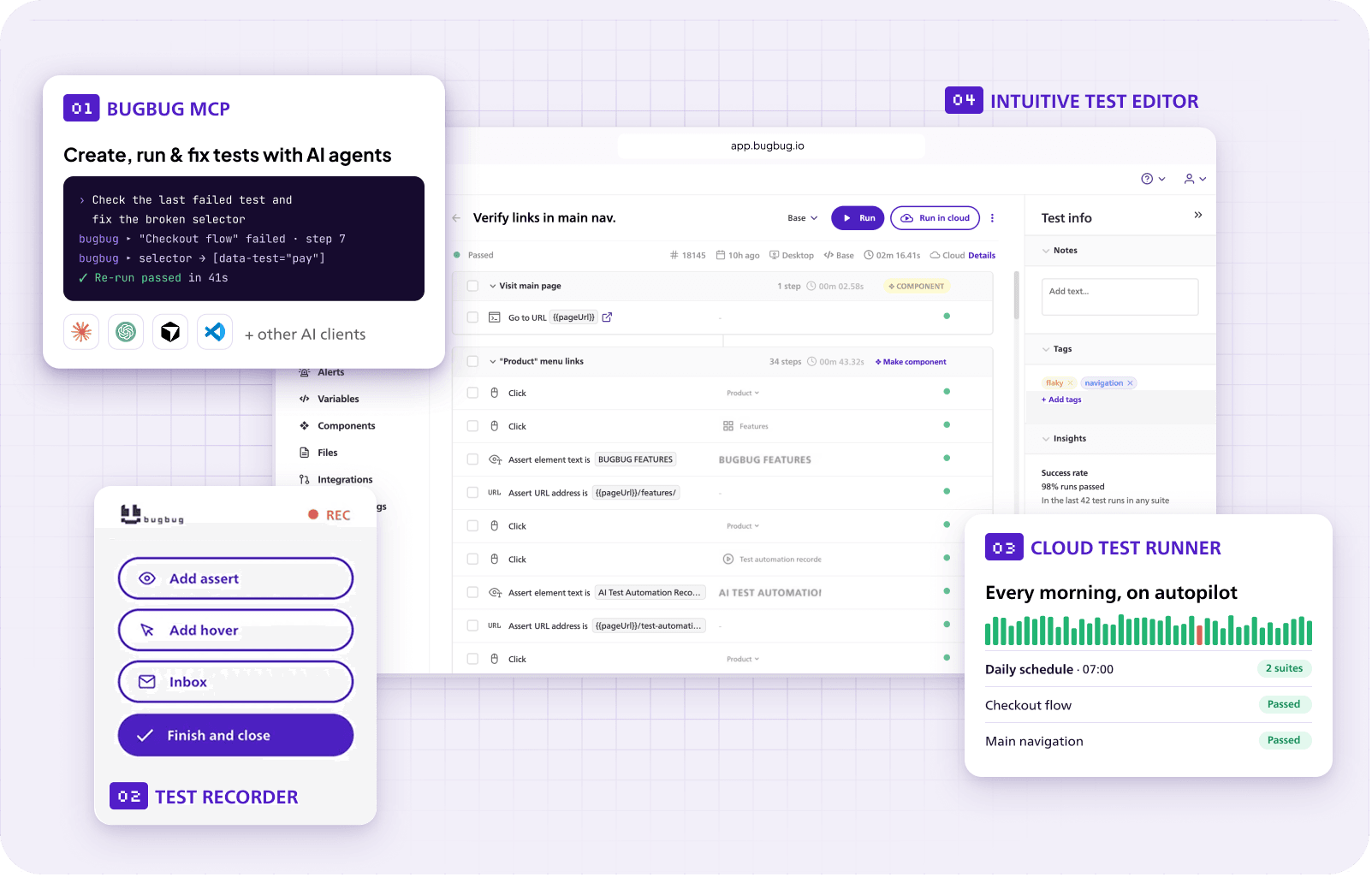
BugBug replaces the parts of Playwright a non-developer can't take on: writing test code, keeping a test runner alive and fixing scripts after UI changes. It's a no-code end-to-end testing tool for SaaS and web product teams. QA, product managers and developers describe a test to an AI agent, and the agent builds it in BugBug through BugBug MCP. The Chrome recorder and visual editor work on the same tests. BugBug runs the suite locally or in its managed cloud, with schedules, alerts and reports included.
How a non-developer creates a test: connect an AI agent such as Claude Code, Cursor or Codex to your project through BugBug MCP and describe the flow in plain language, for example "sign up with a new email and check the welcome screen". The agent creates the test, runs it and investigates failures. When the app changes, you ask it to update the test. Every step the agent writes stays visible in BugBug, so QA can review it, edit it visually or rerun it. If you'd rather click through the flow yourself, the Chrome recorder turns each click and keystroke into a readable step.
Strengths
Limitations
Pricing: FREE plan with unlimited local runs. Paid plans start from $99/month billed annually and adds unlimited cloud runs. Paid plans have a 14-day trial with no credit card.
Best for: manual QA and product managers who want to own automated regression testing.
| Playwright | BugBug | |
|---|---|---|
| How you create tests | Write code, record with codegen or use AI; you review generated code | Ask an AI agent through BugBug MCP or record in Chrome; you review readable steps |
| Who maintains tests | People who can write and review code | QA, product managers, manual testers, developers and AI agents |
| Working with AI agents | Playwright MCP, plus test agents that plan, generate and heal Playwright test code | BugBug MCP: agents create, update, run and investigate the shared suite |
| Reports and failure investigation | Trace viewer per run; team dashboards are your own setup | Shared run history and reports built in |
| Where tests run | Your machine, CI or servers you set up | Locally (unlimited on every plan) or BugBug's managed cloud (paid plans) |
| Schedules, alerts, run history | Added through CI and other tools | Built in from CORE plan |
| Browsers | Chromium, Firefox and WebKit | Chromium-based browsers |
| Test format | Code in Git, reviewed through pull requests | Readable steps; YAML export for review and backups |
| Test data through API | Full API testing and setup in code | No native API requests |
| Price | Free and open source (Apache 2.0); you pay for infrastructure | Free plan; paid plans from $99/month billed annually |
💡 Read the full BugBug vs. Playwright comparison
Choose Playwright if developers will own the tests, you need Firefox or Safari, or you want full control over test code and runners.
Choose BugBug if QA or product needs to create and maintain automated tests quickly, you want AI agents working on tests the team can still read and edit, and you want cloud runs, schedules and reports without building them.
Automate your tests for free
Test easier than ever with BugBug test recorder. Faster than coding. Free forever.
Start testing. It's free.
testRigor runs test steps you write in plain English, using generative AI to carry them out in your app. It covers web, mobile and native desktop apps (desktop on paid plans), and works with Claude Code through MCP.
How a non-developer creates a test: type each step as a sentence, the way you'd write a manual test case, and run it.
Strengths
Limitations
Pricing: FREE - PUBLIC plan; Pay As You Go (no public price); Enterprise with custom pricing.
Best for: teams that would rather describe a test than record it.
💡 Compare testRigor vs BugBug
Katalon Studio supports no-code, full-code and AI-assisted test authoring for web, mobile, API and desktop apps, and lets testers switch between them inside one project. Its AI Web Recorder turns real interactions into reusable tests without scripting.
How a non-developer creates a test: download Studio, record a flow with the AI Web Recorder, then adjust the recorded steps.
Strengths
Limitations
Pricing: Free plan with local authoring, record and playback, and local execution. Professional is $1,800 per seat per year, billed annually. Enterprise is custom, on an annual contract.
Best for: mixed-skill teams that test more than web apps.
💡 Compare Katalon vs BugBug or see Katalon alternatives
Ghost Inspector is a no-code browser testing platform. You record with its extension for Chrome, Firefox, Edge or Safari, edit steps in a codeless editor and schedule runs. It also does visual, email and accessibility testing.
How a non-developer creates a test: install the extension, record the flow, and edit the steps in the codeless editor.
Strengths
Limitations
Pricing: Starter is $109/month billed annually ($125 billed monthly) with 10,000 test runs and 5 team members. Growth is $225/month and Large/Scale $449/month, both billed annually. Enterprise is quote-only. 14-day free trial, no credit card.
Best for: teams that want recorded checks running on a schedule.
mabl describes itself as an agentic testing platform, with products for web, mobile, API and AI apps. Its pricing page lists autonomous test building and maintenance, advanced auto-healing, visual assertions and unlimited test run concurrency.
How a non-developer creates a test: mabl's AI builds and maintains tests; its site doesn't walk through the authoring steps, so ask for a demo during the trial.
Strengths
Limitations
Pricing: quote only, with a 14-day free trial.
Best for: larger teams with budget for an enterprise testing platform.
💡 Compare mabl vs BugBug or see mabl alternatives
Testsigma lets you write tests in plain English or generate them with AI from user stories, Jira tickets or Figma files. Its AI coworker, Atto, generates, runs, heals and diagnoses tests across web, mobile, API and Salesforce.
How a non-developer creates a test: write the steps in plain English, or generate a test with AI from a user story, Jira ticket or Figma file.
Strengths
Limitations
Pricing: quote only, with a free trial to start.
Best for: teams that need web, mobile, API and Salesforce testing in one tool.
💡 See Testsigma alternatives
Momentic is an AI QA platform that explores web, iOS and Android apps to find bugs. You tell its agent, Mo, what to test, and it turns an approved flow into a Momentic YAML test and opens a pull request. Steps can also be written in plain English as AI actions.
How a non-developer creates a test: describe the flow to the agent in plain language, approve the flow it proposes, and the test lands in your repository as a pull request.
Strengths
Limitations
Pricing: Free is $0/month with $50 of usage each month and no credit card. Scale is $500/month with $500 of usage, billed in advance. Enterprise is custom.
Best for: engineering-led teams that want an AI agent to write tests into their repository.
💡 See Momentic alternatives
Tricentis Testim is an AI-powered testing platform for custom web, mobile and Salesforce apps. You create tests by clicking through your app, or describe what you need and its Agentic Test Automation builds the test. Code is available when you need it.
How a non-developer creates a test: record the flow in the browser, or describe it and let the agent build it. Salesforce tests can be built entirely in natural language.
Strengths
Limitations
Pricing: quote only. Trials revert to the free Community plan when they end (one per organization).
Best for: teams already on Tricentis tools, or teams testing Salesforce next to web and mobile.
💡 See Testim alternatives
MCP (Model Context Protocol) lets an AI agent such as Claude Code, Cursor or Codex call a tool directly. Playwright has its own MCP server, which lets an agent drive a browser. Playwright also ships three test agents: a planner that explores the app and writes a test plan, a generator that turns the plan into Playwright test files, and a healer that repairs failing tests.
For testing, the useful question is what the agent leaves behind.
With Playwright, it's code your team has to own. With BugBug MCP, the agent creates, runs, investigates and fixes tests inside your BugBug project (PRO plan and up), and QA or product can open those tests and edit them visually. testRigor also offers an MCP server for its plain-English tests, and Momentic includes MCP access on every plan.
Stay on Playwright, or pick it, if:
Some teams use both: Playwright for cross-browser and API-heavy checks, BugBug for the Chromium user flows QA and product own.
If developers own the suite but QA wants to contribute, codegen is a reasonable first step: QA records the flow and a developer cleans up the code.
If you want to stay on Playwright rather than a no-code tool, RedQA builds and maintains Playwright, Cypress, and Selenium suites for product teams, including CI setup and handover of the test code. Their 2026 comparison of the three frameworks is a useful starting point when you are choosing a stack.
These frameworks need developers. They fit teams that want to swap one code framework for another.
| If you... | Look at |
|---|---|
| Want an AI agent to build and fix tests the whole team can edit | BugBug |
| Want to record flows and run them in the cloud with no setup | BugBug, Ghost Inspector |
| Prefer writing tests as sentences | testRigor, Testsigma |
| Test web, mobile, API and desktop, and some testers code | Katalon Studio |
| Want AI to build and maintain tests and have an enterprise budget | mabl |
| Want an AI agent to write tests into your repository | Momentic |
| Test Salesforce next to web and mobile | Testim, Testsigma |
| Need a free start | BugBug (Free plan), Katalon (Free plan), Momentic (Free plan with monthly usage), testRigor (public tests only) |
| Have developers who will own the tests | Playwright, with codegen for first drafts |
| Need Firefox or Safari | Ghost Inspector (records in Chrome, Firefox, Edge and Safari); for other tools, confirm browser support during the trial |
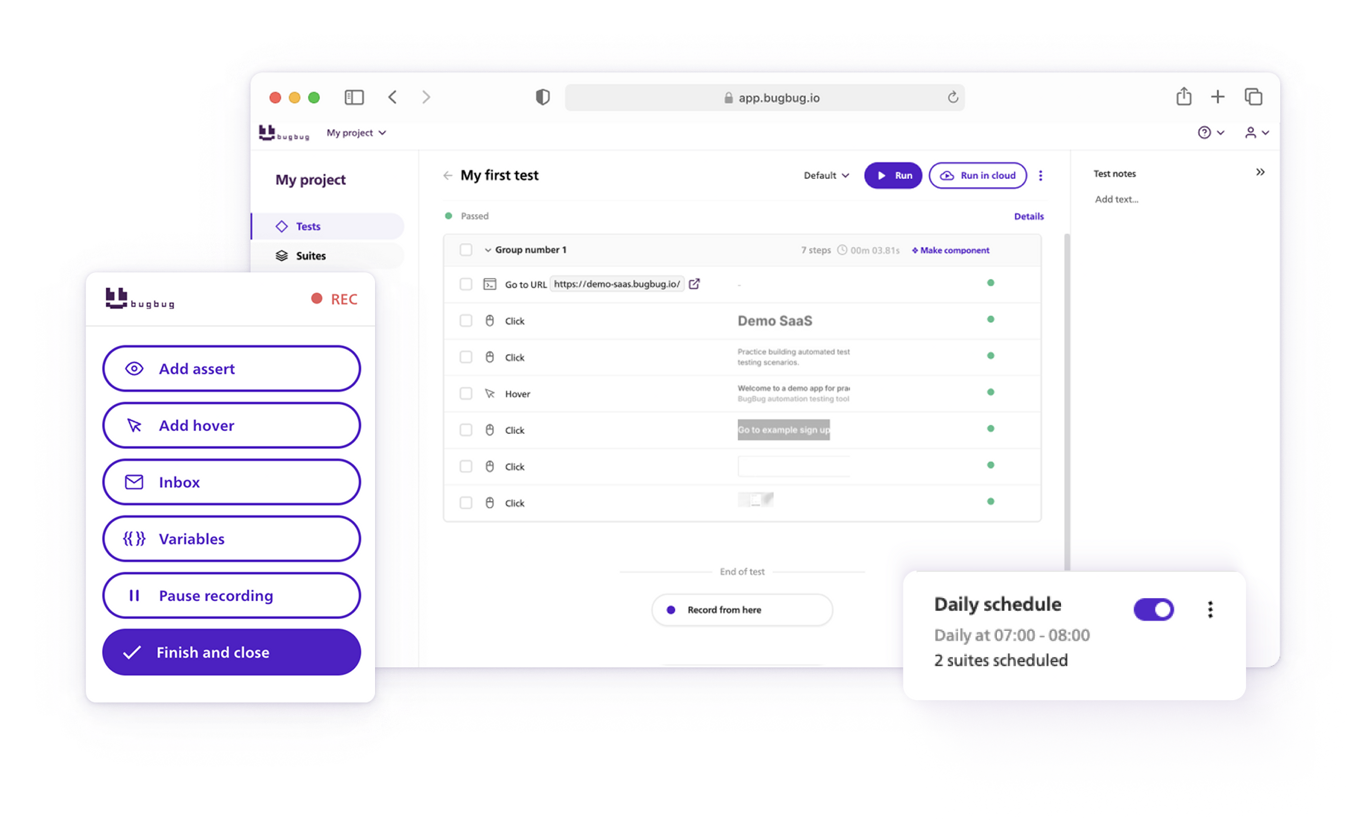
Your next release. Properly tested.
Join 1,200+ QA teams that automated their regression coverage with BugBug.
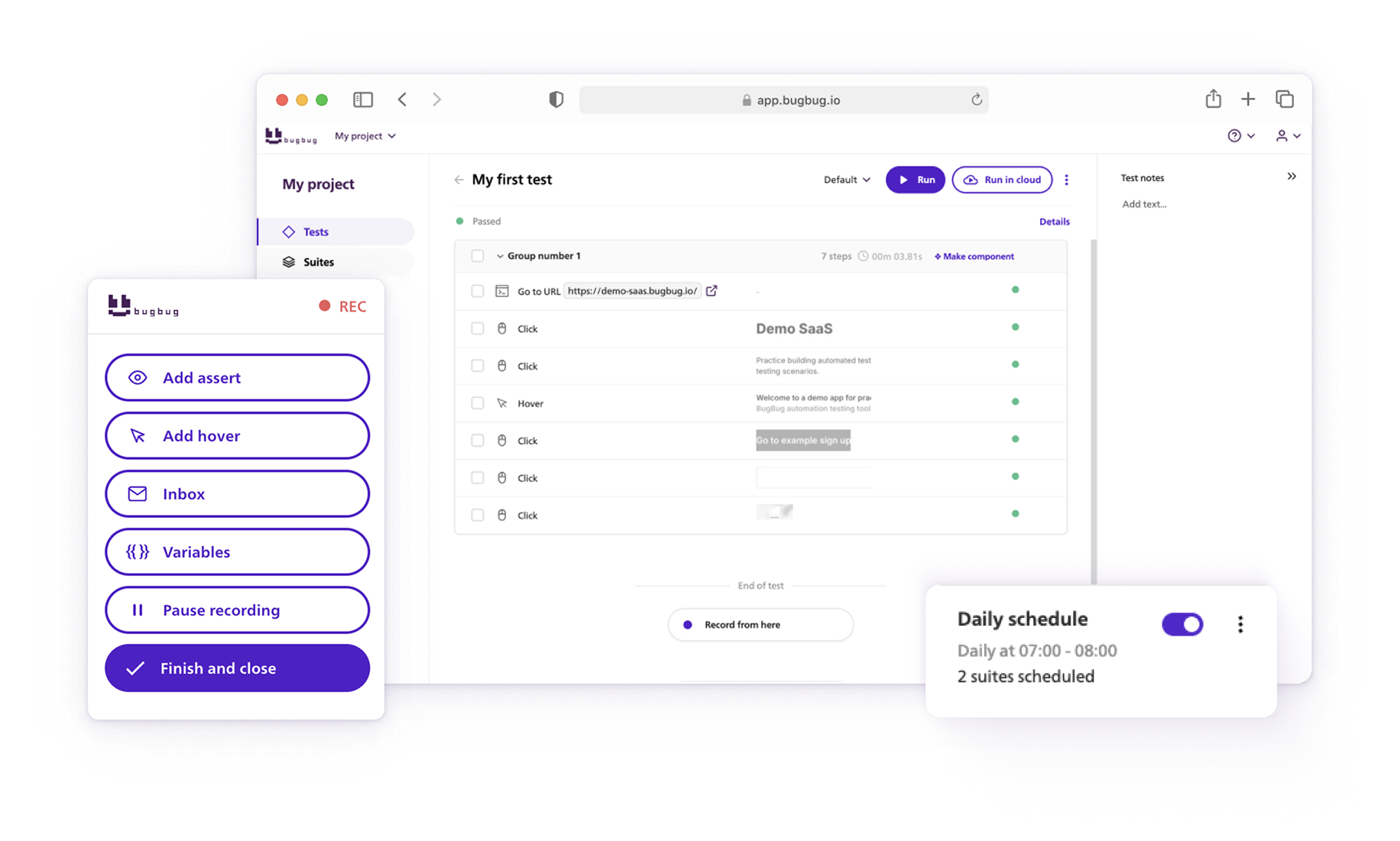

Dominik Szahidewicz is a Software Quality Evangelist specialising in quality assurance, test automation, and modern software testing practices. He creates practical, research-driven content that helps QA professionals, developers, and product teams improve test coverage, automate repetitive testing, and release more reliable web applications.
Drawing on his experience in technical writing, data analysis, and application consulting, Dominik translates complex testing concepts into clear, actionable guidance. His areas of interest include end-to-end testing, no-code test automation, regression testing, and the use of AI in software quality assurance.

Senior software engineer at BugBug, where he's spent 6 years helping shape the product. He's a T-shaped developer skilled in frontend with React and TypeScript, browser extensions, backend work, and building AI agents and tooling. His strengths also include UX instincts, a product-minded approach, and process automation.
Join thousands of QA experts. Subscribe to our newsletter.
Get more testing tips and product related content. Zero spam.
Looking for the best Cypress alternatives in 2026? Explore leading competitors, features, and tools redefining automated software testing.
Explore the top manual testing tools. Streamline software testing with the help of our comprehensive guide.
Discover the best Puppeteer alternatives in 2026! From Playwright to advanced web scraping tools, find the perfect solution for your automation needs.
Compare and choose between Puppeteer Screen Recorder and BugBug Chrome extension for recording and generating test scripts in Chrome browser.
Learn Playwright locator with our guide: getByRole, getByText, getByTestId, and more. Check also our cheat sheet with more examples.
Discover the top TestSigma alternatives and competitors, and learn how each tool differs.
Learn the main test automation framework types, what an automated testing framework includes and how to choose between Playwright, Selenium and others.
Is affordable testing possible? Many teams discover too late that their “cheap” QA platform comes with variable costs.
Cypress recorder is a powerful tool designed to enhance the efficiency of the testing process. Let's compare it with the BugBug codeless recorder.