TestCafe Alternatives: Cut Your Maintenance
Written byDominik Szahidewicz


Updated: July 12, 2026View as Markdown
You didn't leave TestCafe because it couldn't run tests. You left because keeping those tests alive became someone's part-time job — and the proxy layer added a second problem: failures that weren't even your app's fault.
If you're comparing TestCafe alternatives, this guide ranks eight real options — BugBug, Playwright, Cypress, Mabl, LambdaTest, Testsigma, WebdriverIO, and Katalon Studio — for software development and QA teams choosing a replacement. The core filter is maintenance: not whether a tool can automate a web app, but whether your developers, QA engineers, or non-technical testers can keep tests working without burning time on constant rewrites.
That's the real decision point. Most test automation frameworks can handle browser testing, cross-browser runs, and CI/CD execution; what separates them is the upkeep model. Some alternatives cut maintenance with codeless or low-code test creation, AI self-healing, and simpler selector management. Others still expect code-heavy fixes, or shift the work between local runs, cloud execution, and different owners on the team.
This list ranks eight TestCafe alternatives through that lens and gives each one a clear verdict on where the maintenance actually lands, so you can find the best fit for your team and ship faster with less test overhead.
👉 Also check our guide on the best Web Application Testing Tools
| Tool | Best for | Who maintains tests | Free plan | Cross-browser | Maintenance model |
|---|---|---|---|---|---|
| BugBug | Non-dev QA, web-only SaaS | Anyone (visual) | Yes | Chromium only | Record, fix in place with Edit & Rewind |
| Playwright | Developer teams | Developers | Open-source | Chromium, Firefox, WebKit | Every fix is a code change + PR |
| Cypress | JS teams, component-heavy apps | Developers | Open-source | Chrome-first, weak Safari | Developer-owned, single-domain workarounds |
| Mabl | Enterprise, high-churn UIs | QA (visual) | No | Yes | AI self-healing (worth it only if UI churns) |
| LambdaTest | Cross-browser cloud execution | Developers | Limited | 2,000+ combos | None reduced — multiplies existing scripts |
| Testsigma | Mixed teams needing web+mobile+API | Mixed | No | Yes (cloud) | AI-assisted, but complex flows need scripting |
| WebdriverIO | Selenium-grade flexibility | Developers | Open-source | All major + Safari | Selenium-grade upkeep, 100% dev time |
| Katalon Studio | Migrating from Selenium, mixed modes | Mixed | Free tier | Yes | You maintain the IDE as much as the tests |
Read the table, then read the verdict on whichever tools made your shortlist. If you're scanning the best testcafe alternatives first, the broader automated web testing market in 2026 usually includes Playwright, Cypress, Selenium, Maestro, and Mabl, but this shortlist is narrowed to maintenance. The descriptions below exist to explain the maintenance column — because that's the column that decides your next six months.
TestCafe was a real step forward when it launched. No WebDriver, no browser plugins — Install TestCafe by first having Node.js installed, then running npm install -g testcafe. After that, you write test cases in a JavaScript or TypeScript file and can run a sample test with a command like testcafe chrome test.js. For JavaScript developers tired of Selenium's setup overhead, it felt like relief. It still works as a testing framework for test automation on web applications, supports Chrome, Firefox, Edge, and Safari for test execution across different browsers and multiple browsers, and runs directly in a modern browser with automatic waiting for page elements, which reduces the need for sleep commands and helps produce more stable tests.
TestCafe also supports multiple windows and iframes for more complex test scenarios in modern web applications.
But three things push teams off it:
It still requires JavaScript. The "simple setup" is simple only if you already write JS. For a QA engineer who doesn't, there's no entry point at all. That single fact defines — and limits — who on your team can ever contribute a test or fix a broken one.
The proxy architecture creates its own failures. TestCafe injects itself into browser traffic through a proxy layer (hammerhead). On apps with complex asset loading, that causes measurable slowdowns, intermittent element-detection failures, and browser disconnection errors — Chrome especially. These are failures you debug in TestCafe, not in your app. That's maintenance tax with nothing to show for it.
Momentum left. New teams evaluating JavaScript E2E in 2026 are choosing Playwright — broader language support, faster native-protocol execution, better tooling, far more community activity. TestCafe's release cadence slowed, even though it still fits continuous integration workflows and CI systems such as Jenkins, TeamCity, and Travis, with official Docker images for automated test execution in CI/CD pipelines. Nobody wants to inherit a framework the ecosystem is walking away from.
Now — where should you go? It depends entirely on whether the people maintaining your tests write code.

Best for: Developer teams who want the modern upgrade from TestCafe — native browser protocols, multi-language support, and the most actively developed open-source framework in the space.
If your team writes code and left TestCafe over performance, Playwright is the honest recommendation. It’s also the most common destination for teams moving existing testcafe tests to a framework with native browser protocols and broader language support. It replaces proxy injection with native DevTools Protocol and WebSockets, which kills the exact category of slowdowns and disconnection errors that drove you off TestCafe. It supports JavaScript, TypeScript, Python, Java, and C#. It gives you genuine cross-browser coverage — Chromium, Firefox, and WebKit — from one API. Its trace viewer lets you replay a failure step-by-step with DOM snapshots and network logs, which is dramatically better than TestCafe's generic CLI output. Microsoft backs it and ships Playwright Agents (planner, generator, healer) for AI-paired workflows.
Where it costs you: Every test is code. Non-technical teammates cannot contribute — not to creation, not to maintenance. It’s also better suited to more complex test scenarios, but that advantage still keeps design and upkeep in developers’ hands. Codegen scaffolds tests for developers but isn't built for QA engineers who don't script. And your team owns the CI config, the runner setup, and the scripts.
Maintenance verdict: The tooling is best-in-class, and stronger debugging and healing workflows can help reduce flaky tests, but maintenance never leaves the developer. Every selector change is a code change, a PR, a review. Playwright doesn't reduce upkeep — it makes upkeep pleasant for people who code. If that's your whole team, take it. If it isn't, keep reading.

Best for: JavaScript teams building component-heavy apps (React, Vue, Angular) who value developer experience and integrated debugging.
Cypress runs inside the browser and offers one of the best debugging stories in the category — a time-travel debugger that lets you step through test states, direct DevTools access, first-class React/Vue/Angular component testing, and a large plugin ecosystem. For teams building component-heavy apps, especially React applications that rely heavily on JavaScript, it fits naturally if your team is already comfortable there. For a front-end team that lives in JavaScript, it's a genuine pleasure to use.
Where it costs you: It's JavaScript/TypeScript only — no entry for non-developers. Firefox support is secondary; there's no Safari/WebKit. The single-domain limitation is a real one: Cypress can't navigate between multiple domains in one test, so any flow that redirects through an auth provider or third-party payment page forces a workaround you'll then maintain. Parallel execution requires paid Cypress Cloud.
Maintenance verdict: Great debugging doesn't change who holds the wrench. Authoring and upkeep stay locked to developers, and the single-domain limit means auth and redirect flows cost you engineered workarounds that themselves need maintaining. Lower flakiness than TestCafe, same ownership problem.

Best for: Enterprise DevOps teams running continuous testing at scale, where the UI changes often enough to justify AI-driven maintenance.
Mabl is an AI-native low-code platform and a cloud testing platform for teams that want centralized execution. Like other codeless low-code test automation tools, it lets teams record browser interactions, edit tests, run them locally or in the cloud, and generate detailed reports. Its machine-learning self-healing adapts tests when your interface shifts, which genuinely cuts the manual effort of keeping a large suite current. Test creation is visual, execution is cloud-based, and CI/CD integration (Jenkins, GitHub Actions, Azure DevOps, CircleCI) is deep. It layers in visual regression alongside functional testing.
Where it costs you: Enterprise pricing, no free plan — impractical for most startups. And self-healing only pays for itself if your UI actually churns. A team with a stable app is buying maintenance-reduction infrastructure it rarely triggers. There's a learning curve heavier than the low-code label suggests.
Maintenance verdict: The self-healing is real, not marketing — but it's ROI-shaped, and AI can reduce maintenance overhead by catching or adapting to flaky tests. Constantly-shifting UI at enterprise scale? Worth it. Stable web app at an SMB? You're paying premium price for maintenance reduction you won't use, when a recorder with stable selectors would cost you nothing.
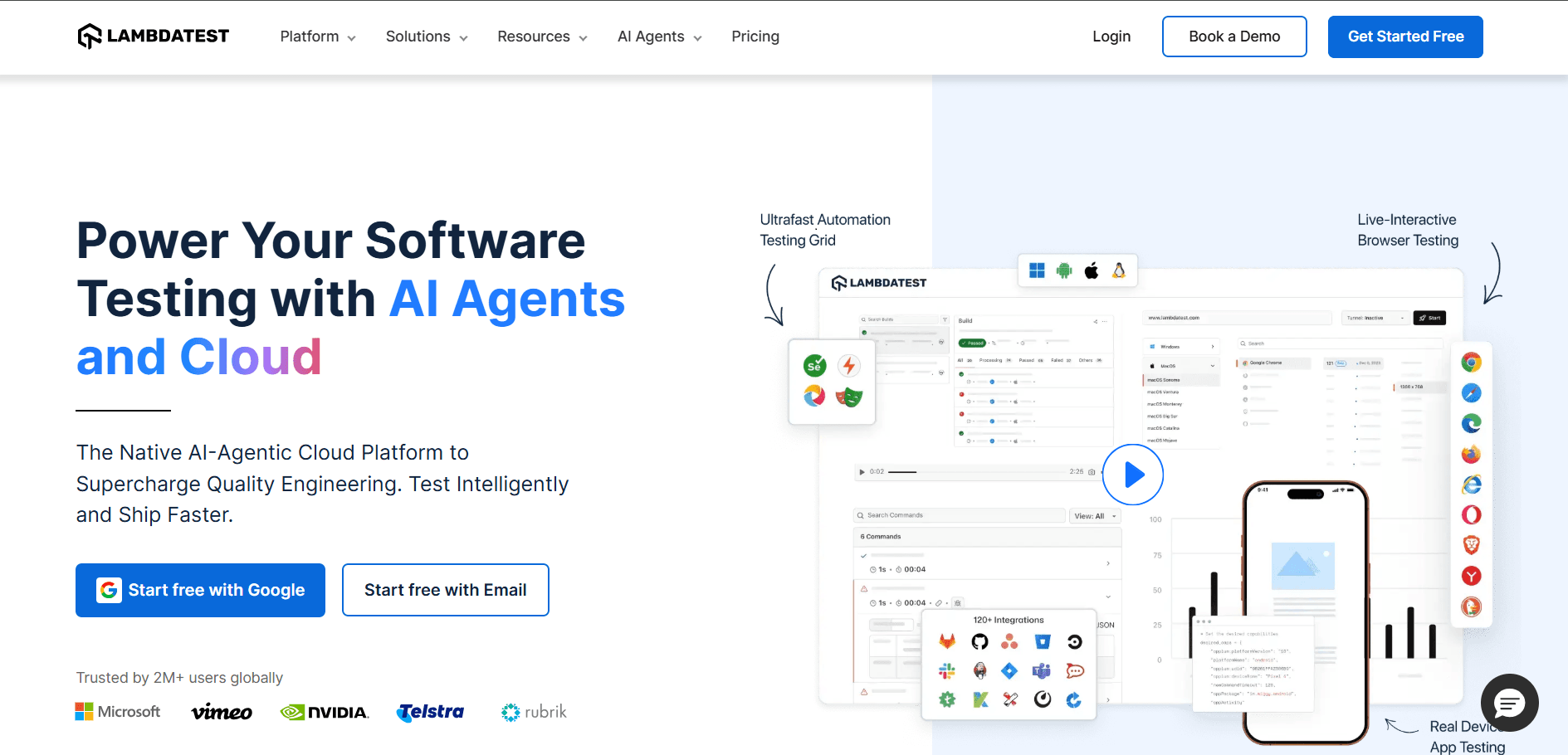
Best for: Teams with existing test scripts that need broad cross-browser cloud execution.
LambdaTest gives you 2,000+ browser and OS combinations, including real devices, and runs your existing Selenium, Playwright, Cypress, or TestCafe scripts across all of them in parallel. If your problem is "I have tests and need them run everywhere," it solves that cleanly and is framework-agnostic.
Where it costs you: It's execution only. It doesn't create tests, and it doesn't reduce maintenance on the tests you have — you still write and own every script before LambdaTest is useful. It assumes technical familiarity throughout.
Maintenance verdict: This is the one tool on the list that doesn't touch your maintenance load — it multiplies it. Every script you own now runs against 2,000 environments, and you still own every line of every one. Correct pick if breadth of execution is the goal; irrelevant if reducing upkeep is.
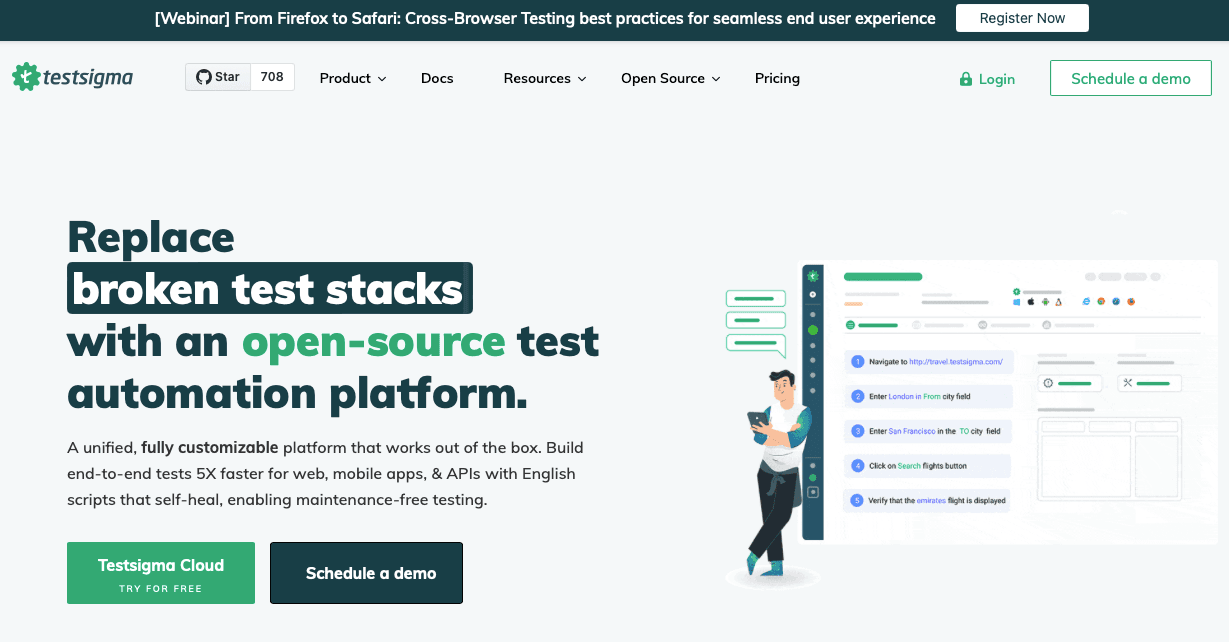
Best for: Mixed teams that need web, mobile, and API coverage from one platform and want a low-code on-ramp.
Testsigma lets you author tests in plain English or via a recorder, unifies web/mobile/API in one place, and uses AI agents for self-healing and failure analysis. It also overlaps with AI-driven tools like TestRigor, which lets teams create tests in plain English and leans hard on self-healing across cross-platform workflows, but the real question here is where maintenance lands. For a team that wants non-technical stakeholders writing tests across more than just the web, the breadth is real.
Where it costs you: No free plan, so entry cost is high relative to web-only tools. Despite the codeless positioning, complex scenarios routinely fall back to scripting — which means the maintenance you thought you'd avoided reappears exactly when the test matters most. Execution is cloud-only, and for a purely web-testing team, most of the platform is surface you're paying for and won't use. Teams with heavier native mobile needs may also look at Appium as an open-source alternative, since it supports native, hybrid, and mobile web apps.
Maintenance verdict: The plain-English layer lowers the entry bar honestly, but the self-healing and no-code promise erode on complex flows, where you're back to scripting and back to developer-owned upkeep. Cloud-only and no free plan means you commit before you learn where your real maintenance will land, even if the broader appeal is having web, mobile, and api testing in one platform.

Best for: Teams that need Selenium-level cross-browser coverage with a more modern developer experience.
WebdriverIO is a JavaScript testing framework for teams that specifically want WebDriver-style control. It is built on the WebDriver protocol, supports JavaScript and TypeScript, runs across all major browsers including Safari via WebKit, and has a rich plugin ecosystem plus active development. If TestCafe's proxy frustrated you but you need broad browser coverage and don't mind code, it's worth evaluating.
Where it costs you: JavaScript/TypeScript only — the same coding requirement that limited TestCafe. More configuration overhead than Playwright or Cypress for standard use cases. Unlike TestCafe, Selenium-style stacks often depend on browser drivers and other tools, which increases setup and upkeep. Non-developers can't participate.
Maintenance verdict: Flexible like Selenium, and maintained like Selenium too. Every test and every fix is 100% developer time, and you carry more config overhead than the newer frameworks. You've traded a proxy problem for a flexibility-and-upkeep tradeoff — useful if you specifically need WebDriver breadth, otherwise Playwright does more for less config.

Best for: Teams migrating from Selenium or TestCafe that want both codeless and scripted modes in a single tool, especially where web, API, mobile, and desktop coverage all matter.
Katalon supports web UI, API, mobile, and desktop testing, offers both drag-and-drop recording and Groovy/Java scripting, ships AI-assisted self-healing and smart locators, and integrates with CI/CD. It's a supported upgrade path off Selenium and gives you room to start codeless and add scripting as needs grow.
Where it costs you: The IDE-based approach adds friction compared to a browser extension or CLI. Setup is heavier than lighter tools, it's resource-intensive on large suites, per-seat pricing bites at scale, and for a web-only team most of the platform is overkill.
Maintenance verdict: Two authoring modes is a real strength, but the IDE itself becomes something you maintain — installs, updates, resource load, seat management. For a broad multi-platform QA org, the overhead is justified. For a web-only team, you're maintaining the tool as much as the tests.
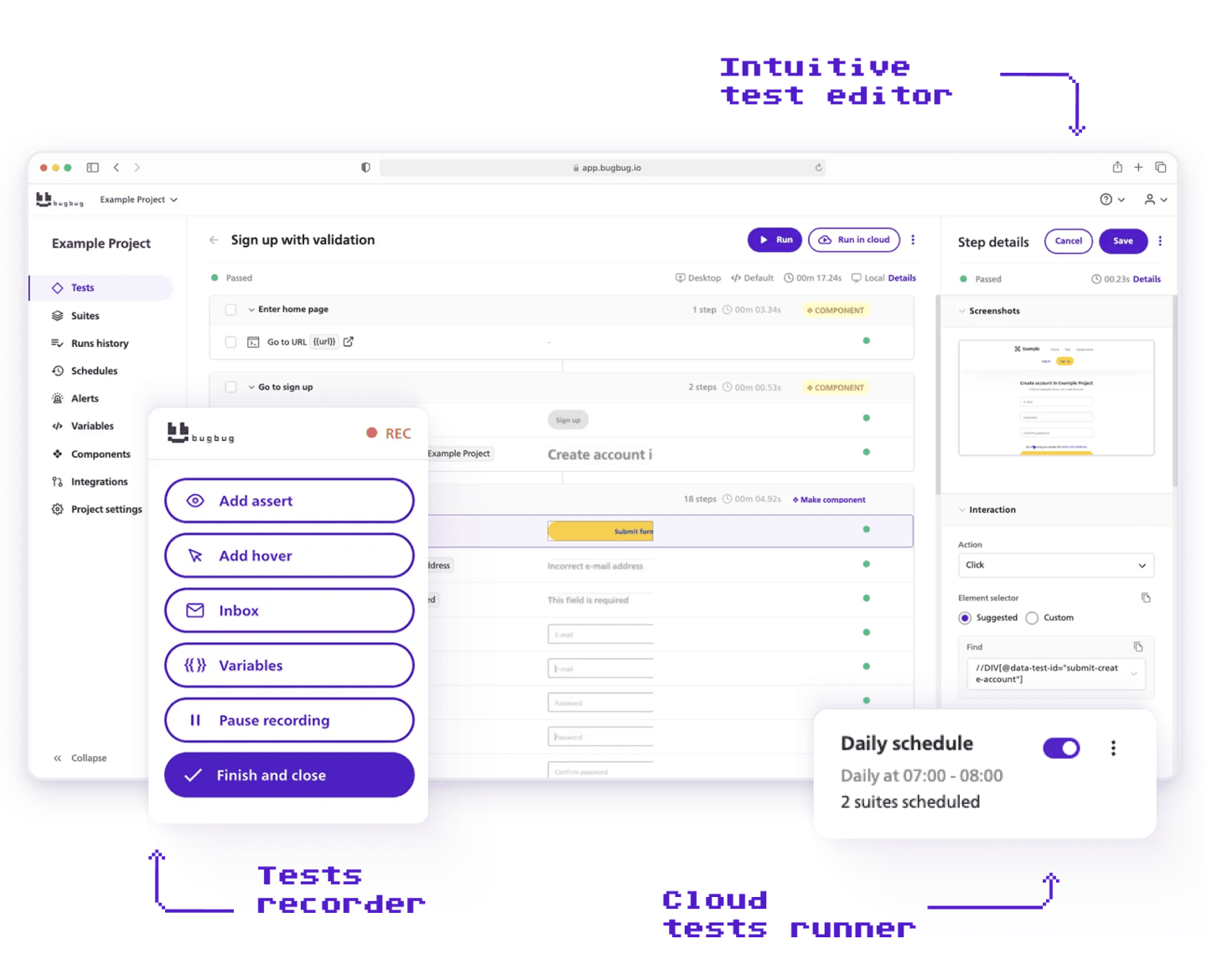
Best for: Web-only SaaS teams, startups, and non-developer QA who need reliable regression coverage without writing code or owning infrastructure.
Here's the profile the seven tools above keep circling but rarely serve directly: the team where the person maintaining tests doesn't write JavaScript. If that's your reality — QA engineers who aren't scripters, developer time that's too expensive to spend on regression upkeep, no budget for a QA framework — the category of tool you need isn't a framework at all, even if a cool ui testing framework or TestCafe Studio sounds approachable at first. It's a recorder.
BugBug lets you record tests by clicking through your app with a Chrome extension — it captures each step and turns it into a repeatable test. Tools like TestCafe Studio can be a good starting point for teams that want a visual layer, especially if they hate JavaScript, but may later need more complex test scenarios. When a test breaks, Edit & Rewind lets you insert a step anywhere and rerun from that point, so you isolate the failing step, fix it in place, and rerun without touching code. That's the maintenance loop that matters: for the non-dev team, fixing a broken test is a click, not a pull request.
Tests run locally on the free plan or in the cloud on a schedule, including scheduled runs for multiple tests, with CI/CD integration built in. Stable selectors target the exact failure class — element-not-found, stale-selector-after-UI-change — that eats TestCafe users' time. Built-in email testing validates signup confirmations and password resets without a separate mail service.
Where it costs you — honestly:
Maintenance verdict: BugBug is the only tool on this list where a broken test can be fixed by someone who doesn't code, in the same tool that recorded it. That's the whole point. It doesn't relocate maintenance from a proxy to a selector rewrite, or from your machine to a cloud queue — it moves it off the developer's plate entirely, as long as you're web-only on Chromium.
👉 Also check the full comparison: Test Cafe vs BugBug
TestCafe requires JavaScript. BugBug requires a browser. For a non-developer team, that's the entire decision.
| BugBug | TestCafe | |
|---|---|---|
| Test creation | AI test recorder, no code | JavaScript/TypeScript required |
| Non-developer access | Yes — anyone can record and fix | No — requires JS knowledge |
| Local execution | Yes — free plan | Yes — CLI-based |
| Browser coverage | Chromium only | Chrome, Firefox, Edge, Safari |
| Cross-browser | No | Yes |
| Flakiness profile | Stable selectors, smart waits | Proxy injection causes intermittent failures |
| Debugging | Edit & Rewind — step-level, no code | CLI error messages — often generic |
| Who maintains tests | Anyone on the team | Developers only |
| Pricing | Free plan + $189/month flat | Free (open-source) |
| Infrastructure | None | Node.js + CLI |
| CI/CD | Yes | Yes |
| Mobile | No | No |
Choose BugBug if: your team needs regression automation but doesn't have developers maintaining test suites, you want a first test running in minutes, and Chromium-only coverage works for your app.
Choose TestCafe (or another framework) if: you need Safari or Firefox coverage, require full JavaScript framework control, or are migrating an existing TestCafe suite rather than replacing the approach.
If you have both developers and non-developers who need to test, the honest move often isn't picking one tool — it's splitting the layers.
BugBug owns the no-code testing layer: login, checkout, onboarding, form submissions — the stable, high-value flows QA needs to record, own, and fix visually after UI changes, with no developer in the loop. On the no-code side, it fits routine web automation for regression-heavy browser flows. Playwright owns the technical layer: complex state, API interactions, multi-tab flows, data-driven scenarios — plus API-level and performance testing extensions or deeper engineering workflows that BugBug doesn't try to cover.
This isn't a workaround. It's a deliberate division of maintenance: routine regression upkeep leaves the developers' plate, while full technical control stays exactly where it needs to. The recorded flows stay cheap to maintain; the scripted ones stay powerful.
The most common mistake in this whole evaluation is assuming the replacement has to be the same kind of tool. If your real problem is "we need people who don't write JavaScript to own our regression tests," a framework swap won't fix it — only moving off code will. Community forums where users answer questions can still help existing teams, but most new adopters are evaluating newer alternatives. That's the decision underneath all the others: not which tool runs your tests, but who's still maintaining them six months from now.
If that person doesn't write code, BugBug's free plan takes 10 minutes to set up. No credit card, no infrastructure — just a Chrome extension and your first recorded test. Ready to catch some bugs?
Happy (automated) testing!

Your next release. Properly tested.
Join 1,200+ QA teams that automated their regression coverage with BugBug.


Dominik Szahidewicz is a Software Quality Evangelist specialising in quality assurance, test automation, and modern software testing practices. He creates practical, research-driven content that helps QA professionals, developers, and product teams improve test coverage, automate repetitive testing, and release more reliable web applications.
Drawing on his experience in technical writing, data analysis, and application consulting, Dominik translates complex testing concepts into clear, actionable guidance. His areas of interest include end-to-end testing, no-code test automation, regression testing, and the use of AI in software quality assurance.
Join thousands of QA experts. Subscribe to our newsletter.
Get more testing tips and product related content. Zero spam.
Explore the software development process of feature testing. Learn how testing multiple variations of a new feature ensures the best user experience.
Learn exactly when to run regression tests—after features, fixes, updates, and on a schedule—plus tips to automate smoothly with minimal churn.
Discover the essential QA tester skills for 2026! Learn the technical and soft skills required to excel as a QA Tester.
Learn how to automate regression testing without devs or QA. Discover a risk-based strategy and practical workflows.
Build a CI/CD testing pipeline in 30 minutes with BugBug. Learn how to run reliable E2E smoke tests on every PR, block bad merges, and scale safely.
Explore the test suite in software testing and understand its role in creating and executing test cases. Learn how to manage test suites effectively.
Discover the importance of QA testers in software development and whether automation can eliminate the need for this crucial role. Learn more here!
Unlock the potential of BDD testing in your software development process. Learn all about behavior-driven development and bdd testing frameworks.
Discover black box testing, a key software testing technique that evaluates functionality and performance without peering into the code.