Best Maestro Alternatives for 2026
Written byDominik SzahidewiczReviewed byMariusz Wójcik


Updated: November 5, 2026View as Markdown
Maestro handles mobile UI testing well. That's the honest summary, and it's also why many teams eventually outgrow it or realize it was never the right fit to begin with.
If your app is native iOS or Android, Maestro's YAML-based flows are genuinely approachable. But if you're running a web SaaS product, or if anyone on your team shouldn't need to open a .yml file to maintain a login test, Maestro starts working against you. You're either fighting its mobile-first defaults, asking non-developers to learn a config syntax they didn't sign up for, or paying concurrency-based cloud pricing for a use case that didn't require it.
Most teams searching for Maestro alternatives aren't unhappy with automation itself.
They're frustrated by:
This guide covers the best Maestro alternatives in 2026, evaluated on:
Test your web app without maintaining a single YAML file. BugBug's visual recorder gets you to your first passing test in under 10 minutes, free forever.
Maestro is an open-source E2E testing framework built by Mobile Dev Inc., first shipped in July 2022 and now sitting at roughly 10,800 GitHub stars. It targets mobile applications - Android, iOS, React Native, and Flutter - with additional support for desktop browsers. Tests are human-readable YAML flows built from commands like tapOn, inputText, and assertVisible.
Two things about the 2026 version matter for this comparison, because most Maestro roundups still get them wrong:
Maestro Studio does record. Studio is a browser-based visual IDE with an element inspector and a flow builder that captures your interactions and writes them out as YAML commands. What it doesn't do is keep the test in a visual surface: the recording is a bootstrap step, and the artifact you maintain afterwards is a .yml file you edit and run from the CLI. That distinction, recorder as scaffolding vs. recorder as the test itself, is the real dividing line between Maestro and the codeless tools below, and it matters more than "does it have a recorder."
Maestro ships an MCP server. As of 2026, Maestro exposes itself to coding agents like Claude and Cursor over MCP, alongside MaestroGPT for AI-assisted authoring and self-healing flows. Agent access is no longer a differentiator on its own; what differs between tools is what sits behind the MCP endpoint.
Pros:
sleep() callsCons:
.yml files from the CLI afterwards, which puts a floor under who can own a testMaestro's CLI, Studio, and MCP server are free and open source for local and self-hosted CI runs, with no cap on how many tests you run on your own machines.
Maestro Cloud is the paid layer, billed by max concurrent executions rather than by run:
| Price | Billing unit | |
|---|---|---|
| Web / browser | $125/month | Per concurrent browser |
| Android or iOS | $250/month | Per concurrent device |
| Enterprise | Custom | SSO, dedicated support, managed test cases |
A 7-day free trial is available. Note the number that applies to you: most Maestro comparison articles quote the $250 mobile figure. If you're testing a web app, $125 per concurrent browser is the relevant line, and because billing is concurrency-based, cutting suite runtime in half means buying a second slot, not paying for more runs.
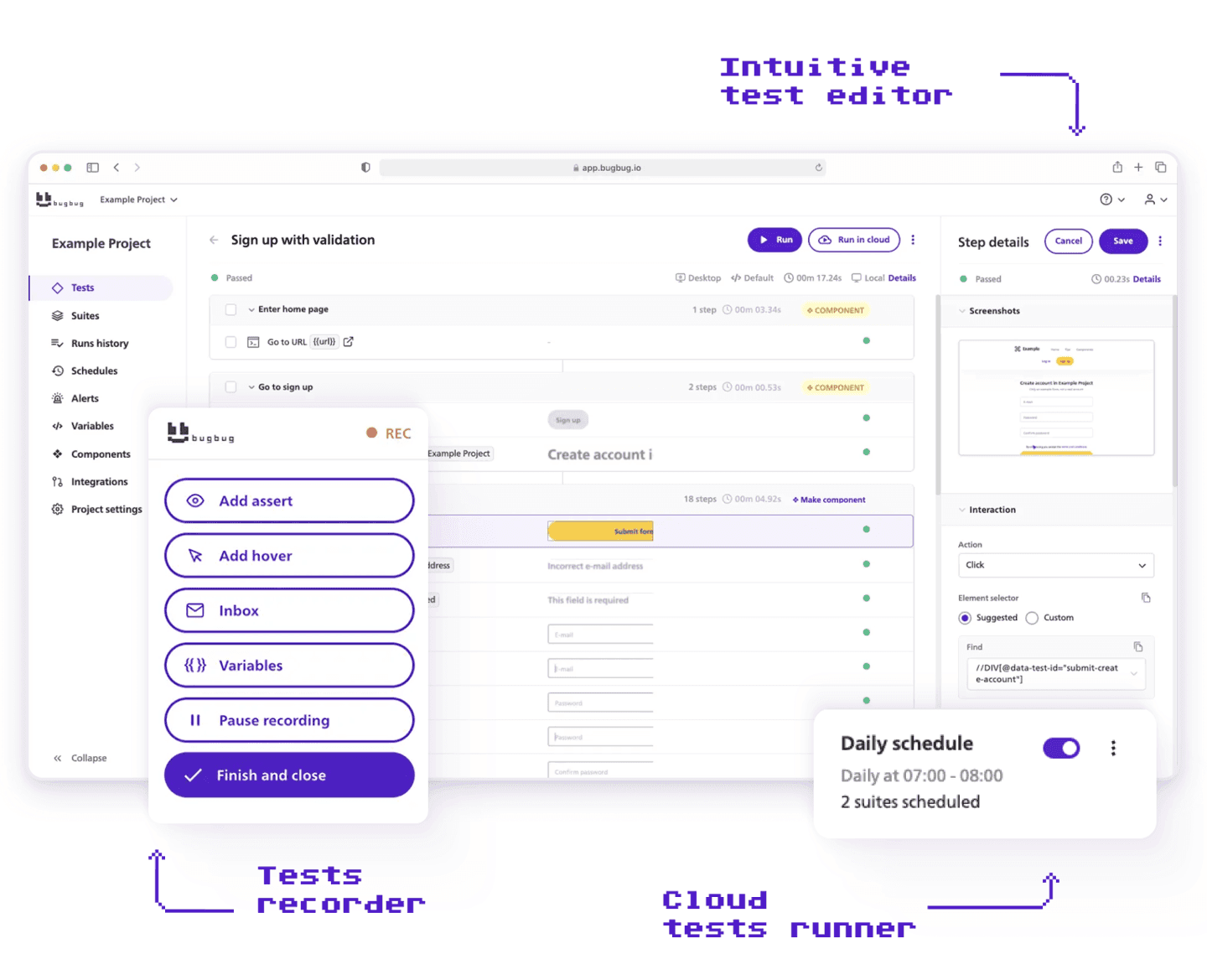
Best for: SaaS companies, startups, and web-first product teams that want reliable E2E browser automation without maintaining YAML files, owning infrastructure, or routing test changes through the CLI.
If you moved to Maestro hoping to escape framework complexity and still ended up with .yml files as the thing your team maintains, BugBug is where you should have started.
Both tools record, and both give you YAML. The difference is which one is the source of truth.
In Maestro, YAML is the test. Studio records it, you export it, refine the selectors by hand, and run it from the CLI, so anyone who needs to change a step has to open the file. In BugBug, YAML is a projection of the test, not the test itself. You record and maintain the workflow visually in Chrome, and export it as readable YAML whenever someone needs to diff a change, review it in a PR, or keep a copy in Git. Import it back and BugBug shows the current and incoming definitions side by side before anything is overwritten. The visual surface stays the place the test is owned; the file is how it travels.
One consequence worth naming, because it cuts both ways: BugBug YAML is a test definition, not standalone executable code. A .bugbug.yaml file doesn't run on its own: you import it and execute locally, in BugBug Cloud, or from CI. Maestro's YAML runs directly from the CLI. If your requirement is a file that executes anywhere with no platform behind it, that's a point for Maestro. If your requirement is that a product manager can still fix a broken login step in month six without touching a repo, it isn't.
That's the question this comparison actually turns on: not whether YAML exists, but whether maintaining a test requires opening one.
Both tools also expose an MCP server, so agent access isn't the dividing line either. What differs is what the agent reaches: Maestro's endpoint points at YAML files a developer maintains; BugBug's points at a governed suite with run history, screenshots, and permissions attached, owned by the people who know the workflows.
Strengths:
Limitations:
Both tools lower the barrier to automation. They diverge on surface, on who maintains the test, and on how execution is billed.
| BugBug | Maestro | |
|---|---|---|
| Primary testing surface | Chromium web apps | Native iOS, Android, RN, Flutter (+ desktop browser) |
| Recording | Yes, recording is the test | Yes, in Studio, recording exports to YAML |
| Maintained artifact | Visual steps, no file to open | .yml file, edited by hand |
| Test execution entry point | Browser UI, cloud, or CI | CLI |
| Who can own a test long-term | QA, product, support, developers | Developers and CLI-comfortable QA |
| Cloud pricing (web) | $99/mo, unlimited runs | $125/mo per concurrent browser |
| Cloud pricing (mobile) | Not applicable | $250/mo per concurrent device |
| Cloud billing unit | Plan, not usage | Max concurrent executions |
| Free tier | Unlimited local runs | Unlimited local + self-hosted CI runs |
| Portable export | YAML export/import | YAML is the native format |
| MCP server | Yes,, test planning, authoring, reporting and fixing | Yes, agent operates flows and CLI |
| Built-in email testing | Yes | No |
| Cross-browser (Firefox/Safari) | No | Partial, via desktop browser support |
Teams typically switch when they realize they're using a mobile-first framework to test a web product, or when the YAML-and-CLI loop excludes QA engineers who could otherwise be maintaining tests themselves.
Automate your tests for free
Test easier than ever with BugBug test recorder. Faster than coding. Free forever.
Get started
Depending on your scope and team:

Best for: Engineering teams that need open-source mobile automation with multi-language support and full architectural control.
Appium is the long-standing standard for native mobile test automation. It supports Android and iOS across real devices and emulators, works with the programming language your team already uses (Java, Python, JavaScript, Ruby, C#), and integrates with cloud device providers including BrowserStack and Sauce Labs.
For teams leaving Maestro specifically because of YAML's limited expressiveness, who still need mobile coverage, Appium gives back full scripting control without locking into a proprietary cloud. Note the trade you're making: Maestro's whole design premise was that Appium's setup and flakiness were the problem worth solving.
Key Features
Strengths:
Limitations:
Pricing: Free, open-source. Cloud execution costs depend on the device provider.

Best for: React Native engineering teams that need the fastest, most reliable E2E tests optimized for that specific framework.
Detox was built by Wix to solve the flakiness problems that made Appium frustrating on React Native. Rather than controlling the app externally, Detox runs tests from inside the app process, which means it can synchronize with the JavaScript thread, animations, and network state before acting. The result is significantly more stable tests with less timing-related failure noise.
If your team is building React Native and Maestro's cross-platform generalization is more than you need, Detox is the sharpest instrument for that specific job.
Key Features
Strengths:
Limitations:
Pricing: Free, open-source.

Best for: Developer-led teams building modern web applications who want full framework control with genuine cross-browser coverage.
Playwright is where most web-focused teams land when they need more than Maestro offers on the web side. It runs across Chromium, Firefox, and WebKit, one of the few open-source frameworks with real cross-browser reach including Safari's engine. The debugging tooling (trace viewer, video on failure, screenshots) is excellent, and Microsoft's backing ensures a consistent development pace. If you're weighing it against the other obvious web option, our Cypress vs Playwright comparison breaks down the differences in detail.
For teams that used Maestro primarily for web testing and found the mobile-first assumptions limiting, Playwright is the natural framework-level upgrade for the web layer, with the same caveat that applies to every framework on this list: maintenance never leaves the developers.
Key Features
Strengths:
Limitations:
Pricing: Free, open-source. If your team is going this route, the Playwright cheat sheet is a useful starting reference.
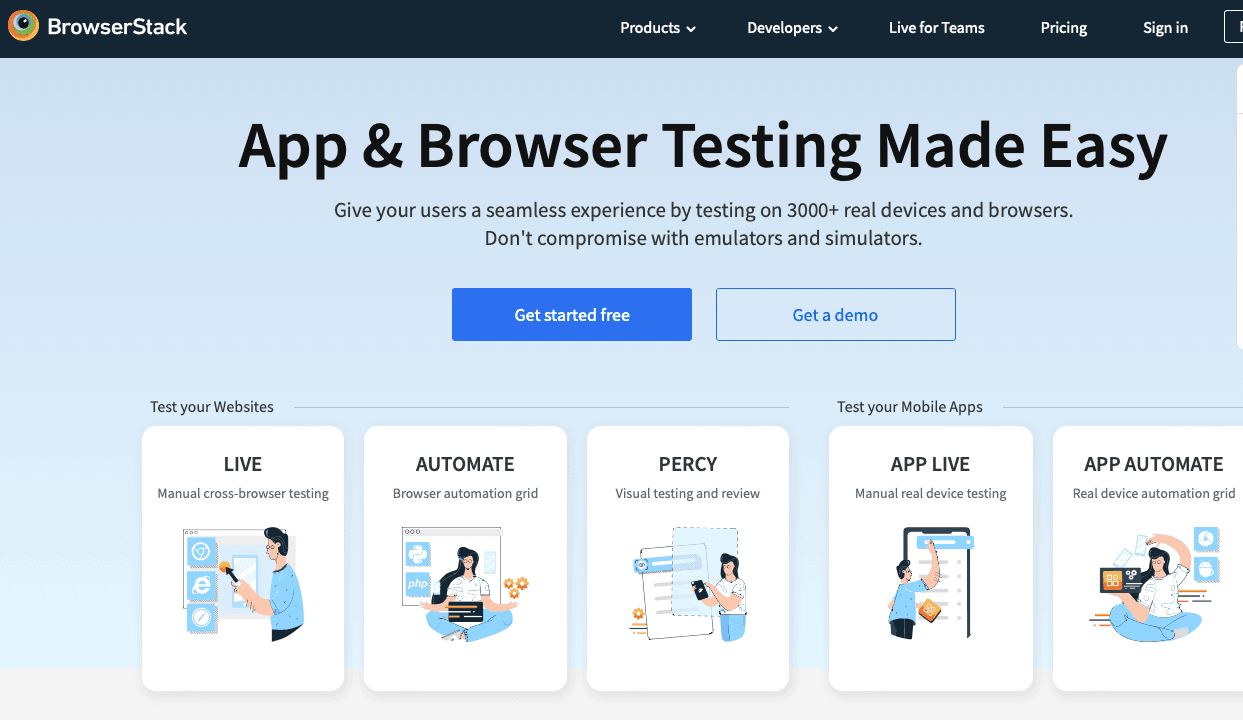
Best for: QA and DevOps teams that need to execute tests against a broad matrix of real devices, browsers, and OS versions without managing a device lab.
BrowserStack isn't a test creation tool: it's where you run tests you've already written. If it's specifically Maestro Cloud's execution layer you're looking to replace (rather than Maestro's YAML authoring model), BrowserStack gives you a substantially wider device matrix and integrates with whichever framework your team uses. One caveat if you're evaluating it as a Maestro host specifically: BrowserStack runs its own fork rather than upstream Maestro, so feature parity lags.
Teams often combine BrowserStack with a recorder like BugBug for web test creation, or with Appium for mobile scripting, to cover both authoring and execution.
Key Features
Strengths:
Limitations:
Pricing: Free trial available. Automate plans from ~$29/month; enterprise pricing scales with usage. See also our roundup of BrowserStack alternatives if cost is the constraint.

Best for: JavaScript-fluent frontend teams testing React, Angular, or Vue applications who want fast, in-browser E2E testing within their existing development workflow.
Cypress is the default framework choice for web-first development teams that want speed, debugging clarity, and a JavaScript-native experience. Its in-browser execution model means you see what your app is doing while tests run, not after. The community is large and active, documentation is thorough, and developer experience is consistently praised.
For teams that used Maestro primarily for web flows and want a proper web-first framework, Cypress is the most widely adopted option.
Key Features
Strengths:
Limitations:
Pricing: Free, open-source. Cypress Cloud (parallel execution, test analytics, history) is paid.
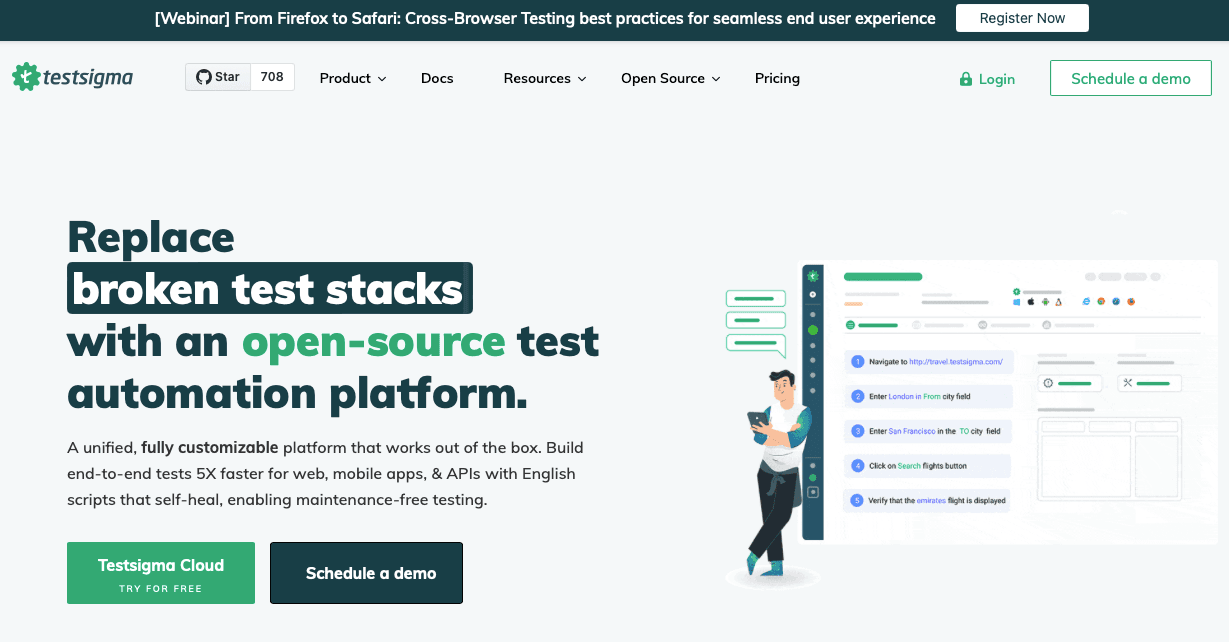
Best for: Non-technical QA teams and larger organizations that need web, mobile, and API testing in one AI-powered codeless platform.
Testsigma sits at the intersection of codeless test creation and broad platform coverage, web, native mobile, and API in a single interface, with natural language and AI to generate and maintain tests. For teams leaving Maestro because the YAML-and-CLI loop excluded non-technical contributors and who need broader platform reach, Testsigma extends coverage while lowering the authoring barrier.
Key Features
Strengths:
Limitations:
Pricing: Paid only. No free plan. Enterprise pricing available on request. For cheaper options in the same category, see our Testsigma alternatives guide.

Best for: Teams that need a hybrid codeless and scripted testing platform across web, API, mobile, and desktop, with room to scale toward more complex architectures.
Katalon has the broadest platform coverage on this list. Web, API, mobile (Android/iOS), and desktop testing all inside an IDE that supports both visual codeless recording and Groovy-based scripting for advanced customization. For teams that start codeless but anticipate needing scripting depth as their suite matures, Katalon offers the upgrade path within one tool.
Key Features
Strengths:
Limitations:
Pricing: Free tier available. Paid plans from ~$175/month. Enterprise pricing per seat. If the licensing model is the sticking point, compare Katalon alternatives.

Best for: Node.js engineering teams that want a highly extensible, community-maintained open-source framework covering both web and mobile automation.
WebdriverIO is a widely used alternative to Playwright and Selenium, particularly among JavaScript teams. It supports browser automation via WebDriver and Chrome DevTools Protocol, and mobile testing via Appium integration, making it one of the more flexible open-source options for teams that need to cover multiple platforms from a JavaScript-native foundation.
Key Features
Strengths:
Limitations:
Pricing: Free, open-source. Cloud execution costs depend on the provider.
Codeless and low-code tools aren't the right fit for every team.
You may be better served by a framework like Playwright, Cypress, Appium, or WebdriverIO if:
Frameworks offer maximum flexibility and control, at the cost of ownership:
For teams that can absorb that overhead with dedicated engineering time, frameworks are powerful long-term choices. For teams that want automation to be something the whole team runs and maintains, not a project the engineering team babysits, the lower-friction path usually wins. Our comparison of automation testing tools walks through that trade-off across categories.
The question isn't which tool is most powerful. It's which tool your team will actually keep running three sprints from now.
Happy (automated) testing!

Your next release. Properly tested.
Join 1,200+ QA teams that automated their regression coverage with BugBug.


Dominik Szahidewicz is a Software Quality Evangelist specialising in quality assurance, test automation, and modern software testing practices. He creates practical, research-driven content that helps QA professionals, developers, and product teams improve test coverage, automate repetitive testing, and release more reliable web applications.
Drawing on his experience in technical writing, data analysis, and application consulting, Dominik translates complex testing concepts into clear, actionable guidance. His areas of interest include end-to-end testing, no-code test automation, regression testing, and the use of AI in software quality assurance.

Senior software engineer at BugBug, where he's spent 6 years helping shape the product. He's a T-shaped developer skilled in frontend with React and TypeScript, browser extensions, backend work, and building AI agents and tooling. His strengths also include UX instincts, a product-minded approach, and process automation.
Join thousands of QA experts. Subscribe to our newsletter.
Get more testing tips and product related content. Zero spam.
Discover essential business tools for startups. Read the article to find the right tools for your success.
Compare the best SaaS testing tools for startups, QA, and dev teams. See use cases, pricing, and key SaaS flows to automate.
Automation Testing Tools Comparison: Cypress, Selenium, BugBug and more - compared honestly by team type, cost, and required expertise.
Discover the best API integration tools for 2026. We explore top platforms like IBM API Connect and Microsoft Azure.
Best free and open-source test automation tools for 2026: Playwright, Cypress, Selenium and best free plans from commercial tools.
Discover essential accessibility testing tools and software in our guide. Learn how to make your applications accessible for everyone.
Discover the best automation testing tools—codeless, code-based, and performance-focused—that boost QA efficiency.
Explore the top manual testing tools. Streamline software testing with the help of our comprehensive guide.
Discover the best free test management tools that managers can use to maintain test suites and adopt agile test management best practices in 2026.