80 Test Cases for Ecommerce Website (+ Free Excel Template)
Written byDominik SzahidewiczReviewed byPaweł Bylina


Updated: October 8, 2026View as Markdown
Ecommerce website test cases verify the complete shopping journey, from account creation and product discovery through cart, checkout, payment, delivery and post-purchase flows. This guide gives you 80 ready-to-use cases across 11 ecommerce modules, including positive, negative, security, API, mobile, accessibility and performance scenarios.
The scope covers:
If you need the broader methodology rather than a list of cases, use our complete ecommerce testing guide.
Download 80 ecommerce test cases in Excel (.xlsx)
Download 80 ecommerce test cases as PDF
No sign-up. The downloadable files contain the same 80 cases shown below.
| ID | Test case | Steps | Expected result | Type |
|---|---|---|---|---|
| TC-01 | Verify that a new customer can register with valid data | 1. Open registration. 2. Enter valid unique email and required fields. 3. Submit. | Account is created and confirmation flow starts. | Positive |
| TC-02 | Verify that an existing customer can log in | 1. Open login. 2. Enter valid credentials. 3. Submit. | Customer enters the authenticated account area. | Positive |
| TC-03 | Verify that registration rejects an existing email address | 1. Use an email belonging to an existing account. 2. Complete required fields. 3. Submit. | Duplicate account isn't created and a clear message appears. | Negative |
| TC-04 | Verify invalid password handling | 1. Enter a valid account email. 2. Enter an incorrect password. 3. Submit. | Login fails without revealing whether other account data is valid. | Negative |
| TC-05 | Verify mandatory registration-field validation | 1. Leave one required field empty. 2. Submit registration. | Submission is blocked and the missing field is identified. | Negative |
| TC-06 | Verify account lockout or throttling after repeated failed logins | 1. Enter the wrong password repeatedly up to the configured threshold. 2. Attempt another login. | Configured lockout, throttling or challenge activates without exposing credentials. | Security |
| TC-07 | Verify expired password-reset or OTP tokens cannot be reused | 1. Request reset/OTP. 2. Allow it to expire or use it once. 3. Attempt reuse. | Expired or consumed token is rejected. | Security |
| TC-08 | Verify logout invalidates the active session | 1. Log in. 2. Log out. 3. Reopen an authenticated URL using browser history. | Protected account data isn't accessible without reauthentication. | Security |
For more account-specific scenarios, see Test Cases for Login Page.
| ID | Test case | Steps | Expected result | Type |
|---|---|---|---|---|
| TC-09 | Verify exact product-name search | 1. Search for a known product name. 2. Submit. | Matching product appears in relevant results. | Positive |
| TC-10 | Verify category and price filters together | 1. Open category. 2. Apply category and price filters. | Every visible result meets both conditions. | Positive |
| TC-11 | Verify zero-result search behavior | 1. Search for a nonexistent product string. | No broken page appears; a useful zero-results state is shown. | Negative |
| TC-12 | Verify invalid filter combinations | 1. Apply filters that produce no valid products. | Site returns an empty state without stale or invalid products. | Negative |
| TC-13 | Verify sorting after filters change | 1. Filter products. 2. Sort price low-to-high. 3. Change filter. | New results remain correctly sorted. | Negative |
| TC-14 | Verify search input is safely handled as text | 1. Enter special characters and HTML-like strings. 2. Search. | Input doesn't execute as markup or script and results page remains stable. | Security |
| TC-15 | Verify sensitive internal fields aren't exposed through search responses | 1. Inspect search request/response. 2. Search several SKUs. | Response contains only fields required by the client. | Security |
| TC-16 | Verify sort order is numerically correct | 1. Sort products by price ascending. 2. Inspect first and last several products. | Products are ordered by actual numeric price, not string order. | Positive |
We maintain a much larger library in 100+ Test Cases for Search Functionality.
| ID | Test case | Steps | Expected result | Type |
|---|---|---|---|---|
| TC-17 | Verify product information matches selected SKU | 1. Open product. 2. Compare name, SKU, price and selected variant. | Displayed details belong to the selected product/variant. | Positive |
| TC-18 | Verify changing a variant updates price and availability | 1. Select another size/color. | SKU-specific price, image and stock update correctly. | Positive |
| TC-19 | Verify unavailable variant cannot be purchased | 1. Select out-of-stock variant. 2. Try Add to Cart. | Purchase action is disabled or valid unavailable-state handling appears. | Negative |
| TC-20 | Verify invalid product URL returns appropriate state | 1. Open nonexistent product ID/slug. | Valid 404 or product-unavailable state appears. | Negative |
| TC-21 | Verify malformed quantity isn't accepted | 1. Manipulate quantity input to zero, negative or unsupported value. | Invalid quantity can't enter the cart. | Negative |
| TC-22 | Verify hidden product identifiers don't bypass availability rules | 1. Attempt to request an unavailable/disabled SKU through normal client requests. | Server rejects unauthorized/unavailable item state. | Security |
| TC-23 | Verify product page doesn't expose sensitive backend data | 1. Inspect HTML and network responses. | Credentials, private supplier data and internal-only fields aren't exposed. | Security |
| ID | Test case | Steps | Expected result | Type |
|---|---|---|---|---|
| TC-24 | Verify product can be added to cart | 1. Open in-stock product. 2. Add to cart. | Correct SKU, price and quantity appear in cart. | Positive |
| TC-25 | Verify cart quantity recalculates totals | 1. Add product. 2. Change quantity from 1 to 3. | Line total and cart total update correctly. | Positive |
| TC-26 | Verify cart rejects quantity above stock | 1. Add product. 2. Enter quantity exceeding available inventory. | Quantity is capped or rejected with clear feedback. | Negative |
| TC-27 | Verify removing the final cart item | 1. Add one product. 2. Remove it. | Empty-cart state appears and totals reset. | Negative |
| TC-28 | Verify expired coupon | 1. Add eligible product. 2. Apply expired promo code. | Discount isn't applied and expiry message is clear. | Negative |
| TC-29 | Verify cart price can't be modified on the client | 1. Change visible/request price data in browser tools. 2. Continue. | Server calculates authoritative price and ignores manipulated client values. | Security |
| TC-30 | Verify another customer's cart can't be accessed by changing an identifier | 1. Authenticate as Customer A. 2. Attempt normal request using Customer B cart ID. | Access is denied and no other customer's items are exposed. | Security |
| TC-31 | Verify unsupported coupon stacking | 1. Apply two non-stackable coupons. | Site follows configured coupon rule and calculates one valid discount. | Negative |
| ID | Test case | Steps | Expected result | Type |
|---|---|---|---|---|
| TC-32 | Verify guest checkout where supported | 1. Add product. 2. Continue without account. 3. Complete required details. | Guest reaches payment/order stage successfully. | Positive |
| TC-33 | Verify registered-user checkout retains account details | 1. Log in. 2. Add product. 3. Checkout. | Valid saved customer information appears correctly. | Positive |
| TC-34 | Verify checkout blocks missing required address fields | 1. Leave required shipping field empty. 2. Continue. | User can't proceed and field error is displayed. | Negative |
| TC-35 | Verify unsupported country or postcode | 1. Enter destination outside configured delivery area. | Checkout explains that delivery isn't available and doesn't create invalid order. | Negative |
| TC-36 | Verify cart changes made during checkout | 1. Start checkout. 2. Modify cart in another tab. 3. Continue checkout. | Checkout refreshes or safely reconciles changed totals/items. | Negative |
| TC-37 | Verify checkout price fields can't be tampered with client-side | 1. Modify request values for subtotal/discount. 2. Submit checkout. | Backend recomputes authoritative totals. | Security |
| TC-38 | Verify another customer's saved address can't be referenced | 1. Change address identifier in request. 2. Continue. | Checkout rejects address not owned by current customer. | Security |
| TC-39 | Verify double submission doesn't create duplicate orders | 1. Submit final checkout action twice rapidly. | Only one intended order is created or duplicate processing is safely handled. | Negative |
| ID | Test case | Steps | Expected result | Type |
|---|---|---|---|---|
| TC-40 | Verify successful card payment | 1. Add product. 2. Checkout. 3. Enter valid sandbox card. | Payment succeeds and one confirmed order is created. | Positive |
| TC-41 | Verify PayPal/wallet success flow where supported | 1. Choose wallet. 2. Authorize sandbox payment. 3. Return to store. | Correct order is confirmed once. | Positive |
| TC-42 | Verify declined card payment | 1. Use gateway's declined-card test data. 2. Submit payment. | Order isn't marked paid and customer can recover without losing cart unnecessarily. | Negative |
| TC-43 | Verify invalid CVV | 1. Enter otherwise valid test card with intentionally invalid CVV test condition. 2. Submit. | Payment is rejected according to gateway behavior and no paid order is created. | Negative |
| TC-44 | Verify expired card | 1. Enter gateway's expired-card test data. 2. Submit. | Customer receives appropriate failure state and can retry. | Negative |
| TC-45 | Verify card number remains masked after entry | 1. Enter card details. 2. Review confirmation/account screens and logs available to test user. | Full card number isn't displayed or stored in inappropriate application output. | Security |
| TC-46 | Verify payment callback/webhook can't mark unpaid order paid without valid provider state | 1. Process controlled invalid/failed sandbox event. 2. Inspect order state. | Order status follows verified gateway result. | Security |
| TC-47 | Verify retry after temporary gateway error | 1. Trigger configured gateway failure. 2. Retry with valid test payment. | One successful payment and one order result, without duplicate charge/order. | Negative |
| TC-48 | Verify €0/$0 order handling after full discount | 1. Apply 100% valid promo. 2. Proceed through checkout. | Store follows defined zero-total flow without sending invalid charge request. | Positive |
Test case ID: TC_Payment_01
Scenario: Verify successful payment processing
Preconditions: Product is in stock and payment gateway is in sandbox mode.
Steps:
Expected result: Payment is authorized once, one order is created with the correct total and the customer sees an order confirmation.
Type: Positive
Test case ID: TC_Payment_02
Scenario: Verify declined payment handling
Preconditions: Product is in stock and gateway provides a declined-payment sandbox value.
Steps:
Expected result: No paid order is created, the cart isn't silently lost and the customer receives a recoverable payment error.
Type: Negative
The two examples below show how to turn a compact table row into an executable test case.
| ID | Test case | Steps | Expected result | Type |
|---|---|---|---|---|
| TC-49 | Verify available shipping methods for a valid address | 1. Enter supported destination. 2. Continue. | Correct shipping methods and prices appear. | Positive |
| TC-50 | Verify free-shipping threshold | 1. Build cart just below threshold. 2. Repeat at threshold. | Free shipping appears only when configured condition is met. | Positive |
| TC-51 | Verify invalid postcode | 1. Enter malformed postcode. 2. Request rates. | Checkout blocks or requests correction rather than returning invalid rate. | Negative |
| TC-52 | Verify address outside delivery region | 1. Enter unsupported location. | No unavailable shipping option can be selected. | Negative |
| TC-53 | Verify shipping-rate service failure | 1. Simulate configured sandbox/integration failure. | Checkout shows controlled fallback/error rather than zero or stale shipping cost. | Negative |
| TC-54 | Verify shipping method can't be replaced with unauthorized ID | 1. Select valid method. 2. Manipulate shipping-method identifier in request. | Backend validates method against the order destination and rules. | Security |
| ID | Test case | Steps | Expected result | Type |
|---|---|---|---|---|
| TC-55 | Verify order confirmation after successful purchase | 1. Complete payment. 2. Open confirmation. | Order number, purchased items and correct totals appear. | Positive |
| TC-56 | Verify order appears in authenticated order history | 1. Complete order. 2. Open account history. | New order appears once with correct status. | Positive |
| TC-57 | Verify cancelled payment doesn't create a completed order | 1. Begin wallet/card payment. 2. Cancel before authorization. | No completed/paid order appears. | Negative |
| TC-58 | Verify refresh doesn't duplicate order | 1. Complete purchase. 2. Refresh confirmation or resend request normally. | Duplicate order isn't created. | Negative |
| TC-59 | Verify confirmation email handles missing mail service gracefully | 1. Complete controlled order with mail service failure. | Order remains valid; communication failure is handled separately. | Negative |
| TC-60 | Verify Customer A cannot view Customer B order | 1. Log in as A. 2. Request B's order URL/ID. | Access is denied and order details aren't exposed. | Security |
| ID | Test case | Steps | Expected result | Type |
|---|---|---|---|---|
| TC-61 | Verify mobile product-to-cart flow | 1. Open supported mobile viewport/device. 2. Find product. 3. Add to cart. | Controls remain usable and correct item enters cart. | Positive |
| TC-62 | Verify mobile checkout | 1. Use supported smartphone viewport/device. 2. Complete checkout. | No clipped fields, hidden actions or horizontal overflow blocks purchase. | Positive |
| TC-63 | Verify navigation at narrow viewport | 1. Reduce viewport through supported breakpoint. 2. Open menu. | Navigation remains usable without overlapping content. | Negative |
| TC-64 | Verify validation messages don't cover form controls on mobile | 1. Trigger multiple validation errors on narrow screen. | User can still see, reach and correct affected fields. | Negative |
| TC-65 | Verify checkout in each supported browser | 1. Run same checkout case on defined Chrome/Edge/Firefox/Safari matrix. | Supported browsers produce equivalent business result. | Negative/Compatibility |
| TC-66 | Verify sensitive payment/account information isn't cached into public shared-browser screens | 1. Complete controlled session. 2. Log out. 3. Navigate with browser history. | Protected account/payment data isn't exposed after logout. | Security |
Because mobile now represents a majority of online transactions in Adobe's recent U.S. holiday dataset, these cases shouldn't be postponed until the desktop suite is “finished.”
For broader browser tooling, see Web Testing Tools.
| ID | Test case | Steps | Expected result | Type |
|---|---|---|---|---|
| TC-67 | Verify product API returns current price and inventory | 1. Request known SKU. 2. Compare with authoritative test data. | API returns correct current product state. | Positive |
| TC-68 | Verify successful order reaches fulfillment integration | 1. Complete sandbox order. 2. Inspect integration result. | Correct order payload is sent once. | Positive |
| TC-69 | Verify invalid product ID | 1. Request nonexistent product. | API returns defined error rather than unrelated/stale product. | Negative |
| TC-70 | Verify missing required checkout payload field | 1. Send test checkout request without mandatory field. | API rejects request with controlled validation response. | Negative |
| TC-71 | Verify upstream integration timeout | 1. Trigger sandbox/mock timeout. | Ecommerce system handles timeout without corrupting order state. | Negative |
| TC-72 | Verify unauthorized API request | 1. Request protected account/order endpoint without valid authorization. | Request is denied and protected data isn't returned. | Security |
| TC-73 | Verify customer can't request another customer's order via API | 1. Authenticate as A. 2. Request B's known test order ID. | Authorization prevents cross-account data access. | Security |
If your ecommerce architecture depends heavily on services, see our guide to Integration Testing Tools.
| ID | Test case | Steps | Expected result | Type |
|---|---|---|---|---|
| TC-74 | Verify checkout can be completed using keyboard navigation | 1. Use keyboard only. 2. Move through checkout. 3. Submit test order. | Focus order is logical and all required controls are operable. | Accessibility |
| TC-75 | Verify product images and functional icons expose appropriate accessible text | 1. Inspect representative PDP/cart/checkout UI with accessibility tooling. | Meaningful images/controls expose appropriate accessible names or alternatives. | Accessibility |
| TC-76 | Verify product page performance against agreed target | 1. Measure representative product page. 2. Compare with internal budget and Core Web Vitals. | Example target: internal load target <2 s where agreed; LCP ≤2.5 s at the 75th percentile for a “good” Core Web Vitals result. | Performance |
| TC-77 | Verify checkout under 1,000 concurrent test users | 1. Run controlled load profile up to the agreed 1,000-user peak. 2. Monitor errors/latency. | Checkout stays inside project's defined latency/error budget. | Performance |
| TC-78 | Verify order pipeline with 10,000+ controlled test orders | 1. Generate or replay 10,000+ non-production orders in performance environment. 2. Monitor queue/order processing. | No lost/duplicated orders and agreed throughput is sustained. | Performance |
| TC-79 | Verify sensitive customer data isn't present in application logs available to normal operators/users | 1. Execute checkout. 2. Inspect approved test logs/output. | Passwords, full payment credentials and unnecessary personal data aren't logged. | Security |
| TC-80 | Verify unauthorized administration endpoints reject customer sessions | 1. Authenticate as normal customer. 2. Request protected admin endpoint through normal test client. | Access is denied and administrative data/actions remain unavailable. | Security |
Google's current Core Web Vitals guidance classifies LCP ≤2.5 seconds, INP ≤200 ms and CLS ≤0.1 as “good,” measured at the 75th percentile of page loads.
Source: web.dev Core Web Vitals.
The 1,000 concurrent users, 10,000+ test orders and <2 second internal page target above are examples of concrete performance acceptance criteria. Replace them with numbers from your store's expected peak load and performance budget rather than treating them as universal ecommerce standards.
For the wider methodology, see Performance Testing in Software Testing.
Automate your tests for free
Test easier than ever with BugBug test recorder. Faster than coding. Free forever.
Get started
Small ecommerce bugs can directly interrupt revenue.
The U.S. Census Bureau reported $340.2 billion in U.S. ecommerce sales in Q2 2026 (seasonally adjusted), up 12.2% year over year, with ecommerce accounting for 17.1% of total retail sales.
Source: U.S. Census Bureau, Quarterly Retail E-Commerce Sales.
Checkout deserves particularly careful coverage. Baymard's long-running checkout research currently places average cart abandonment at 70.19%.
Source: Baymard Institute checkout research.
Mobile testing can't be treated as secondary either. Adobe reported that 56.4% of online transactions during the 2025 U.S. holiday season occurred on smartphones.
Source: Adobe Digital Insights.
Those numbers don't tell you which bugs your store has. They show why cart, checkout and mobile failures deserve first-class test coverage.
Each case below includes:
| Field | Purpose |
|---|---|
| ID | Unique test identifier |
| Module | Area of the ecommerce site |
| Test case | Behavior being verified |
| Steps | Short reproducible execution sequence |
| Expected result | Observable pass condition |
| Type | Positive, negative, security, accessibility or performance |
For a reusable blank structure with Excel and Word versions, see our Test Case Template.
For release-level planning, use the Ecommerce Test Plan Template.
A complete ecommerce suite needs both.
A positive test verifies that a valid action works.
Example:
Customer enters a valid promo code that applies to the current cart.
Expected:
Correct discount is applied.
A negative test verifies that invalid, unsupported or failure-state behavior is handled correctly.
Example:
Customer enters an expired promo code.
Expected:
Discount isn't applied and the site displays a clear explanation.
Negative testing is especially important in ecommerce because checkout combines many conditions:
Testing only the happy path leaves most of that state space untouched.
For the broader fundamentals, see Functional Testing.
The 80 cases above form the detailed test-case library. Before a release, this shorter checklist helps confirm you haven't skipped a complete area.
If you're planning a complete release rather than collecting individual cases, the Ecommerce Test Plan Template gives these areas owners, environments and exit criteria.
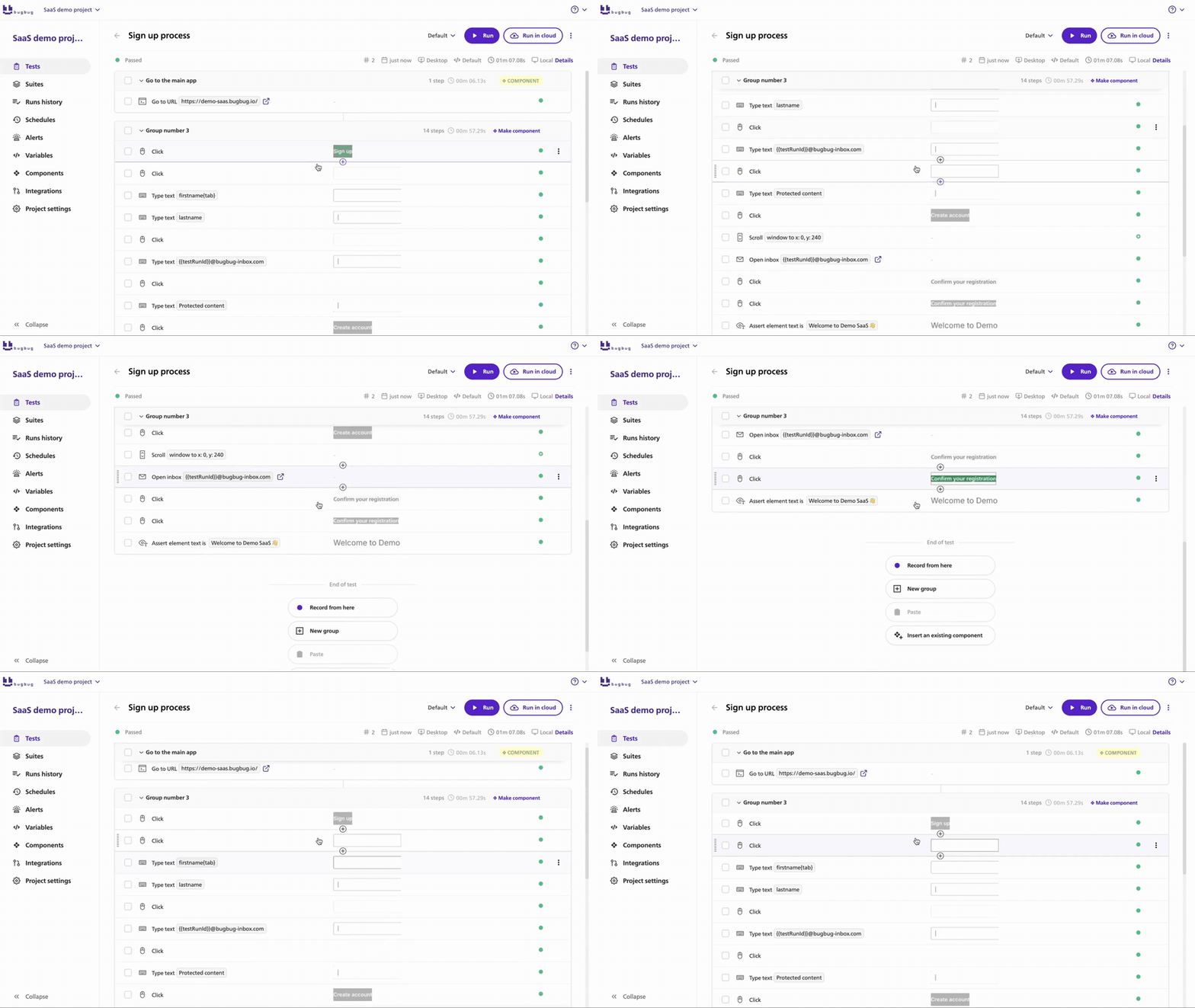
Don't automate all 80 cases at once.
Start with the flows that are both stable and expensive to repeat manually.
A useful first browser suite may include:
Then add coverage around defects that have actually escaped.
A tax calculation with 40 combinations shouldn't require 40 full browser checkouts.
Test most calculations at the unit or API layer and retain a few browser cases proving that the integrated customer journey works.
Once a defect has been fixed, ask whether a stable automated test should prevent it from returning.
Our Regression Testing Guide explains how to build that layer without turning every existing case into an E2E test.
Create known:
Don't make every automated checkout depend on a product that merchandising may remove tomorrow.
Some flows can run against production if they're designed to be harmless.
A Shopify-specific example is covered in How to Monitor a Shopify Store with BugBug.
For teams starting browser automation from zero, use the Automation Testing Tutorial.
Yes, but treat generated cases as a draft.
An AI model can quickly generate scenarios around:
The weakness is product context.
ChatGPT doesn't automatically know:
A useful prompt is:
Generate ecommerce test cases for a checkout that supports guest users, registered customers, Visa/Mastercard sandbox payments, PayPal, one non-stackable promo code, domestic and international delivery and stock reservation for 15 minutes. For every case provide ID, preconditions, up to three test steps, expected result and classify it as positive, negative or security. Include boundary and failure scenarios.
Then manually verify:
AI can expand coverage ideas.
It shouldn't invent your expected behavior.
Update cases when their underlying risk or expected behavior changes.
Typical triggers include:
Regression suites also need pruning.
A test case that protects behavior removed 18 months ago isn't coverage. It's maintenance debt.
The same applies when several browser cases now duplicate a faster API or unit test.
Ecommerce testing works best when cases follow the customer journey rather than an abstract list of testing types. Protect account access, product discovery, cart, checkout and payment first. Then add shipping, post-purchase, mobile, integrations, accessibility, performance and security around the risks your store actually has.
The 80 cases above are a starting library, not a requirement to run every case on every deployment.
Automate your tests for free
Test easier than ever with BugBug test recorder. Faster than coding. Free forever.
Get started
A good test case has a clear precondition, short reproducible steps and an observable expected result. For example, add a product, proceed to checkout and pay using a successful sandbox payment method. The expected result should specify that one payment and one correctly priced order are created.
Positive test cases verify valid expected behavior, such as a working payment. Negative test cases verify how the system handles invalid or failure conditions, such as an expired coupon, unsupported address, rejected card or quantity above available stock.
Yes. ChatGPT can generate candidate test cases quickly, especially from detailed requirements. Review every expected result manually, remove duplicates and check product-specific assumptions. AI doesn't know undocumented business rules unless you provide them.
Review them whenever functionality, integrations or business rules change and after important production defects. Periodically remove obsolete or duplicate cases so the suite continues to represent current product risk.
There is no universal number. This guide provides 80 across 11 modules as a reusable starting point. A simple store may need fewer, while marketplaces, multi-country stores and products with complex payments, fulfillment or promotions may need hundreds.

Your next release. Properly tested.
Join 1,200+ QA teams that automated their regression coverage with BugBug.


Dominik Szahidewicz is a Software Quality Evangelist specialising in quality assurance, test automation, and modern software testing practices. He creates practical, research-driven content that helps QA professionals, developers, and product teams improve test coverage, automate repetitive testing, and release more reliable web applications.
Drawing on his experience in technical writing, data analysis, and application consulting, Dominik translates complex testing concepts into clear, actionable guidance. His areas of interest include end-to-end testing, no-code test automation, regression testing, and the use of AI in software quality assurance.

Paweł Bylina is a software engineer, test automation product leader, and founder and CEO of BugBug, a no-code end-to-end testing platform used by teams in more than 50 countries. He has over 15 years of experience building software and leading engineering teams as a developer, engineering manager, CTO, and SaaS founder.
Paweł created BugBug after repeatedly seeing teams struggle with test automation that was costly to implement and difficult to maintain. He now works closely with QA engineers, developers, and engineering leaders to improve how software teams create and maintain reliable automated test coverage.
His expertise includes end-to-end testing, regression testing, browser automation, no-code test automation, QA strategy, and software quality. He shares practical insights drawn from building BugBug and working with software teams worldwide.
Join thousands of QA experts. Subscribe to our newsletter.
Get more testing tips and product related content. Zero spam.
This article delves into the journey of becoming an Automated Test Engineer, offering insights into the essential skills, knowledge, and steps required to embark on this career path and increase your current salary.
Read this comprehensive guide on how to choose the right CI/CD tool. Selecting the tool that aligns with your project is essential.
Copy a test case template with examples for functional, login, API, integration, performance and regression testing. Free Excel, Word and Sheets-ready files.
Recently we have covered the test plan and we did quite a good job doing it. The document itself covers the testing process quite thoroughly. We agreed that the core of the test plan are the test cases and test suites. Now let’s shift our focus a bit more on the test cases and test scenarios and as a bonus we will come back to the test suites for a moment or two.
Atomic Test Case is a specialized type of automated test case that focuses on testing a single functionality of a software application in isolation.
How to Write Automation Test Cases? Running automated tests instead of the manual ones is the more efficient way most of the time.
Discover a complete software test plan example, including scope, strategy, test cases, execution, and defect tracking, plus a free test plan template.
Ensuring that your application functions seamlessly from start to finish is a critical aspect of software development.