Automation Testing Tools Comparison - Best Fit For Your Team
Dominik SzahidewiczApril 9, 2026
🤖 Summarize this article with AI:
💬 ChatGPT 🔍 Perplexity 💥 Claude 🐦 Grok 🔮 Google AI Mode
Your release cycle is accelerating. Your test coverage isn't. So you open a browser, search for "best automated testing tools," and get hit with a list of 20 tools ranked in no particular order with no honest trade-offs.
This isn't that list.
Below are 8 tools worth your time — code-based and codeless — with the information you actually need: what each one does well, where it falls short, and which team it's built for. No rigged rankings.
Check also:
| Tool | Type | Best For | Free Plan | Coding Required | Cross-Browser | CI/CD |
|---|---|---|---|---|---|---|
| BugBug | Low-code | Web SaaS teams, non-dev QA | ✅ Unlimited | Optional JS | Chromium only | ✅ |
| Playwright | Code-based | Developers, complex apps | ✅ (open-source) | Yes | ✅ Full | ✅ |
| Cypress | Code-based | JS-heavy dev teams | ✅ (open-source) | Yes | Chromium + Firefox | ✅ |
| Selenium | Code-based | Legacy/enterprise | ✅ (open-source) | Yes | ✅ Full | ✅ |
| Katalon | Hybrid | Mixed QA teams, Selenium migrants | ✅ Limited | Optional | ✅ Full | ✅ |
| Mabl | AI low-code | Enterprise DevOps | ❌ | No | ✅ Full | ✅ |
| Ghost Inspector | No-code | Visual regression, basic UI | ❌ | No | Cloud only | ✅ |
| TestRigor | Plain English | Non-technical QA, mobile + web | ❌ | No | ✅ | ✅ |
Choose no-fuss web testing
Test easier than ever with BugBug test recorder. Faster than coding. Free forever.
Get started
Before picking a tool, understand what separates the categories — because it shapes every other decision in your testing process.
Code-based tools like Selenium, Playwright, and Cypress require writing test scripts in multiple languages — JavaScript, Python, Java, C#. They give software engineering teams maximum control over test architecture, test data management, and integration with ci/cd tools. The payoff is flexibility. The cost is learning curve, test development time, and ongoing maintenance as your UI evolves.
Codeless and low-code automation testing tools like BugBug, Katalon, and TestRigor use visual recording, drag-and-drop editors, or natural language to create test cases without writing code. They bring manual testers, QA analysts, and product teams directly into testing workflows — and they dramatically cut the time from zero to first passing suite.
Hybrid approaches combine both. Record basic flows visually, then drop into code for complex scenarios. Useful for mixed-skill development teams that want to scale from simple regression testing toward deeper functional and regression testing coverage over time.
The right choice depends on who owns your testing efforts and how much of the development lifecycle your tests need to cover.
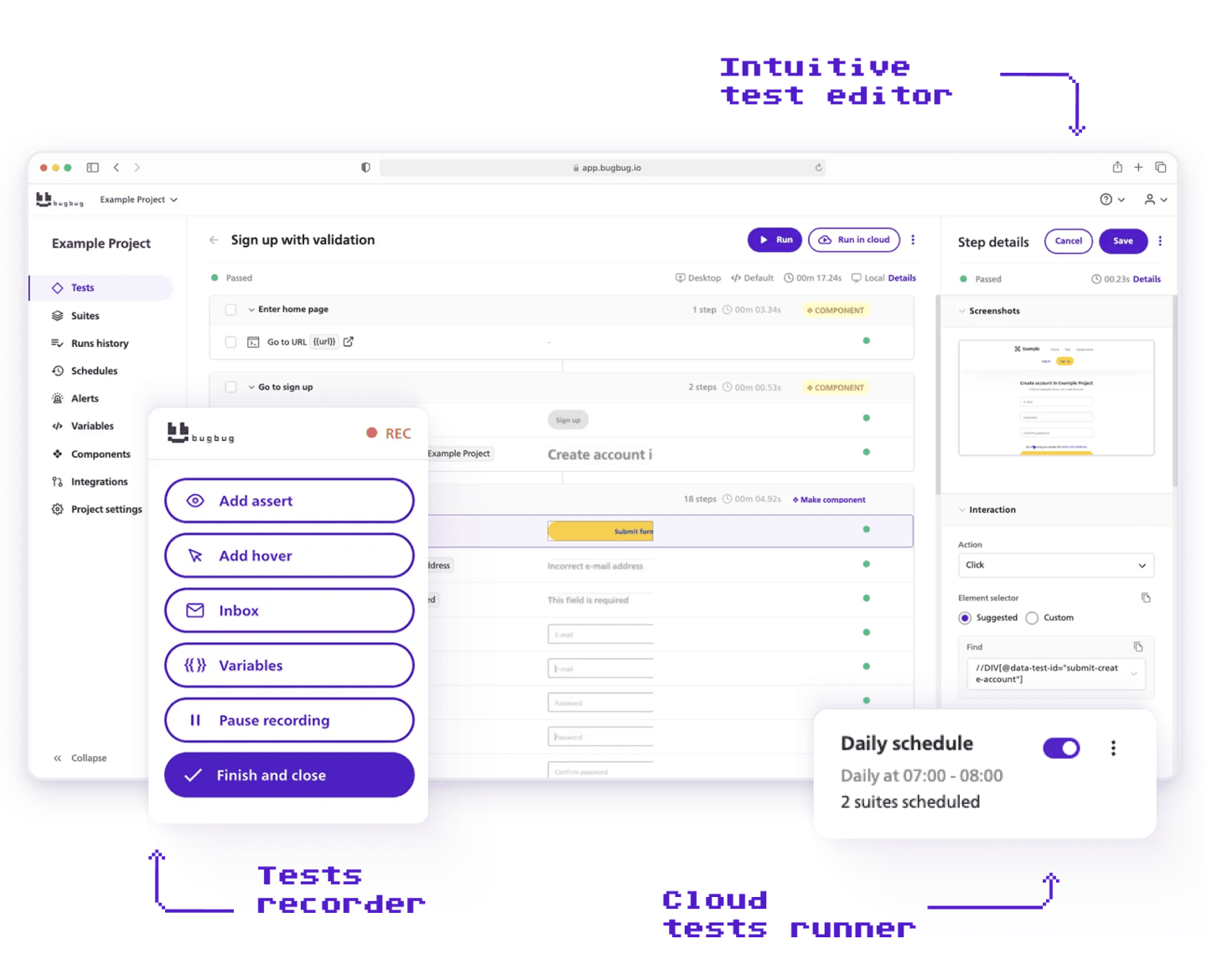
Best for: Startups, SaaS companies, and non-dev QA engineers who need reliable end to end testing without maintaining a framework.
Pricing: Free plan available. Pro from $189/month (annual). Unlimited users on paid plans.
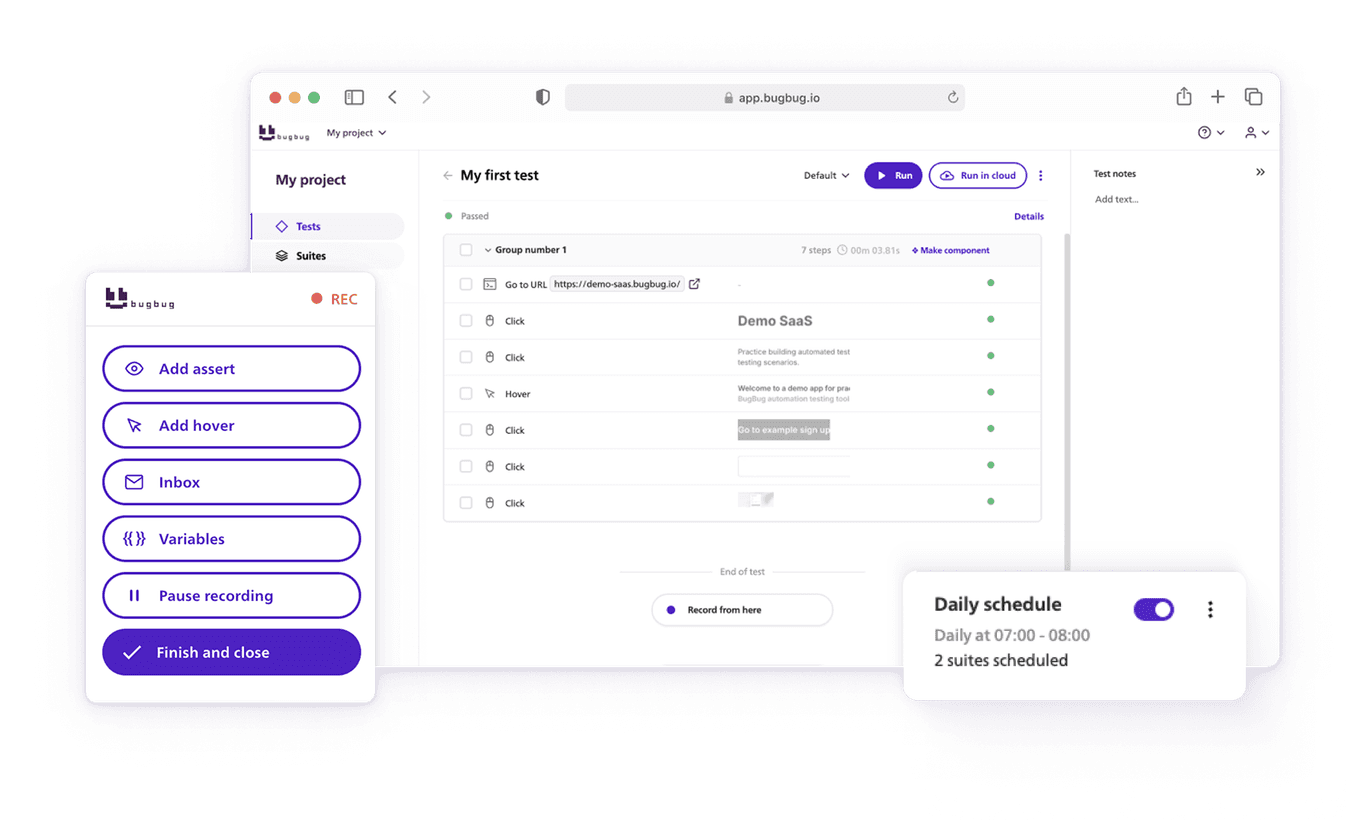
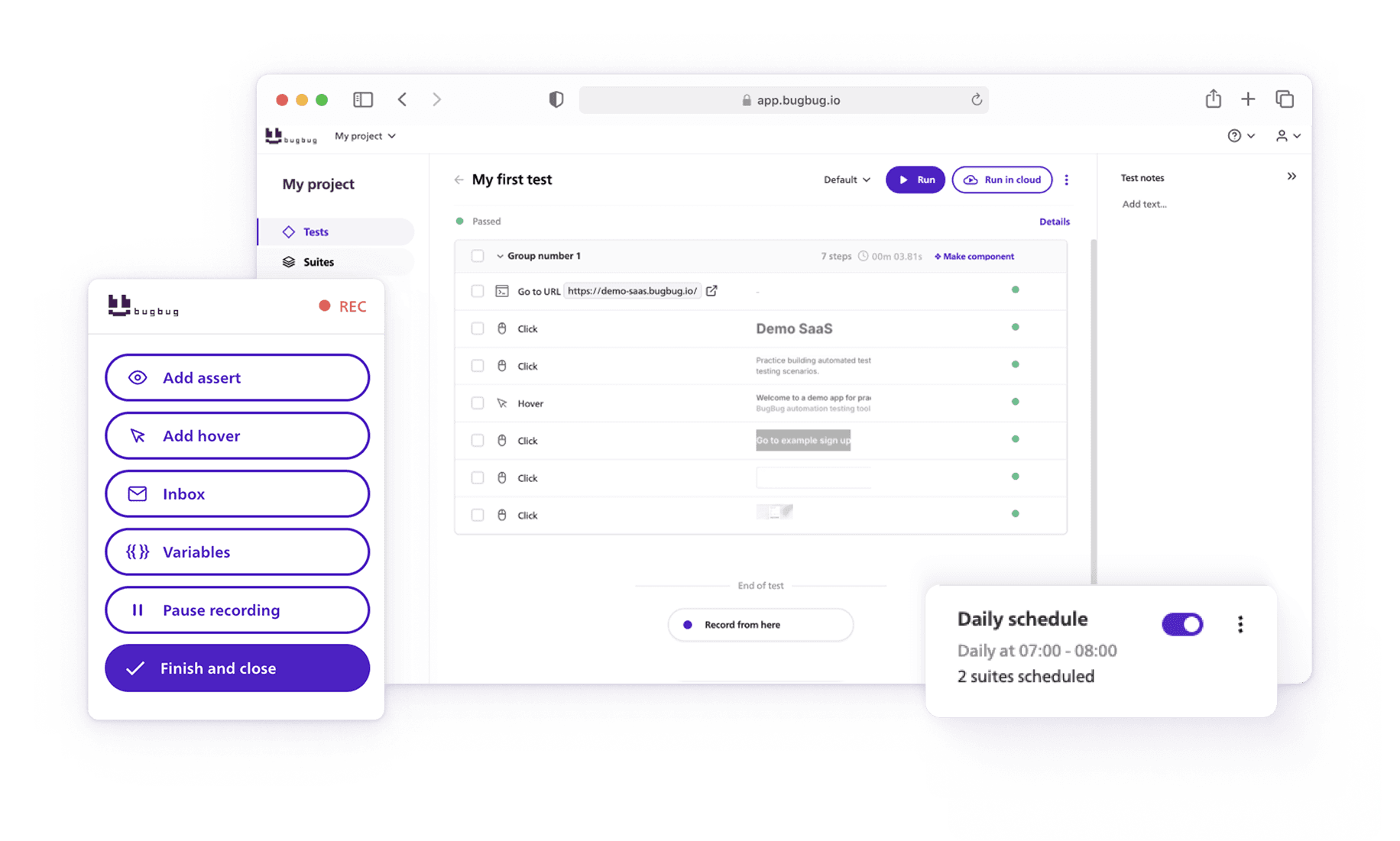
BugBug lets you record your first test by clicking through your app in Chrome — no code, no Selenium grid, no Docker. Install the extension, hit record, run. Tests run locally for free or in the cloud on a schedule, turning repetitive testing tasks into automated runs that execute unattended.
The Edit & Rewind feature lets you insert steps anywhere and replay from any point. When test failures happen, you don't re-record from scratch — you fix the specific step that broke. That alone cuts test stability maintenance down to minutes, not hours.
Built-in email testing via bugbug-inbox.com covers signup flows, password resets, and transactional emails — a common gap in ui testing for SaaS teams that most tools don't address.
Strengths:
Limitations:

Best for: Software engineering teams testing modern JavaScript applications who need full cross-browser coverage and framework-level control.
Pricing: Free, open-source.
Playwright is Microsoft's open-source test automation framework. It runs test cases in Chromium, Firefox, and WebKit — real browsers, in parallel execution, with no additional cloud subscription. It supports multiple languages out of the box: JavaScript, TypeScript, Python, Java, and C#, making it the most flexible code-based option for cross-functional development teams.
Recent benchmarks show Playwright delivers around 40% faster test execution and 50% fewer flaky tests than comparable Selenium setups. If you're managing acceptance testing, integration testing, and end to end testing across a large application, Playwright handles all three without switching tools.
Strengths:
Limitations:

Best for: Frontend development teams testing React, Angular, or Vue applications who want fast feedback and an in-browser test runner.
Pricing: Free, open-source. Cypress Cloud from $67/month.
Cypress runs directly inside the browser alongside your app. You see exactly what's happening during test development — every step, in real time. Its automatic waiting reduces flaky test results, and the time-travel debugger (hover over any command to see the app state at that moment) makes analyzing test failures fast.
For teams running functional and regression testing on a JavaScript-heavy product, Cypress is the smoothest developer experience on this list.
Strengths:
Limitations:

Best for: Larger software testing teams running complex multi-browser suites, or teams already invested in the Selenium ecosystem.
Pricing: Free, open-source. Infrastructure and tooling costs are separate.
Selenium is the original browser automation framework and still the most widely used across the software testing industry. It supports every major browser, runs test cases in multiple languages, and integrates with every ci/cd tool in existence. That flexibility is real.
But the hidden costs accumulate. One analysis estimated the true annual cost of running Selenium for a 5-person team at around $86,000 — primarily in developer time for test development, infrastructure management, and keeping test stability intact across browser updates.
Strengths:
Limitations:

Best for: QA teams that want a single test automation platform covering web, API, and mobile apps, with the option to extend into scripting as complexity grows.
Pricing: Free tier available. Enterprise plans on request.
Katalon wraps Selenium and Appium in a GUI that lets non-developers start recording test cases without writing code. Teams can record basic regression testing flows visually, then drop into Groovy or Java for complex scenarios requiring custom test data, conditional logic, or integration testing across multiple systems.
It also includes built-in test management features — test suites, test results history, and reporting — which keeps testing workflows organized as test coverage scales.
Note: Katalon is sunsetting its standalone Katalon Recorder browser extension. Teams dependent on it should plan migration before it's deprecated.
Strengths:
Limitations:

Best for: Large software engineering teams with mature CI/CD pipelines who need AI-driven test stability across frequently-changing UIs.
Pricing: No public pricing. Enterprise contracts; typically out of reach for small teams.
Mabl uses machine learning to auto-heal tests when the UI changes — it detects broken element references and updates them automatically. That's genuinely useful when your testing efforts cover hundreds of test cases against a product shipping multiple times per week. It also includes visual regression testing, API testing, and solid tooling for analyzing test results across runs.
The trade-off: it's expensive, opaque on pricing, and overkill for any team running stable web applications with predictable interfaces. The AI maintenance can also behave unpredictably on highly dynamic UIs, producing false test failures that require manual investigation.
Strengths:
Limitations:

Best for: Non-technical teams who primarily need visual regression testing and basic ui testing for simple web applications.
Pricing: From $39/month. No free plan.
Ghost Inspector is accessible and fast to start. Its screenshot comparison makes it useful for catching visual regressions — layout shifts, missing elements, styling breaks. If your testing process centers on "does the page look right," it delivers that efficiently.
The core limitation for functional testing: Ghost Inspector uses JavaScript to simulate user interactions rather than executing real browser input. That means repetitive testing tasks like form submission, login flows, and checkout sequences are less representative of how real users behave — and test results can pass scenarios that would fail in a genuine browser session.
Strengths:
Limitations:
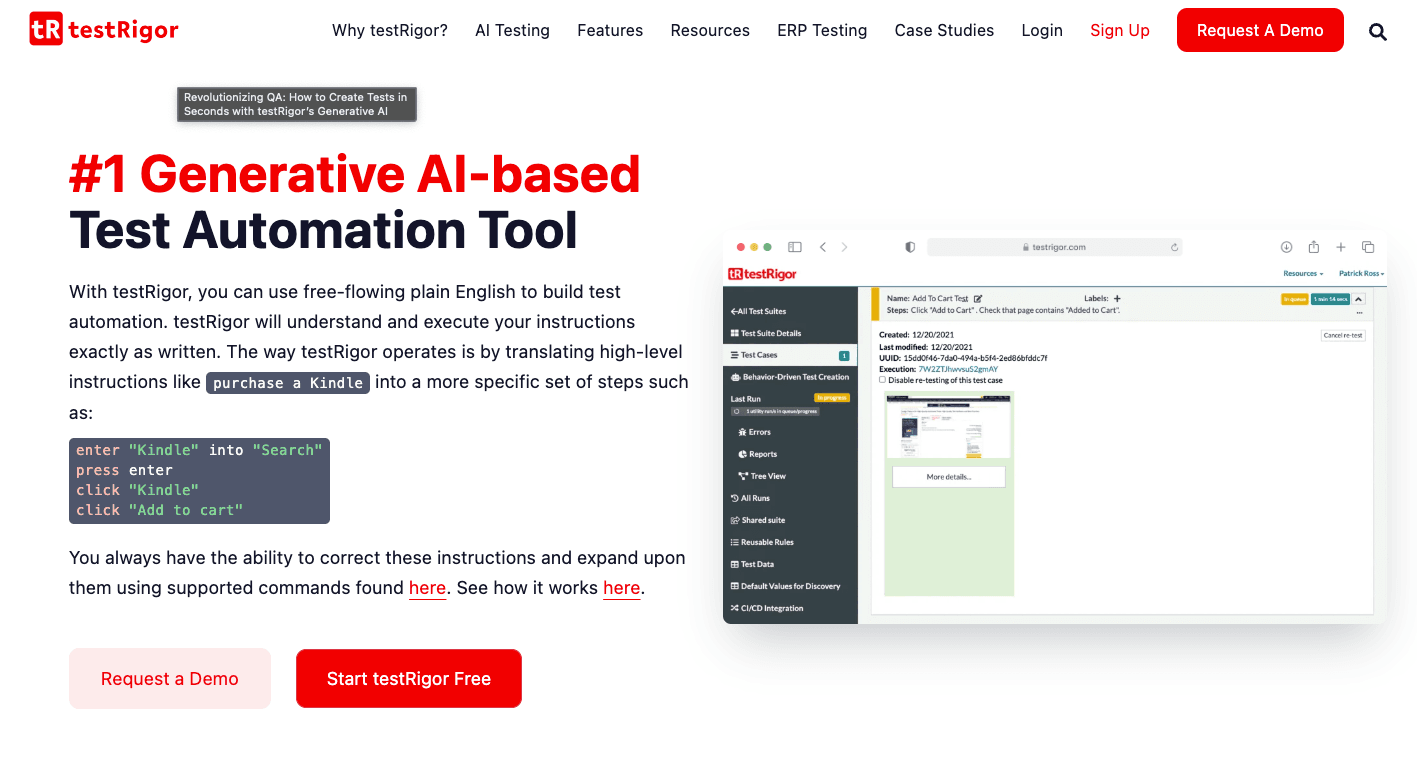
Best for: QA analysts or manual testers who prefer describing test cases in natural language rather than using a visual recorder or code.
Pricing: Paid. No free plan.
TestRigor takes a different approach to codeless testing: instead of recording clicks, you describe what you want the same test to do in plain English. "Click login, enter email 'test@example.com', verify dashboard is visible." The platform interprets those instructions and executes them across web, mobile web apps, and native mobile app testing scenarios.
Useful when your team is fully non-technical and a visual recorder still feels too hands-on. The trade-off is precision: natural language is inherently ambiguous, and complex test data management or conditional logic is harder to express cleanly.
Strengths:
Limitations:
The right answer depends on who's building and maintaining your test cases — not on which tool has the most features. Here's the honest breakdown.
Choose Playwright or Cypress if your team has JavaScript developers who will own the entire testing process. Both are excellent for functional and regression testing on modern web applications. Playwright is stronger for cross platform mobile testing via browser emulation and for teams that need multiple languages; Cypress wins on developer experience for single-app setups.
Choose Selenium if you're already deep in the ecosystem and migration costs are prohibitive, or if your software testing requirements span legacy environments and browsers that newer tools don't support. Otherwise, Playwright is the modern replacement with a shorter learning curve.
Choose Katalon if you need one test automation platform covering web, mobile apps, API, and desktop, and your development teams include both technical and non-technical QA engineers who want the option to scale from low-code toward scripted test development.
Choose Mabl if you're in an enterprise DevOps environment running continuous automated testing at scale, with the budget and engineering maturity to match. Not for startups or small development teams.
Choose TestRigor if writing test cases in plain English is the specific requirement — and your team accepts less precision in exchange for the lowest possible learning curve. Strongest for cross platform mobile testing and native mobile app testing scenarios.
Choose Ghost Inspector if visual regression testing and screenshot comparison are the primary use case, and basic ui testing of a stable interface is all you need.
Choose BugBug if you're a web-focused SaaS team that needs reliable end to end testing and functional and regression testing coverage — without infrastructure, without requiring developers to write test cases. Free plan, first test running in under 10 minutes. If you're on Chromium and want to automate your login, checkout, and onboarding flows without the overhead of a test automation framework — start here.
Most teams pick the wrong tool for the same reason: they evaluate features before defining what success looks like for their specific situation.
Don't open demos until you've answered: Who will create and maintain tests? What does your stack look like? What does "working automation" mean in six months?
Choosing the right test automation tool starts with clearly defined evaluation criteria. Without that baseline, every demo looks equally impressive and you end up choosing based on whoever gave the best sales call.
A tool with 50 features you'll never use isn't better than one with 10 that covers your actual workflows. It's essential to align capabilities with business outcomes and ROI expectations — the ROI of test automation is judged by how well automation helps teams move forward, focusing on speed, reliability, and feedback quality. Not feature count.
Tools that are user-friendly and well-documented reduce training time and make adoption stick. The graveyard of failed automation programs is full of technically capable tools nobody used past the pilot.
Run this test: have a mid-level team member build and run their first test without help. How long did it take? That's your real adoption signal.
Setup cost is visible. Maintenance cost is what kills automation programs. Choosing a tool that fits your team's skills and long-term goals is what makes automation sustainable — not just launchable.
If your product ships frequently, self-healing matters: tools that automatically fix broken element references when UI changes occur cut down on false failures and keep testing efforts focused on real regressions.
Automated tests touch login flows, payment systems, and user data. Automated testing tools should have robust data security features to protect sensitive information. Confirm how test data is stored, who can access run artifacts, and what the cloud retention policy is — before signing a contract.
Happy (automated) testing!
Speed up your entire testing process
Automate your web app testing 3x faster.

Dominik Szahidewicz is a technical writer with experience in data science and application consulting. He's skilled in using tools such as Figma, ServiceNow, ERP, Notepad++ and VM Oracle. His skills also include knowledge of English, French and SQL.
Outside of work, he is an active musician and pianist, playing in several bands of different genres, including jazz/hip-hop, neo-soul and organic dub.
Join thousands of QA experts. Subscribe to our newsletter.
Get more testing tips and product related content. Zero spam.
Discover essential business tools for startups. Read the article to find the right tools for your success.
Discover essential accessibility testing tools and software in our guide. Learn how to make your applications accessible for everyone.
Discover the best free and open-source automation tools of 2026! Explore testing tools and frameworks for each team type.
Discover the best email testing tools in 2026. Learn how to test OTP flows, email deliverability, templates, and automated email workflows.
Learn how to automate regression tests without developers or QA. Discover a risk-based strategy and practical workflows.
Discover the essential QA tester skills for 2026! Learn the technical and soft skills required to excel as a QA Tester.
Build a CI/CD testing pipeline in 30 minutes with BugBug. Learn how to run reliable E2E smoke tests on every PR, block bad merges, and scale safely.
Read this comprehensive guide on how to choose the right CI/CD tool. Selecting the tool that aligns with your project is essential.
Learn how to build an effective QA strategy that aligns with your business goals. Discover best practices in quality assurance, test automation, and more!