Features
 Test recorder
 Integrations
 Testing service
 Roadmap
 Changelog
 Documentation
 Blog
Blog Customer stories
 About us
 Contact us
 XPath Selector Builder
 Example SaaS App
 E-mail testing inbox
🤖 Summarize this article with AI:
💬 ChatGPT 🔍 Perplexity 💥 Claude 🐦 Grok 🔮 Google AI Mode
Web test recorders are tools used for automating web application testing. Recorders by BugBug, Selenium, Ghost Inspector, or Katalon work by recording the actions performed by a user in a web browser, such as clicking, scrolling, and inputting text, and then saving these actions as a test script.
This script can later be played back to automatically repeat the recorded actions, which is particularly useful for testing the functionality and performance of web applications.
Let's explore an overview of the best visual test recorders on the market.
🎯 Best Web Test Recorders in 2026 - Shortlist
Not all record-and-play tools are built the same. Here’s the fastest way to choose:
🚀 Best for startups & fast-moving SaaS teams
→ BugBug
Low-code Chrome recorder with stable selectors, Edit & Rewind debugging, built-in email testing, and zero infrastructure.
🌍 Best for large cross-browser + device coverage
→ BrowserStack
Cloud-based automation across real browsers and devices. Powerful — but infrastructure and concurrency costs scale fast.
🧑💻 Best free starting point (basic automation)
→ Selenium IDE
Simple browser extension for quick recording. Limited flexibility and selector reliability for complex apps.
🏢 Best for teams mixing record & coded automation
→ Katalon Recorder / Platform
Hybrid approach with scripting and enterprise integrations. More setup and learning curve.
🧪 Best for cloud-based no-code workflows
→ Ghost Inspector
Easy recording + cloud execution. Less control for advanced logic.
Check also
- 🎯 Best Web Test Recorders in 2026 - Shortlist
- Quick Comparison: Web Test Recorders at a Glance
- The Best Web Test Recorders in 2026
- Test Recorders vs Manual Scripting: Which Is Right for Your Team?
- What Separates a Good Web Test Recorder from a Bad One
- Which Web Test Recorder Should You Use?
- FAQ: Web Test Recorders
Quick Comparison: Web Test Recorders at a Glance
The two columns that matter most: ‘Real typing’ (does the tool simulate actual keyboard input or inject values via JavaScript?) and ‘Standalone tool’ (can you use the recorder without adopting a full framework?).
| Recorder | Standalone tool | Real typing | CI/CD | Free plan | Best for | Browser |
|---|---|---|---|---|---|---|
| BugBug | Yes | Yes | Yes (paid) | Yes | SaaS teams, web-only E2E | Chromium |
| Playwright codegen | Yes (CLI) | Yes | Yes | Yes (open source) | Devs scaffolding Playwright tests | All browsers |
| Cypress recorder | Inside Cypress | Yes | Yes | Free tier | JS/frontend devs in Cypress | Chrome, Firefox, Edge |
| Puppeteer recorder | Chrome DevTools | Yes | Yes | Yes (open source) | Devs extending Puppeteer scripts | Chrome only |
| Selenium IDE | Yes (extension) | Yes | Limited | Yes (open source) | Quick prototyping, Selenium teams | Chrome, Firefox |
| Katalon Recorder | Yes (extension) | No (JS sim) | Via Katalon | Yes | Teams migrating to Katalon Studio | Chrome, Firefox, Edge |
| Ghost Inspector | Yes (extension) | No (JS sim) | Yes | No | Visual regression, screenshot tests | Chrome, Firefox |
The Best Web Test Recorders in 2026
BugBug
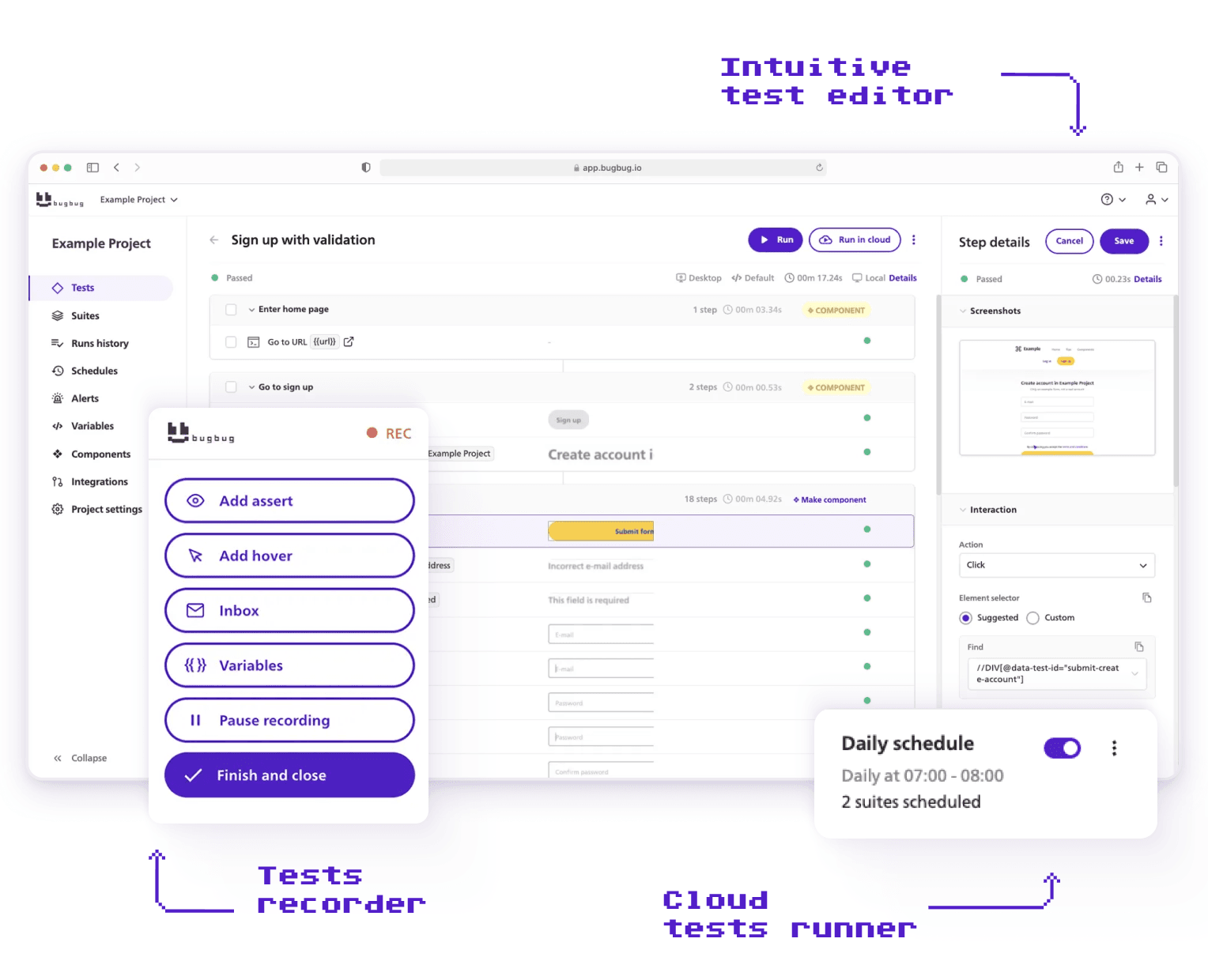
Best for: SaaS teams and web-only QA who want a complete record-and-replay automation tool without owning infrastructure.
Pricing: Free plan (unlimited tests, unlimited users, local runs). Paid plans from $189/month for cloud runs and CI/CD.
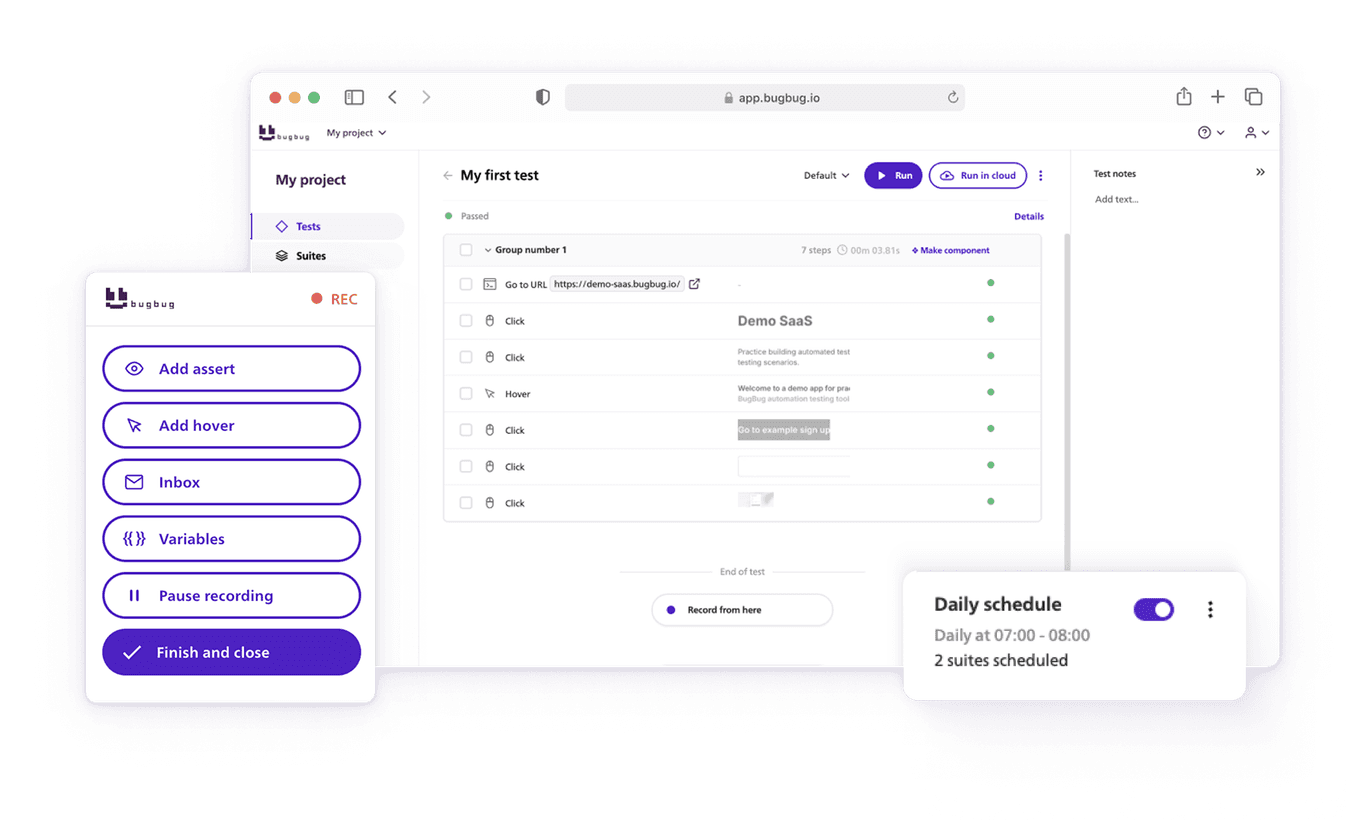
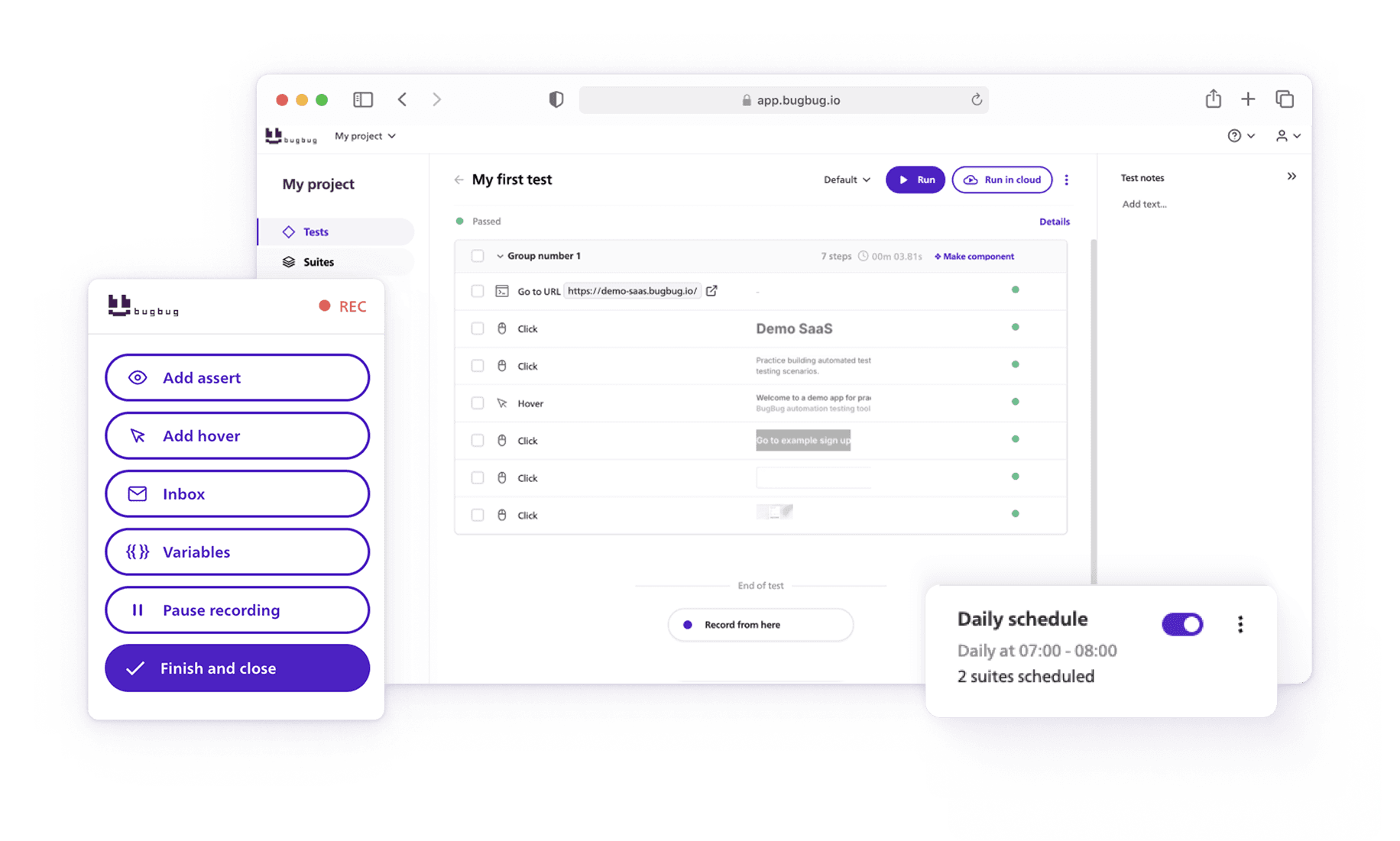
BugBug is a Chrome-based test recorder built as a complete automation platform — not just a recording layer on top of a framework. The recording process starts when you install the Chrome extension, click through your web app, and the test is captured. Tests run locally for free or on a cloud schedule on paid plans. No Selenium grid, no Docker, no VM setup.
The key differentiator from Selenium IDE, Katalon Recorder, and Ghost Inspector is that BugBug simulates real typing — it dispatches actual browser keyboard events, not JavaScript value injection. This means input validation, masked fields, and event-driven forms behave as they would for a real user.
Many web test recorders allow users to edit recorded tests after the initial recording is complete.
Key strengths:
- Real browser keyboard simulation — input events fire correctly on forms with validation, masking, and event listeners.
- Edit & Rewind — insert new steps anywhere in a recorded test and rerun from any specific step, giving you the flexibility to edit or rerun all the steps without re-recording from scratch. This cuts maintenance time significantly when the app changes.
- Built-in email testing via bugbug-inbox.com — validates signup confirmations, password resets, and transactional flows as part of the same E2E test, without third-party tools.
Limitations:
- Chromium and Chrome only — no Firefox, Safari, or cross-browser cloud execution. If multi-browser coverage is a requirement, BugBug is not the right tool.
- Cloud runs and CI/CD integration require a paid plan. The free plan covers local execution only.
Playwright Recorder (codegen)

Best for: Developers who want to generate Playwright test scripts from browser interactions as a starting point for coded test suites.
Pricing: Free and open source (part of the Playwright framework).
Playwright codegen is the built-in recorder for Microsoft’s Playwright framework. You run playwright codegen in your terminal, interact with your app in the browser window that opens, and Playwright generates the corresponding test script in your chosen language (JavaScript, TypeScript, Python, Java, or C#). Testers start the recorder, perform actions on the website, and stop to create a reproducible script. The generated code uses Playwright’s API directly and is immediately runnable.
This is not a standalone no-code tool — it’s a scaffolding aid for developers. The generated code typically needs review and cleanup before it’s production-ready, but it dramatically reduces the time to write the first version of a test.
Key strengths:
- Generates real, executable Playwright code — not a proprietary format. The output is your test, owned by you, runnable without any vendor.
- Supports all Playwright languages: JavaScript, TypeScript, Python, Java, and C# in a single tool.
- Full cross-browser support — records against Chromium, Firefox, or WebKit (Safari) depending on which browser you target.
Limitations:
- Developer tool only — requires Node.js, Playwright installation, and comfort reading and editing generated code. Non-developers can’t use it effectively.
- Generated selectors often need manual cleanup — codegen tends to produce over-specific locators, such as CSS selectors, that break when minor DOM changes occur. Tools should have intelligent locators rather than relying solely on rigid XPaths or CSS selectors.
Deep-dive comparison: Playwright Recorder vs BugBug
Cypress Recorder

Best for: JavaScript and TypeScript teams already using Cypress who want to record test scaffolding without leaving their existing workflow.
Pricing: Free (part of the open-source Cypress framework). Cypress Cloud from $75/month for parallel runs and recording.
Cypress includes a built-in recorder accessed through its interactive test runner (Cypress open). You interact with your app’s user interface in the Cypress browser window and Cypress generates the corresponding test commands. Like Playwright codegen, this is a developer scaffolding tool — it generates JavaScript/TypeScript code that you own and maintain.
The major difference from Playwright codegen: Cypress runs exclusively in the browser (no multi-browser engine support like Playwright), but its visual test runner with time-travel debugging makes the development experience significantly better for teams living in the Cypress ecosystem.
Key strengths:
- Native to the Cypress runner — recorded tests work immediately in your existing Cypress setup without any additional tooling.
- Time-travel debugging: click any recorded step to see the DOM snapshot at that exact point. The best debugging experience of any recorder in this list.
- Generated tests use Cypress’s retry-able query API, which handles async UI more reliably than raw selector-based approaches.
- Tools should have test editing capabilities to add assertions, loops, and conditional logic after recording, and Cypress supports editing tests to add these elements.
Limitations:
- JavaScript and TypeScript only — not usable by teams on Python, Java, or other languages.
- No WebKit/Safari support — Cypress covers Chrome, Firefox, and Edge only. Cross-browser coverage is weaker than Playwright.
Deep-dive comparison: Cypress Recorder vs BugBug
Puppeteer Recorder (Chrome DevTools)

Best for: Node.js developers who use Puppeteer and want to generate script scaffolding directly from Chrome DevTools.
Pricing: Free — built into Chrome DevTools and the open-source Puppeteer library.
Chrome DevTools includes a Recorder panel (available in Chrome 97+) that captures browser interactions, including actions on web elements, and can export them as Puppeteer scripts, Playwright scripts, or plain JSON. For teams already using Puppeteer, this is a convenient way to generate test scaffolding without leaving the browser.
It’s a lower-level tool than BugBug or even Playwright codegen — it captures raw interactions with web elements faithfully but the output often requires more editing than Playwright’s codegen to become a maintainable test.
Key strengths:
- Zero installation — available in Chrome DevTools without any additional setup or extension.
- Exports to multiple formats: Puppeteer script, Playwright script, or JSON (for use with Replay.io or other tools).
- Captures network throttling and device emulation settings alongside user interactions.
Limitations:
- Chrome only — the DevTools Recorder is tied to the Chrome browser and Chromium engine.
- Generated Puppeteer scripts are lower-level than Playwright or Cypress output and typically require more manual cleanup to be production-ready.
- Advanced debugging tools are essential for identifying test failures promptly.
Deep-dive comparison: Puppeteer Recorder vs BugBug
Selenium IDE

Best for: Quick test prototyping, teams already in the Selenium ecosystem, and users who need to export recorded tests to Selenium WebDriver languages.
Pricing: Free and open source.
Selenium IDE is a free browser extension for quick, open-source recording (Chrome and Firefox) that records user interactions and plays them back as automated tests. It’s been around for over a decade and remains the most commonly used starting point for teams entering Selenium-based automation. Recorded tests can be exported to Java, Python, C#, Ruby, and JavaScript for use with Selenium WebDriver.
The key limitation for production use is selector quality. Selenium IDE often defaults to CSS path-based selectors that are fragile when the DOM changes — a common complaint from teams who find their recorded tests break after minor UI updates. However, users can configure the recorder to ignore certain attributes or class names when generating selectors, which helps improve reliability when dealing with dynamic IDs or names. This is manageable with careful editing but negates some of the speed benefit of recording.
Key strengths:
- Free, lightweight, and the fastest way to get a runnable Selenium test from scratch — no environment setup required beyond the browser extension.
- Selenium IDE is best for basic recording, editing, and playback.
- Exports to all major Selenium WebDriver languages — useful as a bridge to coded automation for teams building out a Selenium suite.
- SIDE Runner enables running recorded tests from the command line for basic CI integration.
Limitations:
- Selector quality is a known weakness — IDE defaults to fragile CSS path selectors that break when layouts change. Production test suites typically require significant manual selector cleanup after recording.
- Limited support for complex interactions — iframes, shadow DOM, multi-tab flows, and dynamic elements often require manual script editing to handle reliably.
Katalon Recorder

Best for: Teams who want a Selenium IDE-compatible recorder with self-healing locators and a planned migration path to the full Katalon Platform.
Pricing: Free browser extension. Full Katalon Platform requires a paid plan.
Katalon Recorder is a browser extension compatible with Selenium IDE's command set, adding self-healing locators (which automatically find replacement selectors when the original breaks), global variables for reuse across tests, and direct export to Katalon Studio. It supports Chrome, Firefox, and Edge.
One important limitation: Katalon Recorder uses JavaScript value injection for text input rather than simulating real typing. This means tests can fail on forms that use input event listeners or validation logic — the typed value appears in the field but the associated JavaScript events don't fire.
Key strengths:
- Self-healing locators automatically detect and replace broken element selectors during test runs — reduces maintenance burden compared to Selenium IDE.
- Global variables allow reusing test data (usernames, URLs, tokens) across multiple test cases without repetition.
- Cross-browser: works on Chrome, Firefox, and Edge — more coverage than BugBug.
Limitations:
- Uses JavaScript simulation for text input, not real typing — can cause failures on forms with input validation, masked fields, or event-driven behavior.
- Katalon is sunsetting the standalone recorder in favor of the full Katalon Platform. Teams investing in Katalon Recorder should plan for the migration.
Deep-dive comparison: Katalon Recorder vs BugBug
Ghost Inspector

Best for: Teams whose primary use case is visual regression testing and screenshot comparison rather than full E2E functional automation.
Pricing: No free plan. Paid from $49/month.
Ghost Inspector is a cloud-based, no-code browser testing platform (ghost inspector service) with a Chrome and Firefox extension (ghost inspector recording tool) for recording and saving automated tests, including actions and assertions, directly within the browser. To use the ghost inspector recording tool, users need a ghost inspector account to log in, record browser interactions, define verification points (assertions) during recording to ensure validation of actions, and manage their tests. After saving a test, an initial test run automatically retraces the recorded actions to verify the test's accuracy and functionality before further editing or scheduling. It’s designed around visual testing — screenshot comparison after each test run, visual diffs, and Slack/email notifications when visual changes are detected. For teams running functional E2E tests, the lack of real typing simulation is a significant limitation.
Like Katalon Recorder, Ghost Inspector injects text values using JavaScript rather than dispatching real keyboard events. This works on standard text inputs but fails on forms with input masking, real-time validation, or event-driven logic.
Key strengths:
- Best-in-class screenshot comparison and visual regression testing — purpose-built for catching visual changes, not just functional ones.
- Cloud execution with no local setup required — tests run on Ghost Inspector’s infrastructure, and automated tests from web test recorders can be scheduled to run at specific intervals in CI/CD pipelines.
- Built-in Slack and email notifications for test failures, useful for teams monitoring production.
Limitations:
- Uses JavaScript injection for text input, not real keyboard simulation — unreliable on forms with validation or event-driven behavior.
- No free plan — every team pays from day one, unlike BugBug, Selenium IDE, Playwright codegen, or Cypress.
- Lacks AI-powered self-healing or stability features found in alternatives like mabl, which uses AI to self-heal tests when UI elements change, reducing maintenance time, and Testim, which utilizes AI for stable, resilient tests.
Deep-dive comparison: Ghost Inspector Alternatives — full comparison — bugbug.io/blog/test-automation-tools/ghost-inspector-alternatives/
Test Recorders vs Manual Scripting: Which Is Right for Your Team?
Recorders and manual scripts solve the same problem — automating browser interactions — but from completely different starting points. Test recorders capture user actions, such as clicks, form entries, and navigation, to create automated tests that mimic real end-user behavior. The right choice depends on who writes and maintains your tests.
| Factor | Test recorder | Manual scripting (Playwright, Cypress, Selenium) |
|---|---|---|
| Test creation speed | Minutes — record by clicking | Hours — write and debug scripts |
| Coding required | No (or optional JS for edge cases) | Yes — JavaScript, Python, Java, etc. |
| Who can author tests | QA, product teams, developers | Developers or experienced automation engineers |
| Maintenance | Re-record steps, or fix individual steps | Edit code when UI changes |
| Selector control | Auto-captured (quality varies by tool) | Full manual control |
| Complex logic | Limited without custom code | Full flexibility |
| Best for | Stable flows, fast coverage, non-dev teams | Complex apps, full architecture control |
No-Code/Low-Code solutions enable non-programmers to build automation, making test creation accessible to a wider range of team members. When selecting a tool, balancing total cost of ownership includes considering initial license fees against engineering hours saved.
The most common pattern: teams start with a recorder for fast coverage of critical flows, then add manual scripting for complex conditional logic. A recorder-first approach covers 80% of regression needs quickly. The remaining 20% — complex flows, data-driven scenarios, conditional branching — gets scripted when the need arises.
BugBug supports this pattern explicitly: record the standard flow, then add Custom JavaScript steps for edge cases without switching tools.
What Separates a Good Web Test Recorder from a Bad One
Most recorders will capture a click and a text input. The quality difference shows up in three specific areas:
1. Selector strategy:
A good web test recorder should avoid relying on fragile selectors. Attributes like dynamic id or class names can change frequently and cause tests to break. Advanced recorders allow users to configure which attributes are used or ignored during recording, helping to avoid these pitfalls. Additionally, AI/Self-Healing locators create resilient tests that do not break with slight UI changes, ensuring long-term reliability.
2. Editing and debugging:
After recording, the ability to enhance your test by adding advanced commands, verifications, or custom logic is crucial. A robust tool should make it easy to edit, debug, and maintain tests. Tools should also easily integrate with existing CI/CD pipelines to provide immediate feedback, allowing teams to catch issues early and streamline their development workflow.
3. Test coverage and reporting:
Comprehensive reporting and coverage analysis help teams understand what’s tested and what’s not, making it easier to identify gaps and improve overall quality.
Real typing vs JavaScript injection
Real typing dispatches browser keyboard events — keydown, keypress, keyup, input, change — exactly as a real user would. JavaScript injection sets the element's value property directly, bypassing those events. For simple text fields this works fine. For forms with input masking (credit card numbers, phone numbers), real-time validation, or Angular/React event listeners, JavaScript injection causes the test to fail silently — the field looks populated but the app's state hasn't updated correctly. BugBug, Playwright codegen, and Cypress all use real keyboard simulation. Katalon Recorder and Ghost Inspector use JavaScript injection.
Selector strategy
The recorder determines which element attributes it uses to identify each element it captures. Fragile selectors (long CSS paths, positional nth-child references) break whenever developers restructure a component. Stable selectors prioritize data-testid attributes, accessible roles, and unique text content — attributes that survive most UI refactors. Before adopting any recorder, check what selectors it generates and whether you can configure the priority order.
Editing and debugging after recording
Recording gets you to a first draft. What matters for long-term maintenance is how easy it is to fix a specific step when something breaks. BugBug's Edit & Rewind lets you modify an individual step and replay from that point. Selenium IDE lets you edit commands in a table view. Framework-based recorders (Playwright, Cypress) let you edit the generated code. Ghost Inspector and Katalon Recorder have the most friction for step-level editing.
Which Web Test Recorder Should You Use?
- You want a standalone recorder with no framework to maintain: BugBug. Complete platform — start recording your test by specifying the URL and granting the necessary browser extension access. Record, run locally, schedule in cloud, CI/CD integration. Tests can be re-run after changes to verify consistency. No Selenium, no Node.js, no infrastructure. BugBug operates in the context of your browser environment and supports parallel execution of tests, making it ideal for high-velocity teams.
- You’re writing Playwright tests and want to generate the first draft: Playwright codegen. Start recording your actions in the browser context by specifying the URL to test. The output is real Playwright code you own. Fastest way to scaffold a test — then clean up selectors and add assertions. You can re-run the generated tests to perform validation after edits.
- Your team is already in Cypress: Cypress recorder. Native, no extra tooling, time-travel debugging makes fixing generated tests fast. Start recording your test session, perform the required actions, and re-run tests as needed to ensure reliability in your specific context.
- You need a quick prototype to export to Selenium WebDriver: Selenium IDE. Free, zero setup, exports to Java/Python/C#/Ruby. Start recording by entering the target URL and granting extension access. Expect to clean up selectors before using in production. Tests can be re-run to confirm stability.
- Visual regression and screenshot comparison are your primary use case: Ghost Inspector. Strongest screenshot comparison workflow — but no free plan, and real typing limitation is a real constraint on modern forms. Start recording in the browser context, perform visual checks, and re-run tests to catch UI regressions.
- You’re evaluating Katalon Platform and need a bridge from manual testing: Katalon Recorder. Self-healing locators help — but be aware of the JavaScript typing limitation and the sunsetting roadmap. Start recording by specifying the URL and ensuring proper access permissions. Tests can be re-run to validate changes in your testing context.