🤖 Summarize this article with AI:
💬 ChatGPT 🔍 Perplexity 💥 Claude 🐦 Grok 🔮 Google AI Mode
GUI testing validates both how your application looks and how it behaves from the end user’s perspective. Whether you’re building a SaaS dashboard, an e-commerce checkout, or a complex web application, ensuring that buttons click, forms submit, and layouts render correctly across browsers is essential for user satisfaction.
In the context of software development, GUI testing is essential because defects that slip past the interface can add real costs to a project.
This guide covers everything you need to know about graphical user interface testing in 2026—from core concepts and testing techniques to automation tools and best practices. Automated testing is a key part of modern GUI testing strategies.
- 🎯 Key Takeaways
- What Is GUI Testing?
- GUI vs. UI Testing (And Other Related Concepts)
- Key Types and Techniques of GUI Testing
- Manual vs Automated GUI Testing
- Planning GUI Tests: Test Plans, Scenarios, and Cases
- GUI Test Automation: Tools, Locators, and Stability
- Best Practices and Common Challenges in GUI Testing
- How BugBug Fits into Modern GUI Testing
- FAQ - GUI Testing
🎯 Key Takeaways
👉 GUI testing validates all visual elements (buttons, forms, menus, modals) and user interactions (clicks, typing, navigation) to ensure your application works correctly from the user’s perspective
👉 Combining manual exploratory checks with automated gui testing delivers the most effective quality strategy for modern web and mobile apps
👉 Selecting the right testing tool is essential for effective GUI testing, as it supports the execution of scripted tests and improves defect detection and verification.
👉 Writing detailed GUI test cases—including clear descriptions of GUI events, test conditions, procedures, expected results, and success criteria—is crucial for comprehensive test coverage.
Check also:
What Is GUI Testing?
Graphical user interface testing validates all visible and interactive elements of an application—buttons, text fields, icons, menus, dialogs, grids, and modals—to ensure they render correctly and respond as intended from the user’s perspective. GUI events such as add, edit, delete, save, close, and login are key interactions that should be identified, designed, and executed as part of effective GUI testing.
This is a black-box testing approach performed at the system testing or end-to-end level. It focuses on simulating real user actions like clicking, typing, scrolling, drag-and-drop, keyboard navigation, and touch gestures without examining internal code logic.
GUI testing applies to:
- Web applications across browsers (Chrome, Firefox, Safari, Edge)
- Desktop applications built with Java Swing, .NET Windows Forms, or Electron
- Mobile apps on Android 15 and iOS 18, including native and mobile web
It is important to perform GUI testing on various devices and platforms, using both manual and automated approaches, to ensure UI elements function correctly and deliver a positive user experience.
In 2026, gui testing ensures consistent behavior across operating systems including Windows 11 and macOS Sonoma. It complements API testing, unit testing, and performance testing but specifically guards the “last mile”—what the end user actually sees and touches. Visual elements in GUI testing include checking layout, colors, fonts, images, and alignment for design compliance.
GUI vs. UI Testing (And Other Related Concepts)
User interface testing is a broader category that includes graphical interfaces, voice user interfaces (VUI), and command-line interfaces (CLI). GUI testing focuses strictly on visual elements within a graphical user interface.
| Testing Type | Scope | Example |
|---|---|---|
| GUI Testing | Visual, graphical elements | Banking web portal login form |
| UI Testing | Any user interaction layer | Voice commands in Alexa + visual dashboard |
| CLI Testing | Command-line interfaces | Linux shell script validation |
Functional testing overlaps significantly with GUI testing—both verify business logic through user interactions like login flows, checkout processes, and password resets. Usability testing evaluates ease of use and clarity, often through moderated sessions with 5-10 test users.
Accessibility testing (WCAG 2.2 compliance, screen reader support, keyboard-only navigation) is closely related and often performed via the GUI but requires specialized practices and automation tools like axe DevTools.
A mature quality strategy combines GUI testing, API testing, and non-functional checks, each with different tools and skill sets.
Key Types and Techniques of GUI Testing
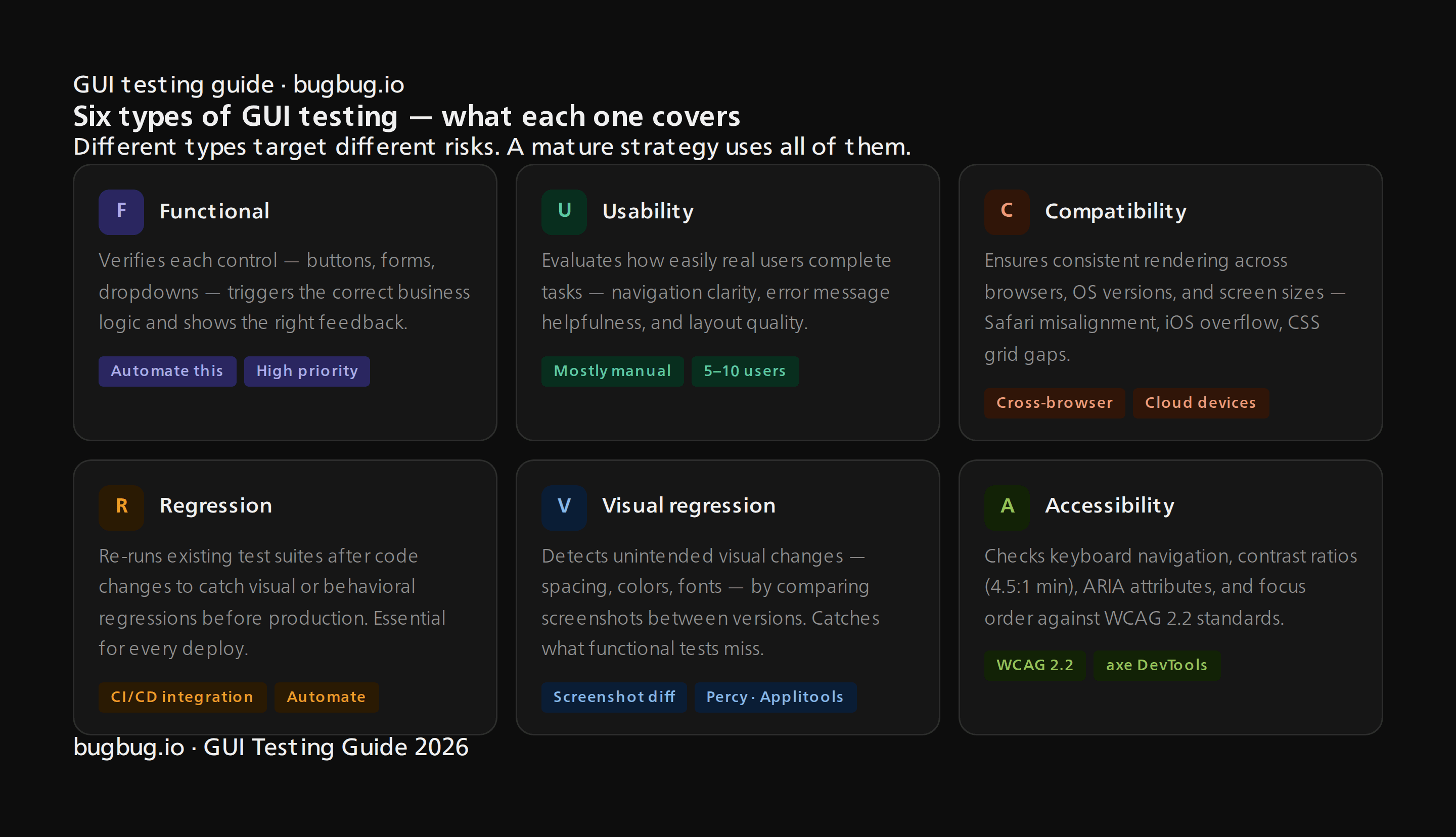
Different types of gui testing target different risks: functionality, usability, compatibility, regression, visual consistency, and accessibility. Both manual and automated testing approaches are used to validate UI functionality and ensure a seamless user experience. Teams can apply both scripted testing (pre-defined steps) and exploratory testing (on-the-fly discovery) depending on risk and time constraints.
End-to-end scenario-based testing—like “visitor signs up, logs in, upgrades plan, logs out”—is central for SaaS products and a natural fit for test automation with tools like BugBug, Cypress, Playwright, and Selenium. Using real devices for GUI testing ensures accurate results by replicating real-world conditions.
Conducting exploratory testing allows testers to use their knowledge and creativity to identify defects that scripted tests might miss.
Functional GUI Testing
Functional gui testing verifies that each visual control correctly triggers intended business logic and displays appropriate feedback. This includes testing individual user interface components like buttons, checkboxes, dropdowns, date pickers, and file upload fields.
Example flows to test:
- User registration with email verification and success confirmation
- Adding items to cart, applying discount codes, and seeing updated totals
- Updating user profile and receiving a success toast notification
Always verify both positive paths (valid data producing successful operations) and negative paths (invalid data triggering clear error messages). These functional ui tests are excellent candidates for automation, particularly for high-value flows.
When writing test cases for dynamic elements like search autocomplete or lazy-loaded tables, use explicit waits and robust selectors to reduce flaky tests. When you write GUI test cases, it's important to describe GUI events, establish test conditions, procedures, expected results, and criteria for success or failure.
Usability and User Experience (UX) Testing
Usability testing focuses on how easily real users complete tasks via the GUI. It evaluates navigation clarity, readability, layout quality, and error message helpfulness—all factors affecting user satisfaction.
Common usability testing techniques include:
- Moderated sessions with 5-10 users on staging builds
- Unmoderated remote tests via tools like UserTesting
- Internal “dogfooding” sessions with team members
This testing process is mostly manual testing and exploratory. Insights often inform which GUI flows should later be automated for regression testing with tools like BugBug or Cypress.
Compatibility and Cross-Browser GUI Testing
Compatibility testing ensures the same GUI behaves and renders properly across different web browsers, versions, operating systems, and screen sizes. Cross browser testing catches problems like:
- Misaligned forms in Safari
- Overlapping ui elements on small iPhones
- Missing icons due to font loading issues
- CSS grid differences between browser versions
Manual spot-checks work for small matrices, but cross browser coverage across 20+ device/OS/browser combinations requires automation. Cloud platforms like BrowserStack, Sauce Labs, and LambdaTest provide access to thousands of real mobile devices and browser configurations.
Tools like Selenium, Playwright, Cypress, and BugBug run tests across multiple browsers. Automated GUI tests should cover critical responsive breakpoints (320px, 768px, 1024px, 1440px) for layout validation.
Regression GUI Testing
Regression gui testing re-runs existing test suites after code changes to ensure no visual or behavioral regressions are introduced. This is critical during the development cycle when teams ship new features, refactor code, or upgrade libraries.
Practical example: A SaaS product reruns login, onboarding, billing, and report-generation flows before each bi-weekly production deployment.
Automation is essential for regression testing. Maintaining stable test suites using BugBug, Ranorex, Katalon, or Tricentis Tosca enables teams to run tests on every pull request or nightly CI job.
Risk-based regression selection prioritizes smoke tests and core revenue flows (subscription purchases, invoice generation) for every build, with secondary flows covered less frequently.
Visual Regression and Layout Testing
Visual testing detects unintended visual changes—spacing, colors, fonts, margins, visual bugs at responsive breakpoints—by comparing screenshots between versions.
Specialized tools include:
| Tool | Approach |
|---|---|
| Percy (BrowserStack) | Screenshot diffing with approval workflows |
| Applitools Eyes | AI-powered visual assertions |
| Chromatic | Component library visual testing |
| BackstopJS | Open-source screenshot comparison |
Visual regression complements functional GUI tests. Even when buttons still work, subtle CSS changes can break branding or visual consistency. Some AI-powered tools like testRigor combine element-based and visual assertions to reduce selector flakiness.
Accessibility-Focused GUI Checks
Accessibility testing ensures GUIs are usable by people with disabilities, checking keyboard navigation, contrast ratios (4.5:1 minimum), ARIA attributes, screen reader labels, and focus management.
Key tasks include:
- Ensuring forms can be completed without a mouse
- Verifying alt text on images
- Checking logical focus order in modal dialogs
Reference standards like WCAG 2.2 and use tools such as axe DevTools, Lighthouse audits, and screen readers (NVDA, JAWS, VoiceOver). While many accessibility checks require expert manual review, some can be integrated into automated test execution using browser extensions or CLI scanners.
Manual vs Automated GUI Testing
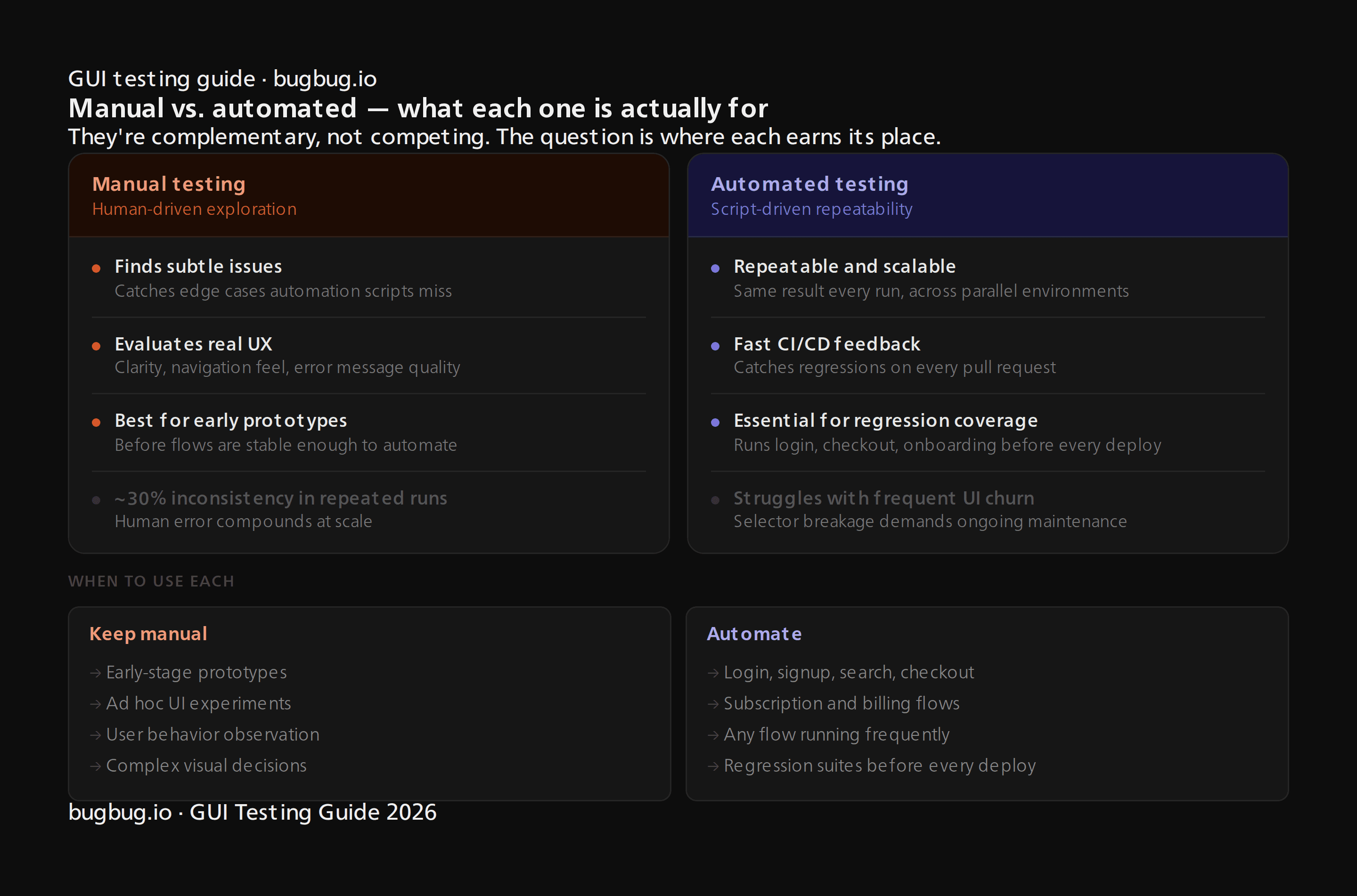
Manual and automated gui testing are complementary. Each serves different purposes in your testing strategy.
| Aspect | Manual GUI Testing | Automated GUI Testing |
|---|---|---|
| Best for | Exploratory testing, UX evaluation, new prototypes | Regression testing, CI/CD, cross platform testing |
| Strengths | Finds subtle issues, discovers edge cases | Repeatable, scalable, fast feedback. Automated testing is faster and can handle multiple test cases simultaneously, improving efficiency. |
| Limitations | Time consuming process, 30% inconsistency in repeated runs | Struggles with frequent UI churn |
How to automate gui testing?
Keep manual: Early-stage prototypes, ad hoc UI experiments, complex visual decisions, user behavior observation
Automate: Login, signup, search, checkout, subscription management, and any flow that runs frequently
A hybrid strategy works best: start tests manually, stabilize flows, then automate incrementally while reviewing ROI and maintenance costs.
Planning GUI Tests: Test Plans, Scenarios, and Cases
Creating a test plan before writing test cases is necessary for effective GUI testing.
Structured planning with a test plan, scenarios, and gui test cases helps teams avoid gaps and over-testing. A GUI test plan outlines:
- Scope: Which pages and components to test
- Priorities: Critical vs. nice-to-have coverage
- Environments: Browsers, OS, test environment configurations
- Responsibilities: Who owns what
- Timelines: When tests run
Test scenarios like “User signs up for free trial” or “Admin updates billing settings” break down into detailed gui test cases specifying preconditions, steps, expected output, and acceptance criteria. When you write gui test cases, include clear descriptions of GUI events, procedures, expected results, and criteria for success or failure. Detailed steps and expected results are crucial for maintainability and accuracy.
Link test cases to user stories or Jira tickets, keep cases modular, and store test data (emails, passwords, test cards) separate from case descriptions. Separating test data from test cases makes them easier to maintain. Keeping test cases modular allows them to be performed in any order, mimicking actual user experiences.
Risk-Based Prioritization of GUI Tests
Risk-based testing focuses GUI tests where failures have the highest business impact. Use a simple matrix combining likelihood (how often used) and impact (financial loss, data integrity, reputation).
Prioritize automation for:
- Revenue flows: checkout, upgrades, cancellations
- Security: authentication, permissions
- Compliance: consent banners, privacy settings
Low-risk features (rarely used settings pages, static content) can be covered by lighter exploratory checks. Risk profiles change over time—new features demand intense early testing, then move into standard regression suites once stable.
GUI Test Automation: Tools, Locators, and Stability
Gui test automation relies on identifying and interacting with interface elements programmatically. Stability depends heavily on locator strategies and tooling choices. Selecting the right testing tool for your needs is crucial, as automated testing tools support the execution of pre-designed test scripts and improve defect detection and verification processes.
Traditional tools like Selenium WebDriver use DOM locators (IDs, CSS selectors, XPath). Modern tools offer alternatives:
- Cypress/Playwright: Built-in auto-waits, excellent for SPAs
- Katalon/Ranorex: Record-and-playback with visual editors
- testRigor: Natural language test creation
- BugBug: Chromium web test recording
Smart locator practices reduce test flakiness:
- Use stable data-testid attributes over brittle XPath chains
- Implement explicit waits for dynamic elements
- Leverage AI self-healing where supported (tools report 42% to 93% pass rate improvements)
Using the Page Object Model design pattern reduces the effort required to update tests when the UI changes. Implementing modular test architecture in GUI testing improves maintainability and scalability of test scripts.
Modern capabilities in 2026 include parallel test execution, headless browser runs, containerized test runners (Docker), and CI integration with GitHub Actions, GitLab CI, Jenkins, and Azure DevOps.
Overview of Popular GUI Testing Tools
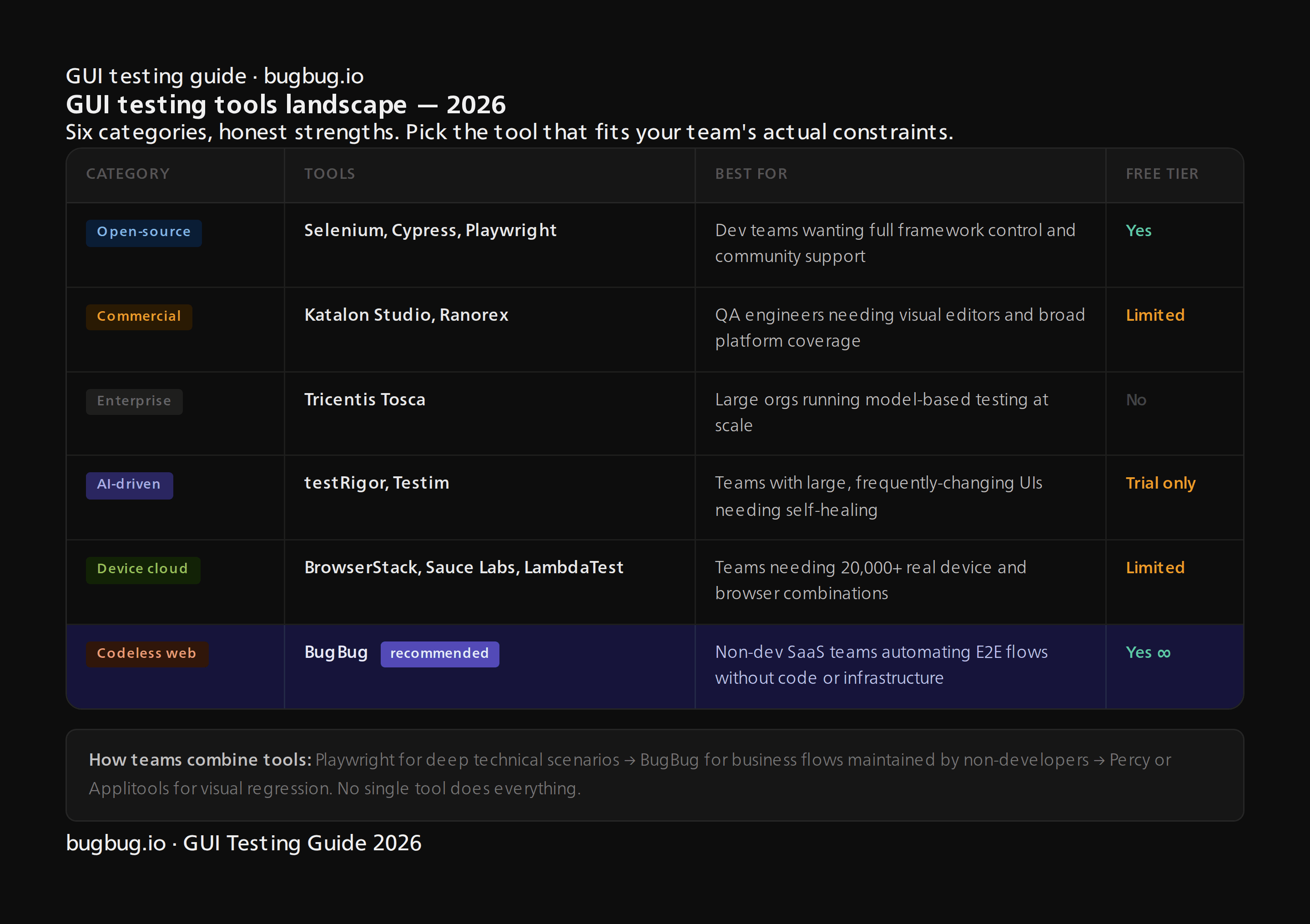
| Category | Tools | Key Strengths |
|---|---|---|
| Open-source, code-based | Selenium WebDriver, Cypress, Playwright | Flexible, large community, CI-friendly |
| Commercial integrated | Katalon Studio, Ranorex Studio | Visual editing, broad platform coverage |
| Enterprise model-based | Tricentis Tosca | Scalable, model based testing |
| AI-driven | testRigor, Testim | Natural language, self-healing |
| Device clouds | BrowserStack, Sauce Labs | 20k+ real devices, cross platform |
| Codeless web-focused | BugBug | Record via Chrome extension, smart selectors |
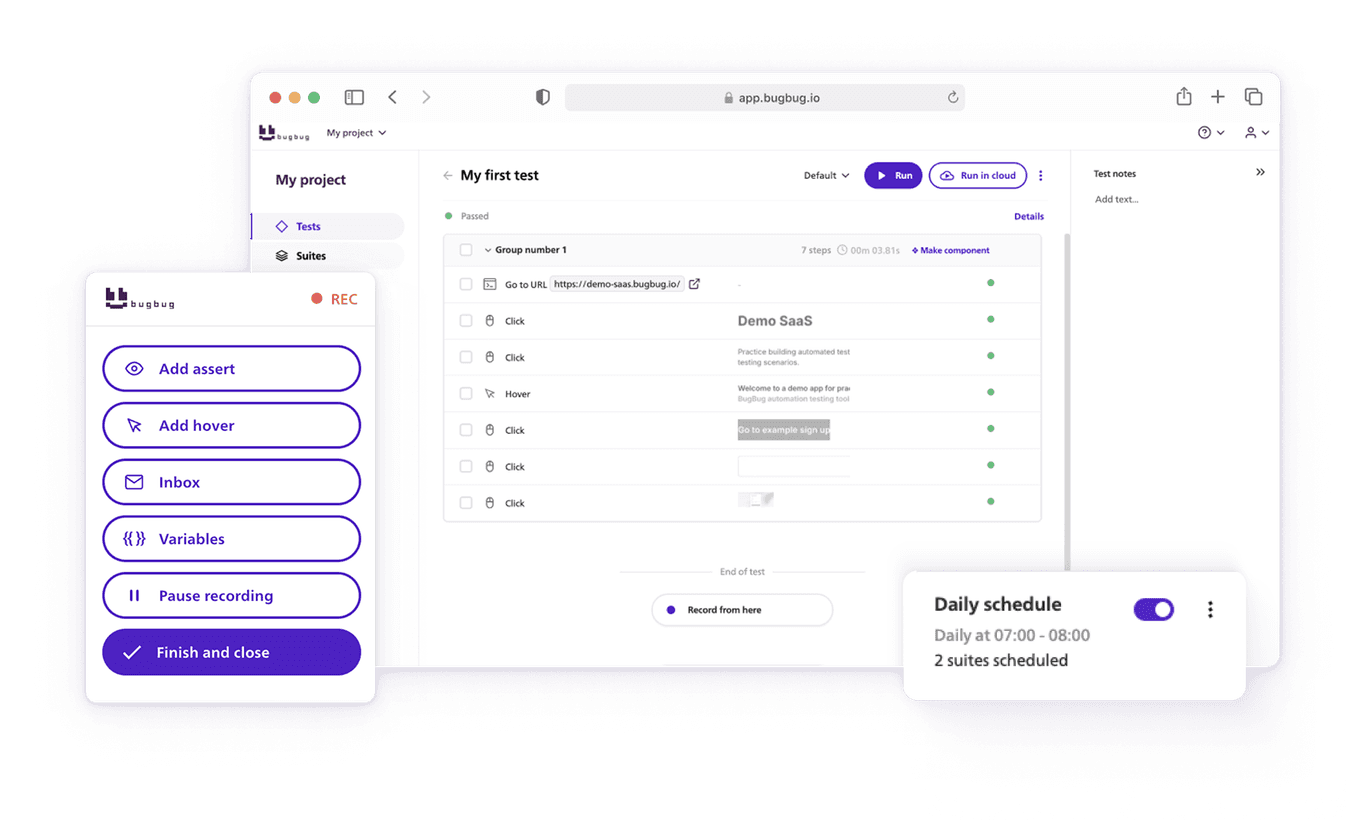
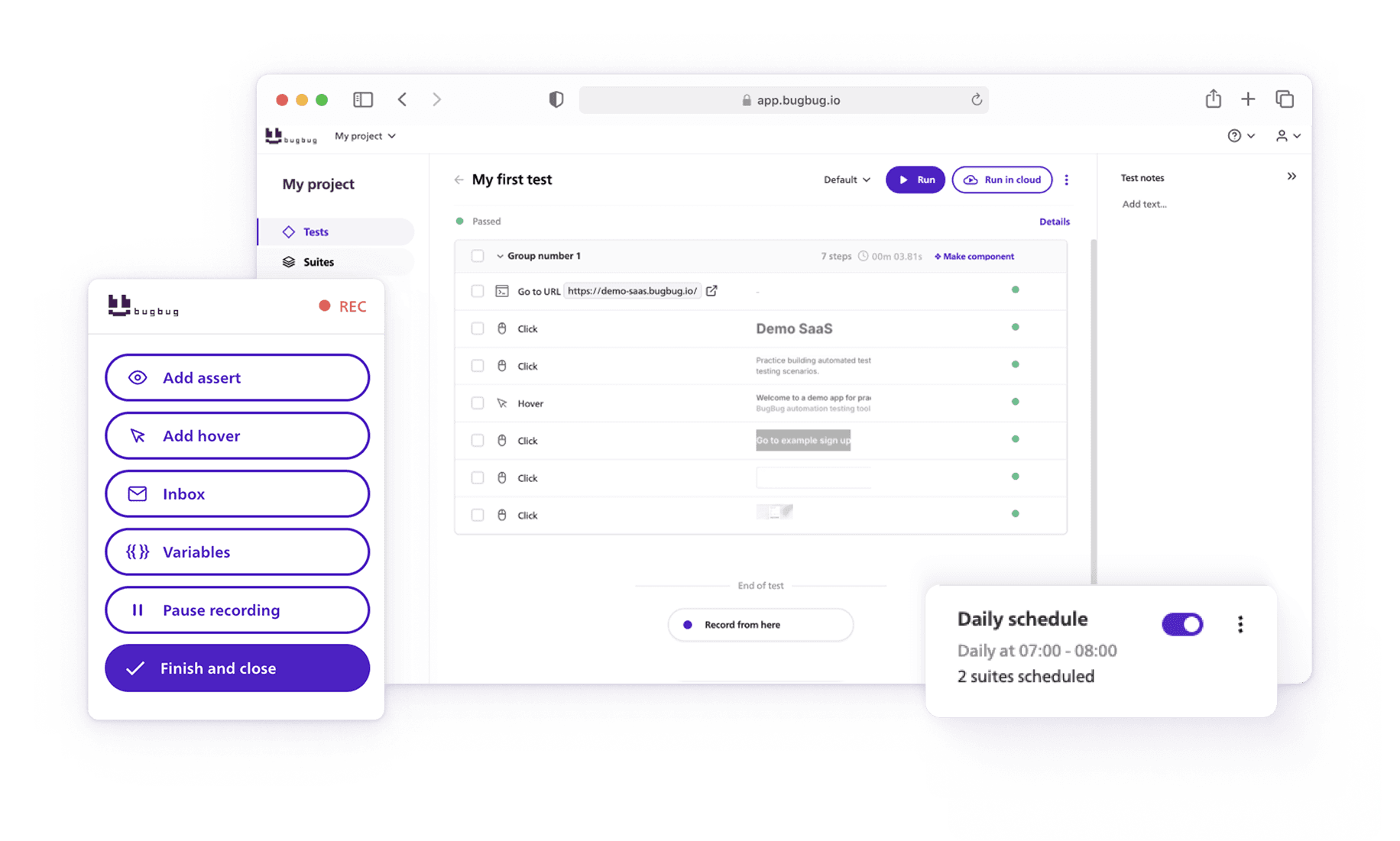
BugBug specifically allows testers and product managers to record tests via a Chrome extension, edit flows visually, schedule cloud runs, and integrate with CI/CD pipelines. Its smart selectors minimize flakiness when the DOM changes.
When selecting tools, consider:
- Language stack compatibility (JS vs. Java)
- Supported platforms (web, mobile, desktop)
- Learning curve (codeless vs. code-based)
- Total cost of ownership
💡 Many teams combine tools
Playwright for deep technical scenarios, BugBug for business flows maintained by non-developers, and Percy for visual regression.
Best Practices and Common Challenges in GUI Testing
GUI testing can be fragile and a time consuming process if not approached thoughtfully. Following best practices significantly improves ROI.
Key best practices:
- Design stable, maintainable tests with modular building blocks
- Separate test data from test scripts
- Run tests early and often (shift-left, CI integration)
- Maintain clear test ownership and peer review processes
Common challenges:
- Flakiness (20-40% in legacy suites) due to timing issues
- Frequent UI changes invalidating locators
- Slow test suites delaying feedback
- Environment mismatches between test and production
💡 Quick wins
Use explicit waits instead of arbitrary sleeps, modularize flows (login, navigation, form submission), and monitor test coverage and run history to identify problem areas.
Designing Maintainable GUI Test Suites
Maintainability determines long-term success with automation, especially for fast-moving products. Fully automated suites require ongoing attention.
Best practices for maintainability:
- Use reusable building blocks (login function, standard navigation) instead of monolithic test scripts
- Centralize selectors using page object patterns or equivalent in codeless tools
- Version-control test assets alongside application code
- Enforce peer review for changes to critical tests
- Periodically prune: retire obsolete tests, consolidate duplicates, refactor as architecture evolves
How BugBug Fits into Modern GUI Testing
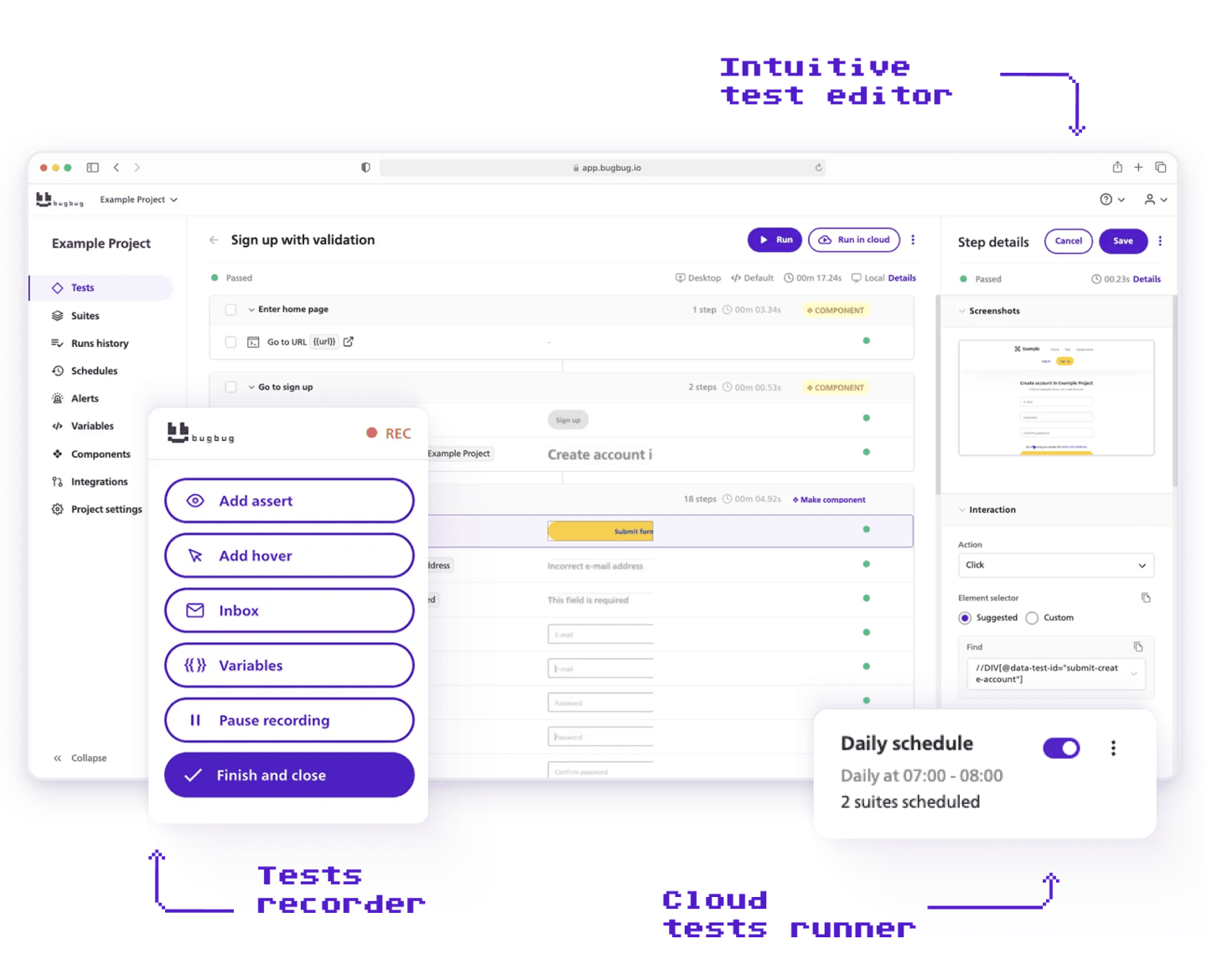
BugBug is a codeless, low-code gui test automation platform focused on end-to-end testing of web applications. It’s designed for SaaS and product teams without large QA departments.
The Chrome-based recorder captures real user actions—clicks, typing, navigation—and converts them into editable test flows that non-technical stakeholders can understand and maintain. Tests run locally in the browser or in the cloud, with scheduling for recurring regression runs.
Key features:
- Smart selectors designed to minimize flakiness
- “Edit & rewind” debugging to replay failed steps
- Parallel execution for faster feedback
- CI/CD integration (GitHub Actions, GitLab CI, Jenkins)
- Customizable test report generation
Realistic usage scenarios:
- A small SaaS startup automating smoke tests (signup, login, subscription change) without hiring automation engineers
- A product manager maintaining regression checks on key funnels while developers focus on unit and API tests