Complete Suites Revamp: September 2025 Update
Written byDominik Szahidewicz


Updated: October 10, 2025View as Markdown
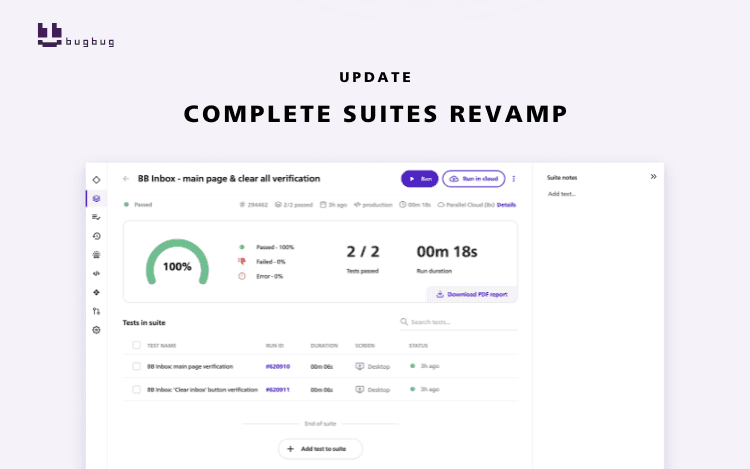
BugBug just got a major upgrade — the Suite and Suite Run modules have been redesigned for smoother, faster workflows. You can now add descriptions to Suites, deactivate tests, add multiple tests directly from the list, and instantly see which Suites a test belongs to.
Managing large test suites can quickly become a headache. Between test dependencies, naming conventions, and skipped tests, QA teams often struggle to keep things organized — especially when working with visual tools that don’t provide enough control.
That’s why this September, we rolled out a full redesign of testing suites. Now you can edit Suites and view the latest run state all in one place, making working with Suites more intuitive and your QA workflow even more efficient.
BugBug’s redesign is more than just a visual update. It also introduces four features requested by many community members, that make suite management faster, more flexible and collaborative.
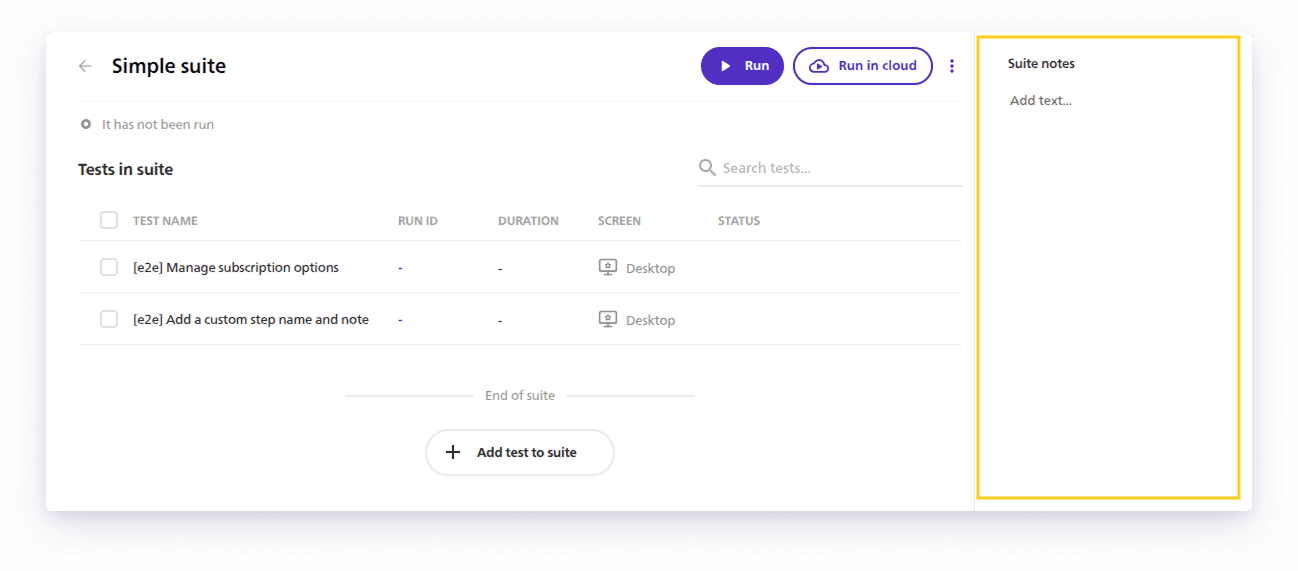
Just like with individual tests, you can now add descriptions directly in a Suite.
Perfect for documenting test purposes, environment notes, or quick reminders for your teammates.
💡 Example: Add a note like “Run this suite only before staging deploys” or “Covers smoke scenarios for the checkout flow.”
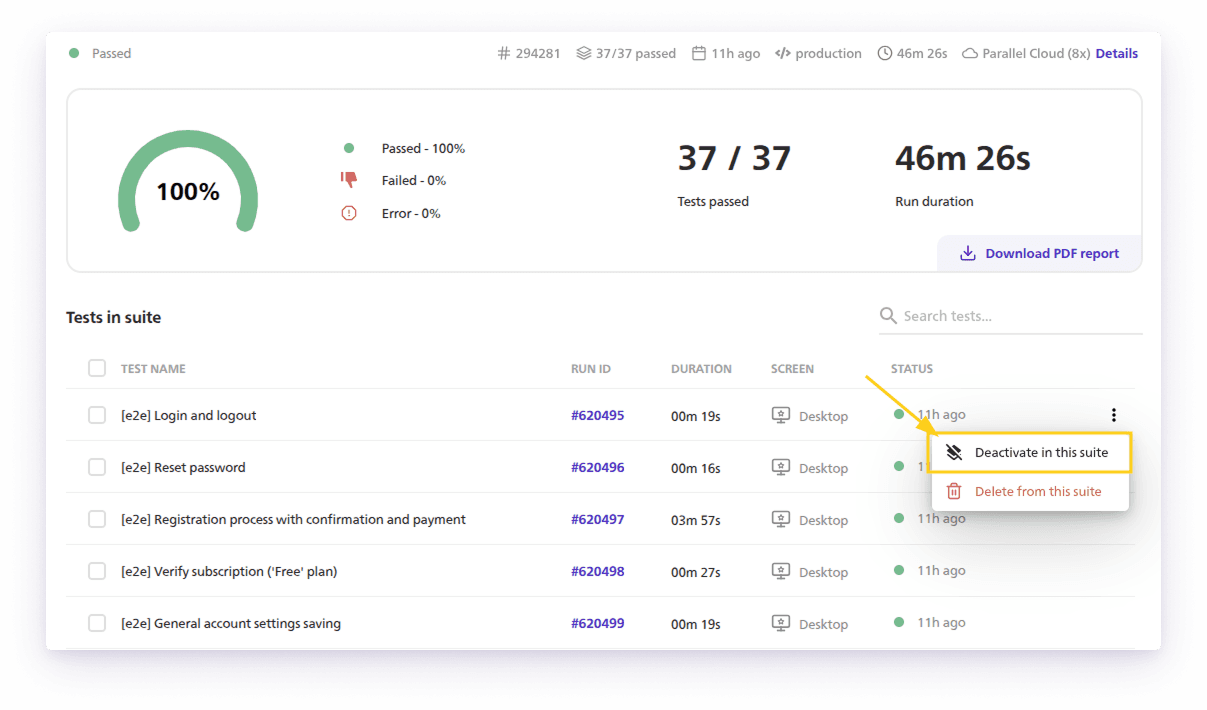
Sometimes, a test is temporarily failing or under revision — but deleting it from a Suite creates unnecessary cleanup work.Now you can deactivate individual tests instead, skipping them during execution without losing their place.
👉See the details of this community feature request
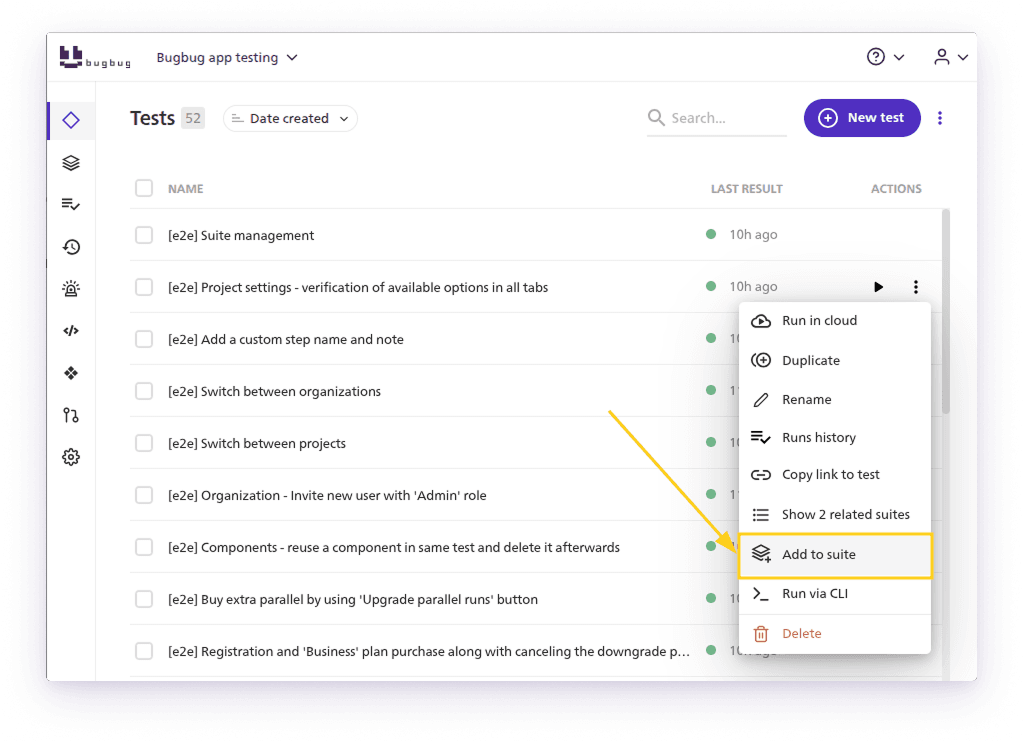
You can now select one or more tests from your main list and add them to a Suite instantly — no need to open the Suite editor first.
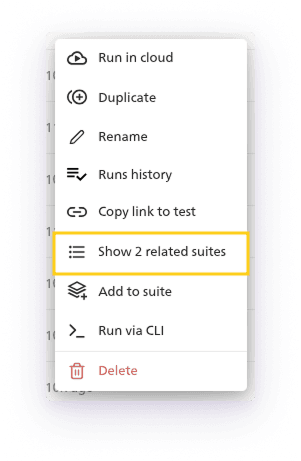
When your test coverage grows, it’s easy to lose track of where individual tests are used.
This new feature lets you instantly view all Suites that include a given test, making test organization easier and preventing redundant setups.
This update isn’t just cosmetic. It’s designed to make your test orchestration more transparent and maintainable — key for scaling automation in small and mid-sized teams.
Here’s what it means in practice:
BugBug’s mission has always been clear: make test automation ultra-simple while keeping it powerful enough for serious QA work.
Happy (automated) testing
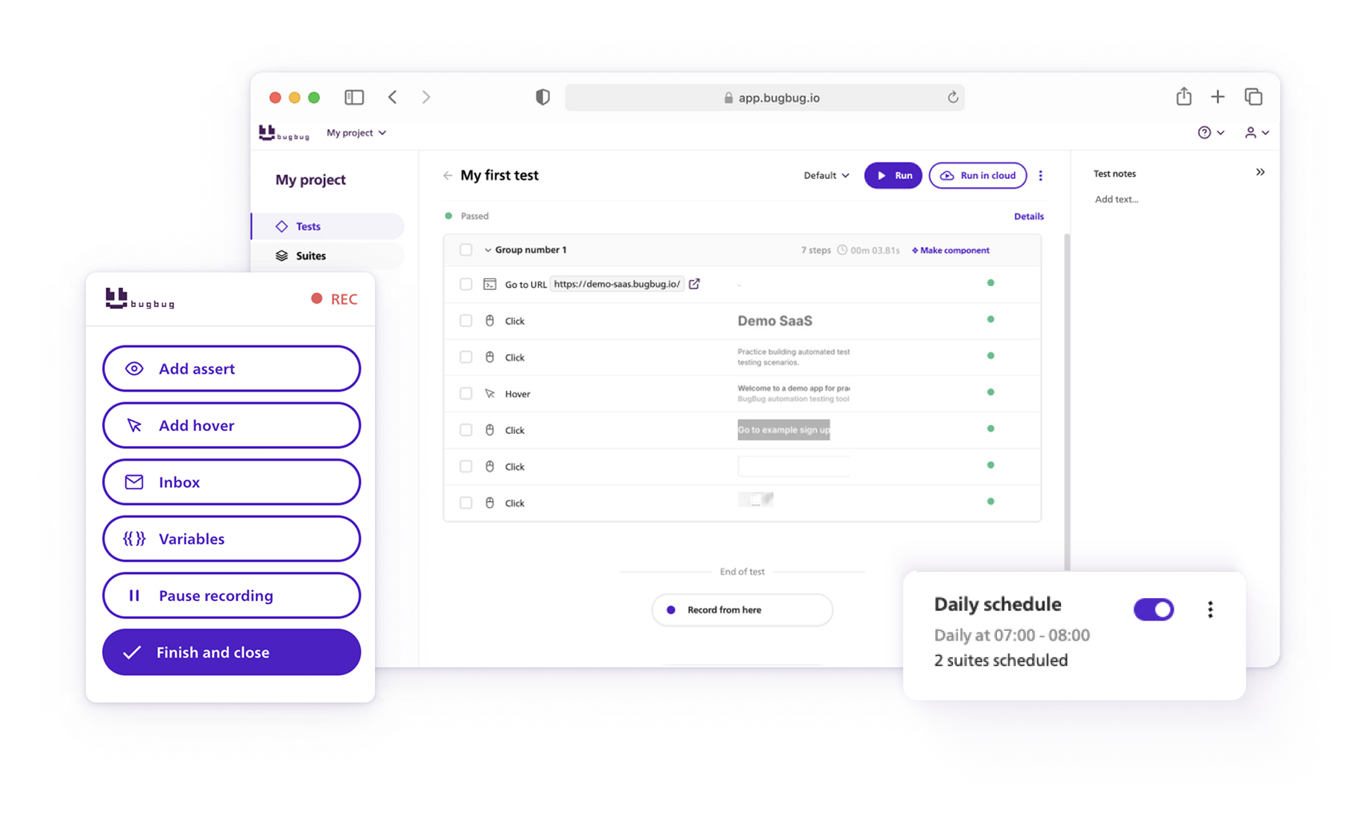
Your next release. Properly tested.
Join 1,200+ QA teams that automated their regression coverage with BugBug.

Dominik Szahidewicz is a Software Quality Evangelist specialising in quality assurance, test automation, and modern software testing practices. He creates practical, research-driven content that helps QA professionals, developers, and product teams improve test coverage, automate repetitive testing, and release more reliable web applications.
Drawing on his experience in technical writing, data analysis, and application consulting, Dominik translates complex testing concepts into clear, actionable guidance. His areas of interest include end-to-end testing, no-code test automation, regression testing, and the use of AI in software quality assurance.
Join thousands of QA experts. Subscribe to our newsletter.
Get more testing tips and product related content. Zero spam.
How to find bugs in your code? They live to damage your code, to make you lose time and effort and money.
data-testid attributes serve as a simple yet powerful tool for selecting elements within tests. Let's dive in and explore.
Discover the causes and impact of flaky tests, and learn effective strategies to identify and fix them for reliable software performance.
Read this comprehensive guide on how to choose the right CI/CD tool. Selecting the tool that aligns with your project is essential.
Learn how to speed up end-to-end (E2E) testing with smart test design, CI/CD optimizations, and lightweight tools like BugBug.
Six regression testing tools for web teams, from code-first options like Playwright and Cypress to codeless tools like BugBug.
Smoke testing involves conducting a series of basic tests on a software build to verify that the most crucial functions operate as expected.
Learn how to identify and fix test failures with this complete guide on what to do when your test fails.
Explore ecommerce website testing as a process aimed at evaluating the performance, security, and user experience of e-commerce stores.