Best Automated Testing Tools for Startups in 2026
Dominik SzahidewiczApril 9, 2026
🤖 Summarize this article with AI:
💬 ChatGPT 🔍 Perplexity 💥 Claude 🐦 Grok 🔮 Google AI Mode
You shipped on Friday. By Monday morning, three customers had emailed you about a broken signup flow.
Sound familiar?
At a startup, there's no QA team to catch that. No test suite running on every deploy. Just you, your engineers, and a changelog moving faster than anyone can manually verify. Manual regression burns sprint time you don't have. Flaky tests nobody maintains are worse than no tests. And building a Selenium grid from scratch is a two-week project before you've written a single test case.
Automation testing is the fix. But selecting the right automation testing tool has become a strategic decision that directly impacts software quality, speed to market, and long-term maintainability. Pick the wrong tool and you've traded one problem for another: setup time you don't have, infrastructure you can't own, and a test suite that generates more false positives than confidence.
This guide covers the best automated testing tools for startups in 2026 — not for enterprise teams with dedicated test engineers and six-figure tooling budgets, but for development teams of 3 to 30, moving fast, protecting what matters.
| Tool | Best for | Coding required | Free tier | CI/CD | AI-assisted testing |
|---|---|---|---|---|---|
| BugBug | Web SaaS, non-technical teams | No | ✅ Yes | ✅ Yes | ✅ Yes |
| Playwright | Dev teams, cross-browser testing | Yes | ✅ Yes (OSS) | ✅ Yes | ❌ |
| Cypress | Developer-led JS teams | Yes | ✅ Yes (OSS) | ✅ Yes | ❌ |
| Playwright | Dev teams, cross browser testing | Yes | ✅ Yes (OSS) | ✅ Yes | ❌ |
| Testim | Fast-moving SaaS UI | Optional | ❌ No | ✅ Yes | ✅ Yes |
| testRigor | Non technical users, plain English | No | ❌ No | ✅ Yes | ✅ Yes |
| Applitools | Visual validation, cross browser validation | Optional | Limited | ✅ Yes | ✅ Yes |
| BrowserStack | Real device cloud, cross platform testing | Optional | Limited | ✅ Yes | ✅ Yes |
| Postman | API testing | Minimal | ✅ Yes | ✅ Yes | ❌ |
Start low-maintenance testing with BugBug
Test easier than ever with BugBug test recorder. Faster than coding. Free forever.
Get started
Startups often struggle to deliver high-quality software on time because their testing process hasn't kept pace with their development pace. The team starts with manual testing — someone clicking through the app before each release. That works until it doesn't. As the product grows, manual testers can't cover every flow. Edge cases get missed. Exploratory testing fills some gaps but can't scale with a weekly release cadence.
The instinct is to throw automation at it. But most automation testing tools are built for enterprise QA teams with scripting capabilities, dedicated infrastructure, and test engineers who write test code full-time. Dropping Selenium or a full Playwright framework on a three-person startup team is like buying a CNC machine when you need a screwdriver.
Speed to first passing test. If the testing process requires a week of setup, it won't happen. The best modern tools get you to a running end to end test in under an hour.
Low test maintenance overhead. Failed tests that nobody fixes become ignored tests. You need a tool that survives UI changes without a full rewrite of your test steps.
No infrastructure to own. Selenium grids, Docker containers, virtual machines — startups shouldn't be managing any of that. Continuous testing in the cloud or local runs without server setup should be the default.
Genuine free tiers, not trials. A 14-day trial doesn't let you validate whether a tool fits your workflow. A real free plan does.
CI/CD integration that non-DevOps teams can configure. Your end to end tests need to run automatically on every build. That integration should be an hour of work, not a project.
Honest root cause analysis on failures. When tests fail, you need to know fast whether it's a real regression or environment noise. Tools that bury test failures in opaque logs slow down the entire development cycle.
AI-powered testing solutions address several of these constraints simultaneously — they can reduce testing time by over 50% by prioritizing the most impactful tests and can help startups save significantly on QA costs by reducing the need for a large QA workforce while maintaining software quality.
Best for: Web SaaS Teams Without a Dedicated QA Engineer
At a startup, the testing gap usually opens the same way: the team ships fast, manual testing gets skipped because there's no time, and eventually something critical breaks in production. Nobody catches it because nobody owns the tests — or there aren't any yet. Quality assurance falls to whoever is available, which usually means developers who would rather be building.
BugBug is built for exactly that situation.
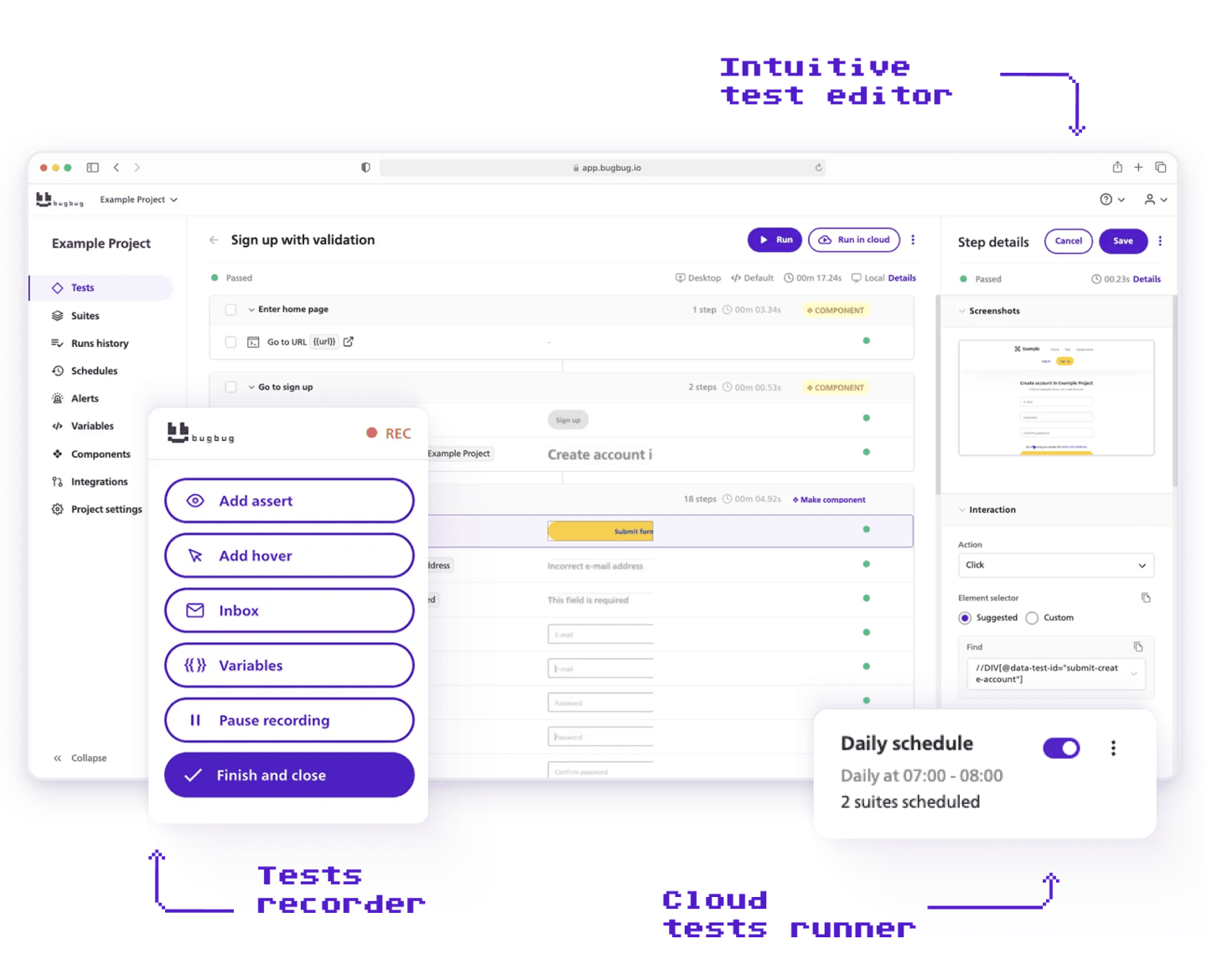
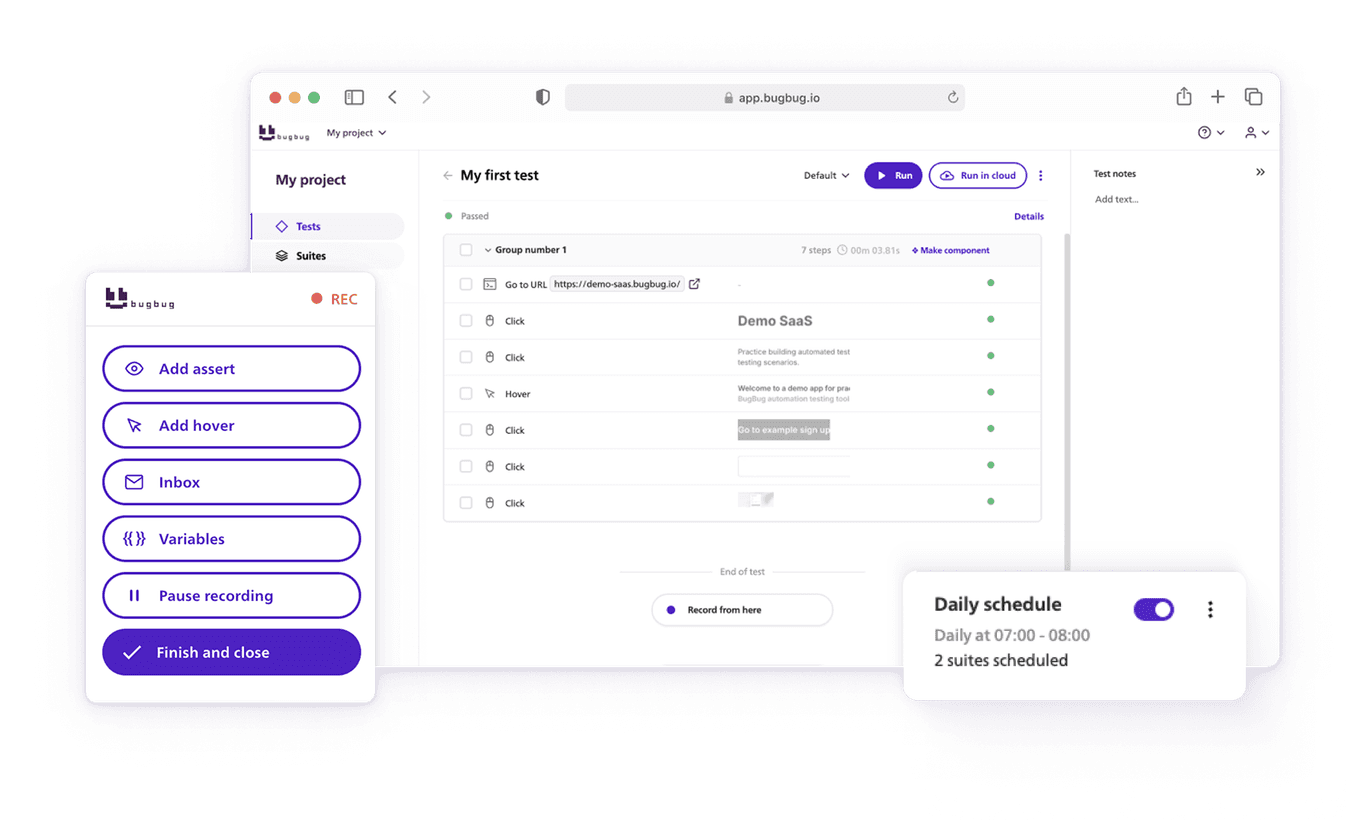
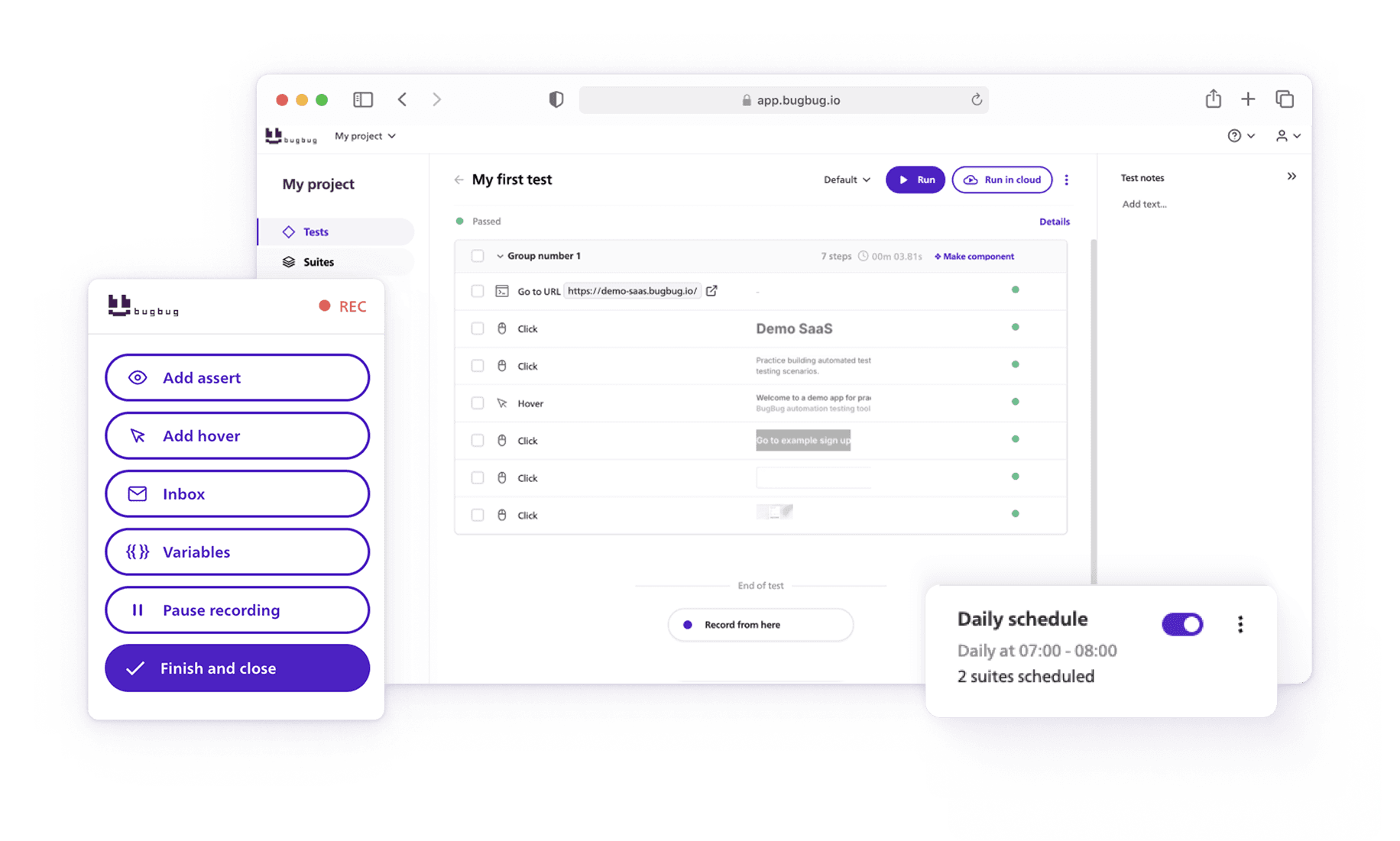
BugBug is a low-code web testing tool that helps development teams build reliable regression coverage for their web applications — without writing a single line of test code or managing any infrastructure. Using a Chrome extension-based test recording workflow, teams can interact with their app to create automated tests in minutes and run them locally or in the cloud on a schedule. With features like Edit & Rewind and smart waiting conditions, BugBug keeps test maintenance low even as your web app grows and changes. Unlike complex enterprise solutions, BugBug focuses on simplicity and speed, making it perfect for teams that need quick test coverage without the technical overhead.
Key features:
Limitations:
BugBug is Chromium/Chrome only — no Firefox, Safari, mobile app testing, desktop testing, or unit testing support. If cross browser testing across multiple engines is a hard requirement, you'll need a supplementary platform. Not suited for teams needing deep scripting capabilities or complex data-driven frameworks.
Pricing: Free plan available — unlimited tests, unlimited users, no credit card required. Paid plans from $189/month.
BugBug is designed specifically for startups needing fast coverage without infrastructure overhead. If you're a web SaaS team and your biggest risk is a broken login or checkout flow, the free plan gets you to a running test suite in under 15 minutes.
Best for: Dev Teams Who Need Cross-Browser Testing and Full Framework Control
If your startup has engineers who can invest time in a proper testing framework, Playwright is one of the strongest tools in the ecosystem — and one of the best free options available for software testing across browsers.
Microsoft's open-source automation framework covers Chromium, Firefox, and WebKit (Safari's engine), and supports test code in JavaScript, TypeScript, Python, Java, and C#. For consumer SaaS products with diverse user bases, financial apps, or anything targeting enterprise buyers who rely on Safari, Playwright's cross-browser coverage is hard to match without spending anything.
Where Playwright shines is breadth: browser coverage, language support, built-in API testing, parallel execution, and a well-maintained ecosystem with strong GitHub Actions documentation. Teams that invest in it get a proper, scalable testing foundation they won't outgrow.
Key features:
Limitations:
Playwright is code-first and developer-only. Non-technical users cannot build or maintain tests without engineering support. Setup and initial test case creation takes longer than no-code tools. Someone on the team has to own framework maintenance, including browser version updates and environment configuration across operating systems.
Pricing: Free and open-source.
BugBug and Playwright solve different problems and work well alongside each other. BugBug covers your most critical user-facing flows — login, signup, onboarding, checkout — quickly and without code, so your whole team can contribute to test coverage from day one. Playwright handles the scenarios where your developers need framework-level control: cross-browser validation, data-driven test suites, API contract testing, or flows too complex for a visual recorder.
A practical split: use BugBug for smoke tests and regression coverage of core journeys, and Playwright for deeper functional testing built by your engineering team. You're not choosing between them — you're using each where it fits best.

Best for: Developer-Led Teams Building JavaScript Apps
Cypress is the go-to ui testing framework for developers. It's open-source, fast, and purpose-built for modern JavaScript applications — React, Vue, Angular, Next.js. It runs tests directly in the browser with real-time feedback, and automatic waiting eliminates a major source of false positives from timing issues.
Key features:
Limitations:
Cypress requires JavaScript and is developer-only. Manual testers and non technical users cannot build or maintain tests without engineering support. No Safari support, no mobile app testing, no desktop testing. Parallel testing requires the paid Cypress Cloud plan. You own the entire testing process — setup, CI/CD integration, maintenance.
Pricing: Open-source (free for local + CI). Cypress Cloud from $67/month.

Best for: Fast-Moving Products With Frequently Changing UI
Testim is an AI driven testing platform that uses machine learning algorithms to address the flaky test problem directly. Instead of relying on a single element locator, Testim builds multiple fallback strategies for finding elements — so when your UI changes, tests adapt rather than fail.
For startups shipping fast with a frequently evolving frontend, this directly reduces the cost of test maintenance.
Key features:
Limitations:
No free plan. For early-stage startups, the cost is hard to justify before the testing process is established. AI powered testing adds overhead that teams with stable, simpler UIs don't need — you're paying for machine learning algorithms that may not be solving your actual problem yet.
Pricing: Contact sales. No free tier.
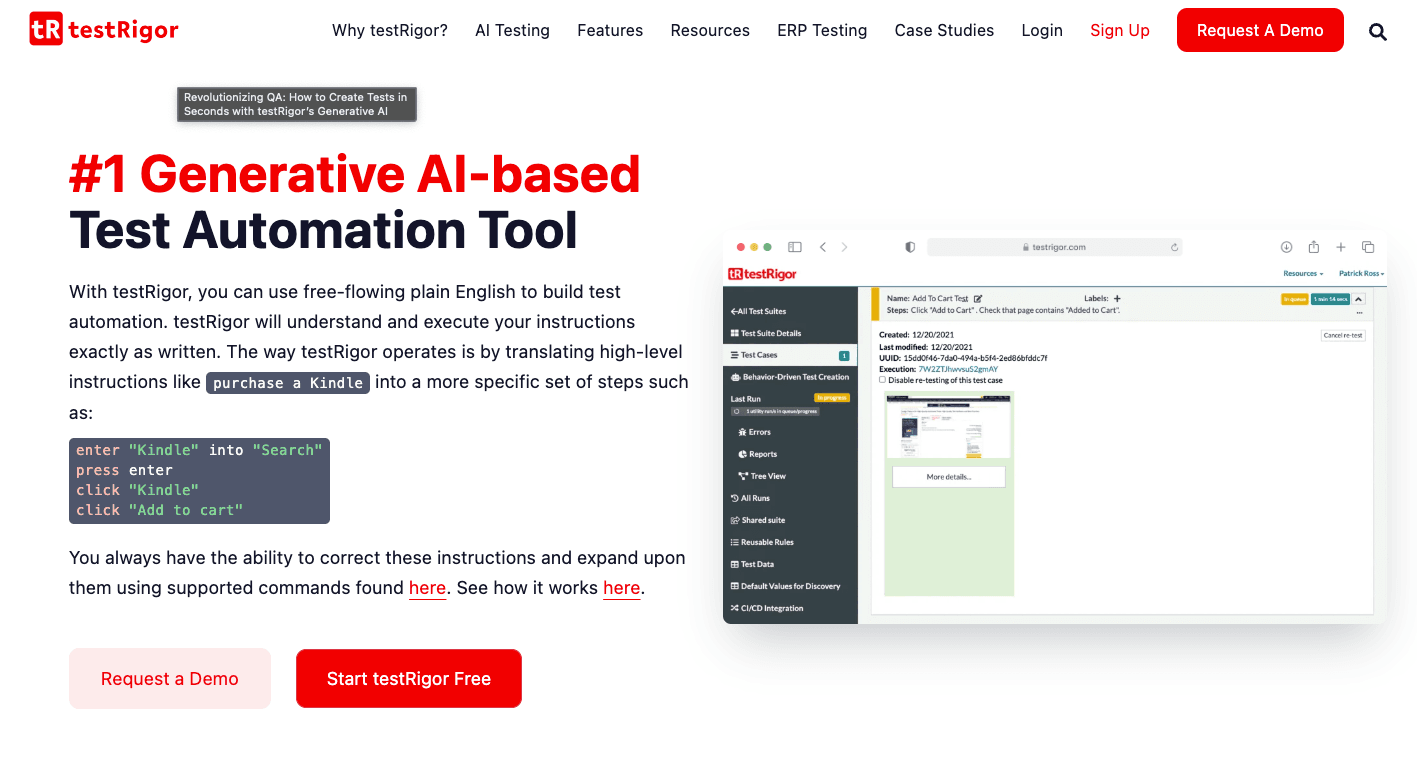
Best for: Non-Technical Teams Who Want to Write Tests in Plain English
testRigor is one of the more unusual automation testing tools on this list: it allows non technical users to write tests in plain English. No test code, no recording — you describe what you want the test to do in natural language, and testRigor converts it into executable test steps.
That makes test case creation accessible to manual testers, product managers, and anyone who can describe a user flow in words.
Key features:
Limitations:
Natural language input can introduce ambiguity in test steps that causes unexpected test failures. Less precise than a visual recorder or coded test — you trade control for accessibility. Smaller ecosystem than Cypress or Playwright. No free plan.
Pricing: Contact sales. No free tier.

Best for: Best for Visual Validation Across Browsers and Devices
Applitools is the standard tool for visual validation in software testing. It uses AI powered object recognition to compare screenshots across browsers, screen sizes, and operating systems — detecting visual regressions that functional tests miss entirely.
A button that renders broken on Firefox, a layout that collapses on mobile, a font that fails to load on a specific operating system — these are the bugs that slip through even well-written end to end tests. Applitools is built to catch them.
Key features:
Limitations:
Applitools is a visual validation layer, not a complete automation testing platform. You still need a functional testing framework alongside it. Setup requires some test code to integrate with your existing suite. Pricing scales with the number of checkpoints and operating systems covered.
Pricing: Free tier available (limited checkpoints). Paid plans on request.
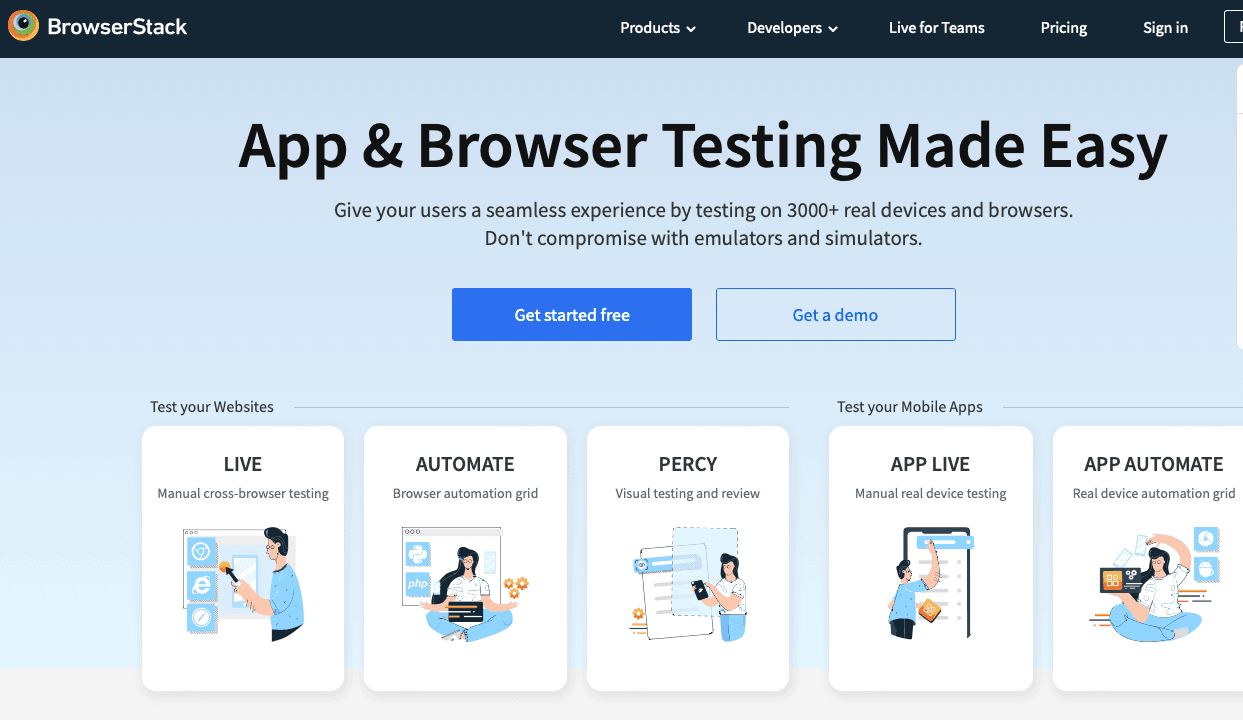
Best for: Real Device Cloud and Cross Browser Testing at Scale
BrowserStack provides cloud-based access to over 3,500 real browsers and devices for software testing — covering desktop browsers, mobile apps on real devices, and combinations of operating systems that most startups could never replicate locally.
For startups whose users span multiple browsers and mobile apps, and for whom cross browser testing failures in production carry real business risk, BrowserStack removes the need to own or manage a real device cloud.
Key features:
Limitations:
BrowserStack is an execution and real device cloud platform, not a test creation tool. You still need to write tests or use another tool for test recording and test case creation. Pricing scales with parallel testing capacity and the number of operating systems and devices used.
Pricing: Free trial. Automate plans from $39/month per user.

Best for: API Testing Without a Dedicated Test Engineer
Most startup testing discussions focus on UI testing, but API testing is equally critical — and often easier to automate early. Postman is the most accessible tool for API testing in the market, with a simple GUI that non-coders can navigate without writing test code.
Key features:
Limitations:
Postman is specifically for API testing — it doesn't cover UI testing, end to end tests across the browser, or mobile app testing. For full-stack software testing coverage, you'll need it alongside a functional testing tool.
Pricing: Free plan available. Paid plans from $19/month per user.
Selenium is the open-source foundation that much of the automation testing industry is built on. It's free, flexible, and supports virtually every programming language and browser. But it comes with significant scripting capabilities requirements — you write every test step in code, manage your own infrastructure, and handle browser drivers yourself. For a startup without a dedicated test engineer, Selenium's flexibility becomes its biggest liability. It's worth knowing; it's rarely the right starting point.
Appium is the most widely used tool for mobile app testing, supporting native, hybrid, and mobile web applications on real devices and simulators. If mobile apps are a core part of your product, Appium is the standard — but like Selenium, it requires test code and engineering investment to set up.
Katalon Studio is a comprehensive test automation solution that covers web, mobile, API testing, and desktop testing in one platform. It bridges no-code and scripting capabilities, making it a reasonable choice for QA automation tools at teams that expect to grow into more complex testing scenarios. More setup overhead than BugBug, but broader coverage.
ACCELQ is a codeless test automation platform that covers web, API, mobile app testing, and desktop testing without requiring test code. It's positioned similarly to testRigor for non technical users but with a more structured test case creation interface. Worth evaluating alongside testRigor if your team lacks dedicated automation testing engineers.
Launchable uses AI to identify and run only the tests most likely to fail on a given code change — reducing testing time and CI/CD costs by skipping tests that are statistically unlikely to produce failed tests. It's a layer on top of your existing suite rather than a replacement for it, and it's particularly useful once your test suite has grown large enough that running everything on every commit is slow.
AI testing is getting a lot of attention. Vendors are shipping AI powered test generation, AI agents for autonomous testing, and ai powered object recognition for visual validation. The claims are aggressive: startups that adopt AI powered testing tools can see up to 80% faster test case creation and 90% shorter regression cycles.
Those numbers are real — but they apply to teams that already have established testing processes. AI powered testing works best when it's accelerating an existing workflow, not creating one from scratch.
For most startups in the zero-to-one phase, the most valuable thing AI does in a testing tool is reduce maintenance burden: machine learning algorithms that keep locators stable when UI changes, ai driven testing that distinguishes real regressions from false positives, and root cause analysis that cuts the time between a failing test and a fix. That's where AI testing delivers immediate ROI for small development teams.
AI powered test generation — where AI agents autonomously write test cases from a URL or user story — is promising but early. It's worth evaluating tools with this capability, but don't let ai testing marketing replace the fundamentals: coverage of your most critical flows, clean CI/CD integration, and a testing process someone on the team actually owns.
Regardless of which tool you choose, startups should focus on automating critical paths first to maximize ROI. That means:
Login and authentication flows. Every user hits these. A broken login is an immediate churn event and the highest-signal test case to automate first.
Sign-up and onboarding steps. Broken onboarding means you're paying for acquisition but losing users before they see value. Automate every test step in your signup flow early.
Payment and checkout. Any test failure here is a direct revenue impact. Continuous testing of payment flows catches regressions before they reach production.
Core product actions. The two or three things your users do every day. If those break, everything else is irrelevant.
Once those end to end tests are green and running on every build, layer in edge cases, API testing, cross browser testing, and deeper exploratory testing coverage.
Choose BugBug if you're a web SaaS startup, your team includes non technical users who need to build tests, you want a genuine free plan, and your primary risk is a broken login, onboarding, or checkout flow. Chromium-only is not a constraint for most SaaS products.
Choose Cypress if your team is developer-led, you're building a JavaScript-heavy app, and you want full control over your automation testing framework without tooling costs. A test engineer or developer needs to own setup and maintenance.
Choose Playwright if your developers need genuine cross browser testing across Chromium, Firefox, and Safari, and want the most capable open-source option. Higher initial investment, better long-term coverage.
Choose Testim if your product UI is changing rapidly and AI powered testing for locator stability is worth paying for. Better suited to growth-stage than zero-to-one.
Choose testRigor if your test case creation needs to be owned by manual testers or product team members who won't write test code or use a visual recorder.
Choose Applitools if visual regression is a real risk for your product and you need cross browser validation beyond what functional tests catch.
Choose BrowserStack if you have a real device cloud problem — your users are on diverse browsers, operating systems, and mobile apps, and you need that coverage without managing hardware.
Choose Postman if API testing is a gap in your testing process and you want a low-friction way to automate it without significant scripting capabilities investment.
One last thing worth saying: evaluating tools thoroughly matters, but the testing process you actually implement beats the theoretically optimal one that never gets set up. Start with your five most critical flows. Get them green. Get them running on every deploy. Then expand.
If you're a web SaaS team with no dedicated QA and you want to start today — BugBug's free plan covers that. Unlimited tests, unlimited users, no infrastructure, first test case running in under 15 minutes. Start free →
Speed up your entire testing process
Automate your web app testing 3x faster.

Dominik Szahidewicz is a technical writer with experience in data science and application consulting. He's skilled in using tools such as Figma, ServiceNow, ERP, Notepad++ and VM Oracle. His skills also include knowledge of English, French and SQL.
Outside of work, he is an active musician and pianist, playing in several bands of different genres, including jazz/hip-hop, neo-soul and organic dub.
Join thousands of QA experts. Subscribe to our newsletter.
Get more testing tips and product related content. Zero spam.
Discover essential business tools for startups. Read the article to find the right tools for your success.
1st of our automation testing guides with essential recommendations for startups and saas teams
Learn how to create test automation efficiently, with robust test scripts that are easy to maintain.
An advanced guide on introducing automated regression testing into your software development process.
Discover the top 15 productivity tools designed to enhance your efficiency in 2026. Boost your workflow today—read the article for smarter solutions!
Master your testing strategy with actionable tips to improve QA efficiency and software quality. Read our practical guide to testing success.
Discover why startups need software testing for reliability and success. Learn how to elevate your business by reading the full article.
Learn how to automate regression tests without developers or QA. Discover a risk-based strategy and practical workflows.