Software Testing Strategies: A Practical Guide
Written byDominik Szahidewicz


Updated: April 19, 2026View as Markdown
🤖 Summarize this article with AI:
💬 ChatGPT 🔍 Perplexity 💥 Claude 🐦 Grok 🔮 Google AI Mode
A broken deploy reached production. Login failed for 20% of users. Your team only found out when support tickets started piling up.
That's the cost of testing without a strategy — not just the bug itself, but the scramble, the hotfix, the erosion of user trust. A software testing strategy doesn't prevent every bug. It makes sure the ones that matter get caught before they matter.
This guide covers what a software testing strategy actually is, the four core strategy types your team should know, how to write a QA strategy document from scratch, and how your approach should look in Agile, DevOps, and shift-left environments.
Read next:
A software testing strategy is a high-level document that defines the overall approach, scope, goals, and timelines for testing activities across a product or organization. Unlike a test plan — which is project-specific and granular — a test strategy sets the direction: how your team thinks about quality, what risks it prioritizes, and which methods it uses to validate software before release. A software testing strategy is best understood as a structured testing strategy that incorporates systematic testing practices and testing methods, ensuring alignment with the development process at every stage.
In practice, it answers four questions:
Different software testing strategies and types of software testing are used to address various project needs, ensuring comprehensive coverage and adaptability.
A strong testing strategy ensures the testing process is structured and aligns with the functional requirements of the software application, so that all critical features are evaluated and quality is maintained throughout the SDLC.
For SaaS teams and startups, this document provides clarity amid constant change. It ensures testing isn’t an afterthought bolted on before release — it’s embedded in how the team works. Effective software testing strategies are tailored approaches that combine different testing types, manual effort, and automation to match a project's risk, complexity, and development methodology. Software testing strategies range from early code-level reviews to final user validation, each ensuring quality and reliability throughout the Software Development Life Cycle (SDLC).
Most teams don’t fail at testing because of missing tools. They fail because testing has no owner, no clear scope, and no shared standard for what “done” means.
A software testing strategy fixes that. Here’s what it actually delivers:
Clarity on priorities. Not everything can be tested. A strategy forces you to determine and identify the most important areas to test — core user flows, high-risk integrations, payment systems — so your effort goes where the consequences of failure are highest, and testing efforts are aligned with user expectations.
Consistency across releases. Without a strategy, testing depends on whoever has time. With one, the approach is repeatable: the same flows get checked on every deploy, by whoever is running the suite. The testing team plays a key role in maintaining these standards and ensuring consistent quality.
Faster onboarding. A new QA hire, a developer covering testing for a sprint, a contractor running a regression cycle — a documented strategy means they don’t have to reverse-engineer your process from scratch.
A foundation for automation. You can’t automate your way to quality without knowing what to automate first. The strategy defines that before the tooling conversation starts.
Risk reduction, not perfection. The goal isn’t 100% coverage. It’s to catch the breakages that would hurt users, kill conversions, or block deployments. A well-defined strategy helps reduce stress and errors, and ensures your team is prepared for the next test or release.
Choosing the right software testing strategy depends on the project's current phase, complexity, and specific risks.
There are different types of software testing strategies and types of tests, each serving a unique purpose in the software development lifecycle. While a structured testing strategy provides a systematic, organized approach to testing—covering methodologies, test levels, tools, and processes—ad hoc testing is an unplanned, informal testing method often used in the absence of a formal strategy. Choosing the right mix involves structuring the testing process in such a way as to systematically identify and minimize errors.
Most testing approaches fall into four categories. These strategies are applied at different test levels and involve various testing methods to ensure comprehensive coverage. Understanding each one helps you choose the right mix for your context—rather than defaulting to whatever the last engineer on the team was comfortable with.
Combined software testing strategies can cover different aspects of the software effectively.
What it is: You allocate testing effort proportional to the likelihood and impact of failure. High-risk areas get more coverage. Low-risk areas get less — or none.
How it works in practice: Start by identifying which parts of your software application carry the most risk, using functional requirements and analysis of past errors to guide you. For a SaaS product, that’s typically login, payment flows, onboarding, and any customer-facing API integration. Determine which features have recent code changes, high complexity, or a history of defects—these move up the priority list.
When to use it: Almost always. Risk-based testing is less a standalone strategy and more a lens that should be applied across every other approach. It’s especially valuable for lean teams where you can’t test everything.
Example: You’re releasing a new billing feature. Risk-based testing says: focus on the upgrade path, the webhook handling, and the invoice generation — not the settings page copy.
Limitations: Requires accurate risk assessment up front. If you misjudge which areas are risky, coverage gaps end up in the wrong places.
What it is: Test cases are derived directly from documented requirements or acceptance criteria. Every requirement maps to at least one test. Coverage is measured against requirements, not code.
How it works in practice: Each user story or functional requirement gets explicit test cases. Functional testing evaluates the software application against functional, business, and customer requirements, helping to catch errors by validating each functionality with appropriate user inputs and verifying outcomes against expected results. Structured techniques like decision table testing and state transition testing are often used to derive comprehensive test cases, especially in regulated industries, by modeling workflows with state diagrams, flowcharts, or decision tables to ensure systematic coverage of system behaviors and transitions. This works best when requirements are clear and stable — user stories in a sprint, acceptance criteria in a product spec, regulatory requirements in a compliance context.
When to use it: Teams with structured development processes, projects with external stakeholders who need traceability, or regulated industries (fintech, healthtech) where you need to demonstrate which requirements have been verified.
Limitations: Only as good as your requirements. Vague acceptance criteria produce weak test cases. Also doesn’t help you find bugs outside the defined scope — for that, you need exploratory or risk-based approaches alongside.
What it is: Test cases are generated from a formal or semi-formal model of the application’s behavior — typically a state machine, decision table, or process flow diagram. The model defines expected behavior; the tests verify it.
How it works in practice: You map out the key states your application can be in (logged out, trial, subscribed, churned) and the transitions between them. Tests are designed to cover the transitions, particularly edge cases and boundary conditions that unit tests don’t reach. Model-based strategies often incorporate behavioral testing (also known as black box testing), evaluating the application's behavior in such a way as to systematically identify errors from the end user's perspective.
When to use it: Complex applications with multiple user states, multi-step flows, or configuration-dependent behavior. Particularly useful for QA engineers building a test suite for an existing product without complete documentation.
Limitations: Building the model takes upfront time. Less practical for rapidly changing products where the model needs constant updating.
What it is: Testing is structured around predefined checklists, heuristics, or taxonomies — rather than derived from requirements or code. Your team follows a standard set of test conditions on every release.
How it works in practice: Common examples include testing against known failure modes (security vulnerabilities, performance degradation, accessibility issues), applying a standard checklist to every new feature, or using a heuristic like SFDPOT (Structure, Function, Data, Platform, Operations, Time). Structured test design techniques such as boundary value analysis are also used to validate input ranges and system responses at their limits. As part of a thorough testing process, teams often incorporate static testing—reviewing documentation and design specifications to identify errors before code execution—and conduct peer reviews & inspections, where developers double check each other’s work to catch defects early.
When to use it: Teams that want consistency without heavy documentation overhead. Works well as a supplement to automated testing — the automation handles repeatable checks, the methodical approach handles structured exploratory validation.
Limitations: The quality of your checklists determines the quality of your coverage. Checklists become stale; they need regular review.
In practice, most teams use a combination. A typical SaaS QA strategy looks like:
Integrating testing strategies throughout the Software Development Life Cycle (SDLC) is crucial for early detection of errors and ensuring the testing process aligns with specified requirements. This structured approach helps identify and reduce errors, improving software quality and compliance.
The goal isn’t to pick one — it’s to be intentional about which approach you’re using and why.
Your development methodology shapes how and when testing happens. An effective testing process should be designed to catch errors early and integrate testing strategies throughout the Software Development Life Cycle (SDLC), ensuring quality at every stage. Aligning your testing approach with the software development process is essential, and leveraging continuous testing and continuous integration helps maintain quality and deliver rapid feedback during each development cycle. Here’s what a practical testing strategy looks like in the three most common modern environments.
In Agile, testing isn’t a phase after development — it’s embedded in every sprint. The testing strategy needs to reflect that.
Key principles:
What a lean Agile testing strategy looks like for a 5–10 person SaaS team:
In a DevOps environment, testing is continuous and integrated into the deployment pipeline. The goal is fast, reliable feedback at every stage — without manual gates slowing down delivery. CI/CD integrates automated strategies into pipelines, providing immediate feedback to developers to ensure that new changes don't break existing functionality.
Key principles:
A practical DevOps testing pipeline:
Test execution in this pipeline is automated and prioritized, ensuring that critical tests run early and frequently to catch issues as soon as possible.
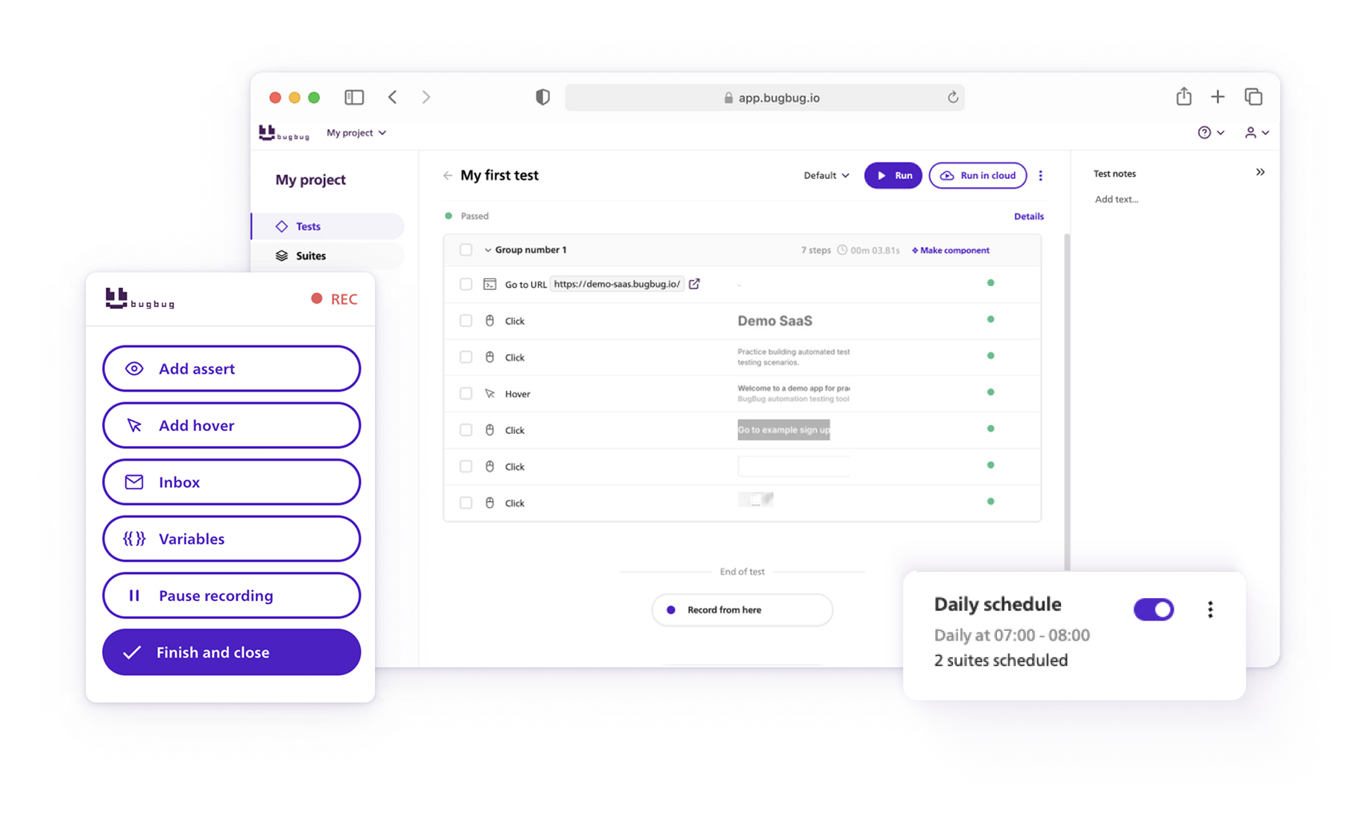
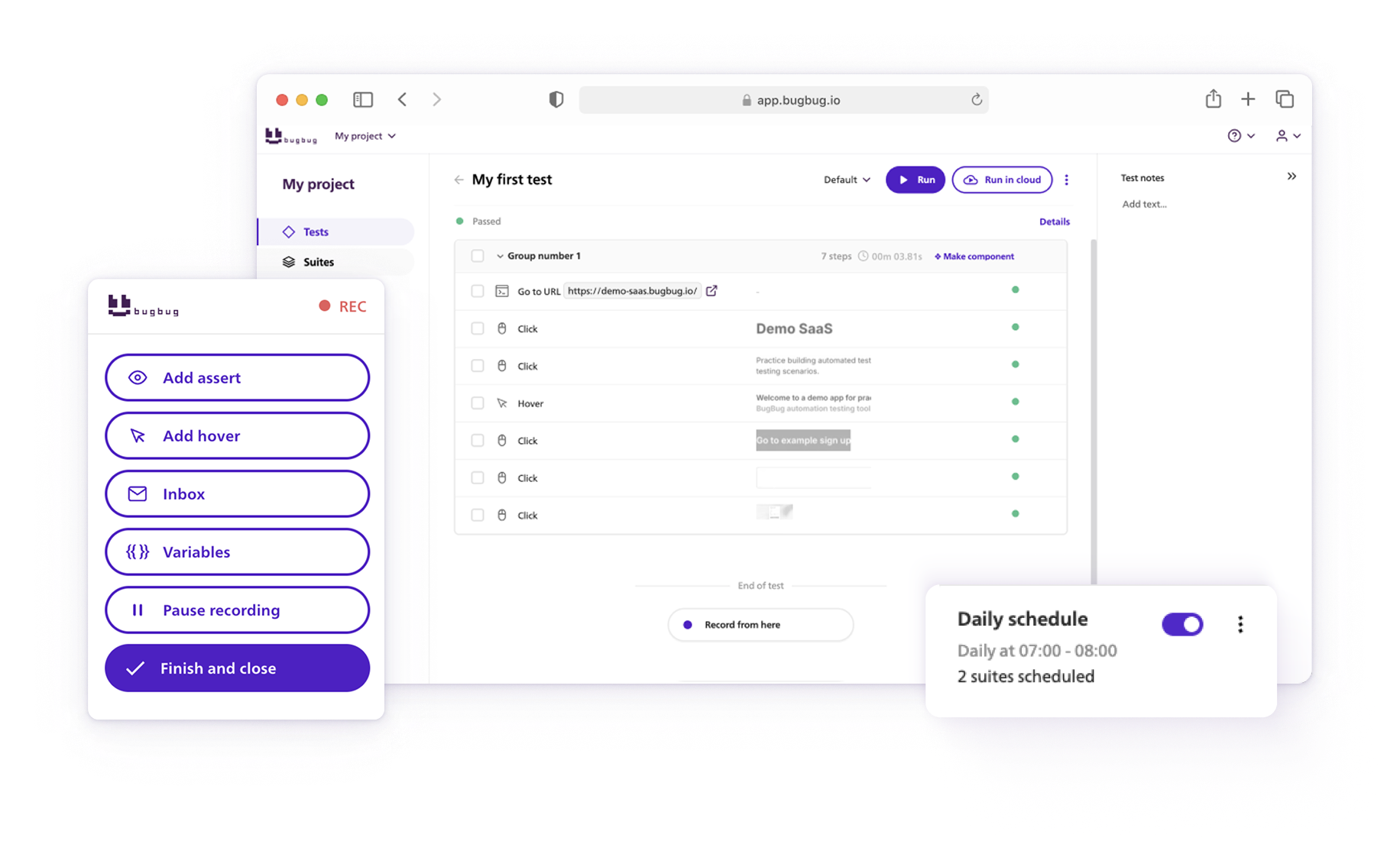
Automation tools like BugBug fit this model at the E2E layer: record your core flows once, connect them to your CI/CD pipeline via the API or CLI, and get efficient, automated test execution on every deploy — without maintaining a custom testing framework.
Shift-left means moving testing earlier in the development lifecycle — from “QA phase” to “design and development phase.” It’s less a tool choice and more a cultural and process change.
What it means in practice:
Why it matters for SaaS teams specifically: You can’t build a QA team fast enough to keep up with feature velocity at scale. Shifting left reduces the QA bottleneck by making quality everyone’s responsibility earlier — not just the tester’s job at the end of the sprint.
A QA strategy document doesn’t need to be a 40-page policy manual. For most SaaS teams, a two-to-four page living document is more useful — specific enough to be actionable, short enough to actually be read and updated. Leveraging test management tools can help streamline the entire testing lifecycle, from planning and test case management to execution and reporting, while supporting integration and traceability.
To be effective, your QA strategy should align with the functional requirements and the overall testing process, ensuring that errors are minimized and software quality is maintained throughout development.
Here’s the structure. Use it as a template and fill in the sections relevant to your team. When you create tests, ensure they accurately reflect user workflows and specific testing objectives to maximize coverage and effectiveness. You can also download the QA Testing Strategy Template as a ready-to-fill Word document.
State the purpose of the document in 2–3 sentences. What are you trying to achieve with your testing strategy? What does “good quality” mean for your product?
Example: Ensure that critical user flows in [Product Name] function correctly on every deploy by determining and identifying these flows based on functional requirements. Protect login, onboarding, and billing from regressions. Ship with confidence without expanding the QA headcount.
Define what’s in scope — and explicitly what’s out of scope. Be realistic.
In scope: Core web flows, authenticated user paths, third-party integrations (Stripe, auth providers), key API endpoints. To ensure comprehensive coverage and reduce errors, include different types of tests—such as preassessments, formative, and summative assessments—so that various errors can be detected early. This approach helps tailor testing strategies to different types of scenarios and question formats. Out of scope: Legacy admin panels, deprecated features, manual PDF generation.
Which types of testing will your team do?
| Type | What it covers | Owner |
|---|---|---|
| Unit testing | Individual functions and components (unit test level) | Developers |
| Integration testing | Service interactions and API contracts (integration test level) | Developers / QA |
| System testing | Entire integrated system validation (system test level) | QA |
| E2E / Functional testing | Full user flows in a real browser, including user interface validation | QA / shared |
| Regression testing | Existing functionality after changes | Automated suite |
| Exploratory testing | Unknown unknowns, new feature validation | QA |
| Performance testing | Load, response time under traffic using performance testing tools to evaluate speed, scalability, and stability | QA / DevOps |
| Security testing | Auth, injection, sensitive data | Security / QA |
| Static testing | Reviewing code and documentation without execution | Developers / QA |
| Behavioral testing | Application behavior from end-user perspective | QA |
| Acceptance testing | Final validation before release (acceptance test level) | QA / Business |
| AI-Assisted testing | AI-generated test data and edge case analysis | QA / Developers |
| Peer Reviews & Inspections | Code quality checks by team members | Developers |
| Test-Driven Development (TDD) | Tests written before code to define behavior | Developers |
| Structural testing (White box testing) | Examines internal code structure, control flow, branches, and paths using techniques like code coverage analysis and branch testing (applied at unit and integration test levels) | Developers / QA |
Including a variety of types of tests at different test levels (unit, integration, system, acceptance) helps catch a wider range of errors and ensures your software aligns with functional requirements. Here’s a brief overview of each:
Understanding the types of tests, their test levels, and aligning them with your functional requirements is essential for developing effective software testing strategies and reducing errors throughout the software development lifecycle.
When selecting which of the four core testing strategies—risk-based, requirements-based, model-based, methodical, or a combination—applies to your context, it is crucial to determine which approach best aligns with your project’s goals and constraints. Adopting a structured testing strategy provides clarity, consistency, and risk management by formalizing the planning and implementation of testing activities, which helps prevent defects from reaching production. Begin by identifying the specific needs and challenges of your application, as well as any areas that require special attention or improvement. Incorporating appropriate testing methods within your strategy is essential, as these methods define the scope, objectives, and types of tests needed to ensure software quality. Most importantly, ensure your chosen strategy is guided by the functional requirements of the software. Understanding these functional requirements helps you develop an effective test plan and ensures that your testing efforts are aligned with system specifications and compliance needs. Clearly state why the selected strategy is the best fit based on this evaluation.
Where do tests run?
When planning your software testing strategies, it’s important to select the appropriate test location early and prepare for test day by organizing materials and routines. This ensures a smooth experience for end users, as well-prepared and stable environments help catch issues before they impact those who interact directly with your software.
For performance testing environments, consider incorporating load testing to simulate high user traffic, detect system bottlenecks, and evaluate scalability and reliability under stress.
What are the environment requirements? Which browsers? Which data state?
| Layer | Tool |
|---|---|
| E2E / regression automation | BugBug (codeless), Playwright, Cypress <br><br> Note: When designing software testing strategies at this layer, leverage automation tools to efficiently execute and maintain test scripts. Ensure you cover key UI elements such as the login button and answer sheet to verify the software application functions correctly and meets requirements. Maintaining robust test scripts is essential for test coverage and seamless CI/CD integration. |
| Unit / integration | Jest, Vitest, pytest |
| API testing | Postman, Supertest |
| Bug tracking | Jira, Linear, GitHub Issues |
| Test management | TestRail, Zephyr, Xray <br><br> Test management tools streamline planning, case management, execution, and reporting, and often provide traceability and integration with other systems. |
| CI/CD | GitHub Actions, GitLab CI, CircleCI |
| Performance | k6, Lighthouse, JMeter <br><br> Performance testing tools help identify bottlenecks, scalability challenges, and reliability issues through load testing, stress testing, and capacity planning to ensure optimal application performance. |
| Role | Testing responsibility |
|---|---|
| Developer | Unit tests, integration tests, PR self-review, peer reviews & inspections, double check test results |
| QA Engineer | E2E test suite, exploratory testing, usability testing, regression management, peer reviews & inspections, double check test results; as human testers, they provide intuition, judgment, and handle complex scenarios that automation cannot effectively cover |
| Product Owner | UAT sign-off, acceptance criteria review |
| Engineering Manager | Strategy review, quality metrics, tooling decisions |
Entry criteria (when can testing begin?):
Exit criteria (when is the feature ready to ship?):
How are bugs tracked, prioritized, and resolved?
What does your team track to know if the strategy is working?
This document should be reviewed and updated:
Don’t wait until development is done. Testing should begin as early as possible — at the requirements level, in design reviews, and in code reviews.
Adopt a shift-left mindset: the earlier a bug or error is caught, the cheaper it is to fix. A misunderstood requirement caught in refinement costs nothing. The same bug or error caught in production after a deploy costs hours of engineering time, user trust, and potentially revenue.
For SaaS teams shipping weekly:
You don’t need to automate everything — but you need to automate the right things. The decision is simple:
Automate: Repeatable checks that run on every deploy. Login flow, checkout, onboarding steps, key API responses. Anything that breaks silently and costs you users.
Keep manual: Manual testing is essential for exploratory testing of new features, usability and UX review, and edge cases that require human judgment or one-off validations. Manual testing also allows you to double check results and catch errors or bugs that automation might miss, ensuring comprehensive quality assurance.
The hybrid path for lean teams: Start with a manual checklist for your core flows. Once those flows are stable, automate them using a tool like BugBug — record the flow by clicking through it, connect it to your CI pipeline, and you have automated coverage without writing a line of code.
Your testing strategy should be organized around user impact, not technical layers. Before you worry about unit test coverage percentages, make sure you can answer: what happens if login breaks? What happens if checkout fails silently? What happens if the onboarding form submits and nothing happens?
Errors in these critical flows can directly impact end users, leading to frustration and a poor overall user experience. Validating the user interface in these scenarios is essential to ensure that graphical elements function correctly, the application appears as intended, and users can interact smoothly with the system. Those are the flows your testing strategy should protect first. Everything else is secondary until those are covered.
Based on your goals, you can use one strategy or combine several. It’s important to consider the different types of software testing—such as static, structural, behavioral, front-end, manual, and automated testing—as well as various testing methods and test levels (like unit and integration). Understanding these types, methods, and levels is essential for selecting the right software testing strategies and aligning them with the application’s functional requirements. This comprehensive approach helps tailor your testing for maximum coverage and effectiveness.
| Strategy | Description | Best for |
|---|---|---|
| Risk-Based | Focus on areas with the highest business or technical risk | Almost every team |
| Requirements-Based | Test cases derived from acceptance criteria, specs, and functional requirements | Regulated industries, structured teams |
| Model-Based | Tests generated from state machines or process flows | Complex stateful applications |
| Methodical | Standard checklists and heuristics on every release | Consistent exploratory coverage |
| Exploratory | Unstructured, discovery-driven testing | New features, unknown unknowns |
| Agile/Continuous | Integrated into CI/CD pipelines for fast feedback | DevOps, continuous delivery teams |
| User-Centric | Validate the product based on real-world user scenarios | SaaS, customer-facing products |
Testing strategies should evolve with your product and team. A strategy that works at 5 engineers won’t be right at 50. As your organization grows, development teams play a crucial role in shaping and collaborating on testing strategies to ensure they remain effective and scalable. After each release, review your approach to identify errors or bugs that slipped through, and use those insights to prepare for the next test cycle or release. Here’s a rough progression:
Stage 1 — Early-stage (0–2 QA, fast iteration): Manual exploratory testing plus basic automated smoke tests for login and core flows. Risk-based: protect what would kill the demo or a new customer trial.
Stage 2 — Growth stage (dedicated QA, regular releases): Automated regression suite covering the top 5–10 user flows. CI integration — suite runs before every deploy. Exploratory testing each sprint. Methodical checklists for release sign-off.
Stage 3 — Scale (multiple QA, parallel releases): Full E2E coverage for critical paths. Performance and security testing as scheduled runs. Shift-left process embedded in sprint ceremonies. Quality metrics reviewed in engineering retros.
The upgrade path is incremental. Start with the highest-impact automation first, prove its value, then expand.
A software testing strategy isn’t a document you write once and file away. It’s a working tool — the thing your team refers to when deciding what to test, how to prioritize a bug, or whether a feature is ready to ship.
The best strategies are short enough to be read, specific enough to be actionable, and updated when things change.
Effective software testing strategies help catch errors early, improve the overall user experience for end users, and ensure the application meets the Software Requirement Specification (SRS) for a bug-free outcome. Acceptance testing (UAT) validates if the software meets business requirements and user expectations as the final step before deployment. Security testing is also crucial, as it identifies vulnerabilities and ensures data protection, especially for applications handling sensitive data or exposed to external threats.
For SaaS teams without a dedicated QA team: start with automating your login, onboarding, and checkout flows. Run them on every deploy. That’s 80% of the value of a mature testing strategy with 20% of the effort.
Ultimately, the goal is to achieve successful testing outcomes that align with user expectations, ensuring your product delivers value and satisfaction.
👉 If your team needs automated coverage for core web flows without maintaining a framework, BugBug’s free plan is the fastest place to start
No code, no setup, first test running in under 10 minutes. Chromium-only
Your next release. Properly tested.
Join 1,200+ QA teams that automated their regression coverage with BugBug.

Dominik Szahidewicz is a Software Quality Evangelist specialising in quality assurance, test automation, and modern software testing practices. He creates practical, research-driven content that helps QA professionals, developers, and product teams improve test coverage, automate repetitive testing, and release more reliable web applications.
Drawing on his experience in technical writing, data analysis, and application consulting, Dominik translates complex testing concepts into clear, actionable guidance. His areas of interest include end-to-end testing, no-code test automation, regression testing, and the use of AI in software quality assurance.
Join thousands of QA experts. Subscribe to our newsletter.
Get more testing tips and product related content. Zero spam.
Discover how to calculate ROI for test automation with easy formulas and practical examples. Learn to evaluate costs and track results effectively.
This article delves into the journey of becoming an Automated Test Engineer, offering insights into the essential skills, knowledge, and steps required to embark on this career path and increase your current salary.
Read this comprehensive guide on how to choose the right CI/CD tool. Selecting the tool that aligns with your project is essential.
Are AI Testing Tools Worth the Hype? The integration of AI into software testing is transforming how we approach quality assurance.
Discover essential business tools for startups. Read the article to find the right tools for your success.
Discover the best free test management tools that managers can use to maintain test suites and adopt agile test management best practices in 2026.
Best free and open-source test automation tools for 2026: Playwright, Cypress, Selenium and best free plans from commercial tools.
Explore the top functional testing tools and frameworks in 2026 in this guide. Choose the best tool to streamline your testing process.
Record and Play Automation tools without writing a line of code. The honest shortlist of tools that actually work in 2026.