# Best Free Test Management Tools in 2026
Written by Dominik Szahidewicz
Published: 2026-06-29
Updated: 2026-08-11
Effective test management software can help manage test cases, create test scripts, and track test progress efficiently, ensuring comprehensive test coverage throughout the test cycle. Whether you're handling manual tests or implementing test automation, the right test management solution can centralize your testing efforts, facilitate defect management, and enhance the overall test management process.
This article explores top free versions and open-source tools that test managers can leverage to maintain test suites, generate insightful test reports, and adopt agile test management best practices for both manual and automated test cases, ultimately driving efficient test execution and superior software applications.
## **🎯TL;DR - Free Test Management Tools**
* **Benefits of Test Management Software**: Effective test management software organizes test cases, tracks progress, and ensures comprehensive test coverage. It enhances collaboration, communication, real-time tracking, and integrates with development tools, streamlining the entire testing process.
* **Choosing the Right Tool**: When selecting a test management tool, consider your specific requirements such as support for manual or automated testing, project size, and key features like🎯 test case management, execution, tracking, reporting, and integration capabilities. Decide between cloud-based or on-premise solutions based on your needs.
* **Conclusion**: Selecting the right test management tool can significantly enhance productivity and software quality. Free tools can meet the needs of many projects; assess them based on your specific requirements. Trial different options to find the best fit for your team’s processes and requirements.
`{"name":"purple-tip","children":[{"name":"purple-tip-title","children":[{"name":"paragraph","children":[{"attributes":{"bold":true},"data":"Check also:"}]},{"name":"paragraph"}]},{"name":"purple-tip-details","children":[{"name":"paragraph","children":[{"data":"👉 "},{"attributes":{"linkHref":"https://bugbug.io/blog/software-testing/codeless-automation-testing-tools/"},"data":"Codeless Automation Testing Tools"}]},{"name":"paragraph","children":[{"data":"👉 "},{"attributes":{"linkHref":"https://bugbug.io/blog/test-automation/testing-tools-for-web-application/"},"data":"Web Testing Tools"}]},{"name":"paragraph","children":[{"data":"👉 "},{"attributes":{"linkHref":"https://bugbug.io/blog/test-automation-tools/web-test-recorder/"},"data":"Web Test Recorder - Which One Is The Best?"}]},{"name":"paragraph"}]}]} **Check also:** 👉 [Codeless Automation Testing Tools](https://bugbug.io/blog/software-testing/codeless-automation-testing-tools/) 👉 [Web Testing Tools](https://bugbug.io/blog/test-automation/testing-tools-for-web-application/) 👉 [Web Test Recorder - Which One Is The Best?](https://bugbug.io/blog/test-automation-tools/web-test-recorder/) `
\[TABLE\_OF\_CONTENTS\]
## Why You Need Test Management Tool?
Test case management is a critical component of any effective software testing strategy. It involves creating, organizing, and maintaining test cases to ensure that all aspects of the software are tested thoroughly.
* **Efficiency and Organization:** Test management tools help organize test cases, test scripts, and test suites in a structured manner, making it easier to manage and access them when needed.
* **Collaboration and Communication:** These tools facilitate better communication and collaboration among team members, ensuring everyone is on the same page regarding test progress and results.
* **Improved** [**Test Coverage**](https://bugbug.io/blog/software-testing/test-coverage/)**:** By providing a comprehensive overview of the test coverage, these tools help ensure that all aspects of the software application are thoroughly tested.
* **Real-Time Tracking and Reporting:** Test management tools offer real-time tracking of test execution and detailed test reports, enabling teams to monitor test progress and make informed decisions.
* **Integration with Development Tools:** Seamless integration with other development and project management tools streamlines the workflow and enhances the efficiency of the entire software development process.
`{"name":"cta-card","children":[{"name":"cta-card-title","children":[{"name":"paragraph","children":[{"attributes":{"bold":true},"data":"Automate your tests for free"}]},{"name":"paragraph"}]},{"name":"cta-card-details","children":[{"name":"paragraph","children":[{"data":"Test easier than ever with BugBug test recorder. Faster than coding. Free forever."}]},{"name":"paragraph"}]},{"name":"cta-card-cta","children":[{"name":"paragraph","children":[{"attributes":{"bold":true},"data":"Get started"}]},{"name":"paragraph"}]}]} **Automate your tests for free** Test easier than ever with BugBug test recorder. Faster than coding. Free forever. **Get started** `
## How to Choose Test Management Tool?
Choosing the right test management tool is crucial for ensuring the efficiency and effectiveness of your software testing process. A good test management system helps you manage, track, and organize your test cases, execute tests, and analyze test results. Here are key factors to consider when selecting the best test management tool for your needs.
#### 1\. **Understand Your Requirements**
Before you start evaluating test management tools, it's essential to understand your specific requirements. Do you need a tool that supports automation, or are you looking for something to manage manual test cases? Are you dealing with a small number of test cases (e.g., 100-200) or an increasing number of test cases that require comprehensive test case management?
#### 2\. **Types of Test Management Tools**
There are various types of test management tools available, ranging from open source test management tools to commercial solutions. Free test management software and open-source test management tools can be a good starting point, especially for small teams or projects with limited budgets. However, for more extensive requirements, investing in the best test management tools might be necessary.
#### 3\. **Key Features to Look For**
When choosing a test management tool, look for the following features:
* **Test Case Creation and Management:** The tool should allow you to create unlimited test cases and manage them effectively. This includes test case creation, modification, and deletion.
* **Test Runs and Execution:** The ability to execute tests and track test runs is crucial. The tool should facilitate the execution of both manual and automated tests.
* **Tracking and Reporting:** Comprehensive tracking tools to monitor the status of test cases and test runs. The tool should provide detailed reports and analytics to help in analyzing test results.
* **Integration with Other Tools:** Look for tools like JIRA that can integrate with other test automation frameworks and requirement management systems. Integration capabilities can significantly enhance the efficiency of your test management process.
* **User-Friendly Interface:** A test management app with an intuitive and easy-to-use interface can help streamline your testing activities and improve productivity.
#### 4\. **Free and Open Source Options**
There are several free test case management tools available that offer robust features:
* **Swing2App:** A free test management tool that provides comprehensive test case management solutions.
* **Other Open Source Tools:** There are various open source test management tools available, which can be customized to fit your specific needs.
#### 5\. **Cloud-Based vs. On-Premise**
Decide whether you need a cloud-based test case management system or an on-premise solution. Cloud-based test management tools provide the flexibility to access your test management system from anywhere, while on-premise solutions offer more control over your data and infrastructure.
#### 6\. **Evaluating Options**
Create a list of the best test management tools available, and evaluate them based on your requirements. Consider factors like:
* **Support for Automation Tools:** Check if the tool supports integration with your existing test automation frameworks.
* **Scalability:** Ensure the tool can handle the number of test cases you plan to manage, whether it’s 100, 200, or more.
* **Cost:** Consider both free plans and paid versions. Free test management software can be a good starting point, but paid versions often provide more advanced features and support.
#### 7\. **Making the Decision**
After evaluating the available options, choose a test management tool that best fits your needs. Ensure it facilitates efficient test case management, supports test automation, and provides comprehensive reporting and analytics.
By carefully considering your requirements and evaluating the features of different test management tools, you can select a tool that helps streamline your testing process and improves the overall quality of your software. Remember, test management is the process of managing the testing activities, and the right tool can make a significant difference in achieving your testing goals.
`{"name":"cta-card","children":[{"name":"cta-card-title","children":[{"name":"paragraph","children":[{"attributes":{"bold":true},"data":"Automate your tests for free"}]},{"name":"paragraph"}]},{"name":"cta-card-details","children":[{"name":"paragraph","children":[{"data":"Test easier than ever with BugBug test recorder. Faster than coding. Free forever."}]},{"name":"paragraph"}]},{"name":"cta-card-cta","children":[{"name":"paragraph","children":[{"attributes":{"bold":true},"data":"Get started"}]},{"name":"paragraph"}]}]} **Automate your tests for free** Test easier than ever with BugBug test recorder. Faster than coding. Free forever. **Get started** `
## Top Free Test Management Tools in 2026
### Tuskr — Best for Unified Test Management
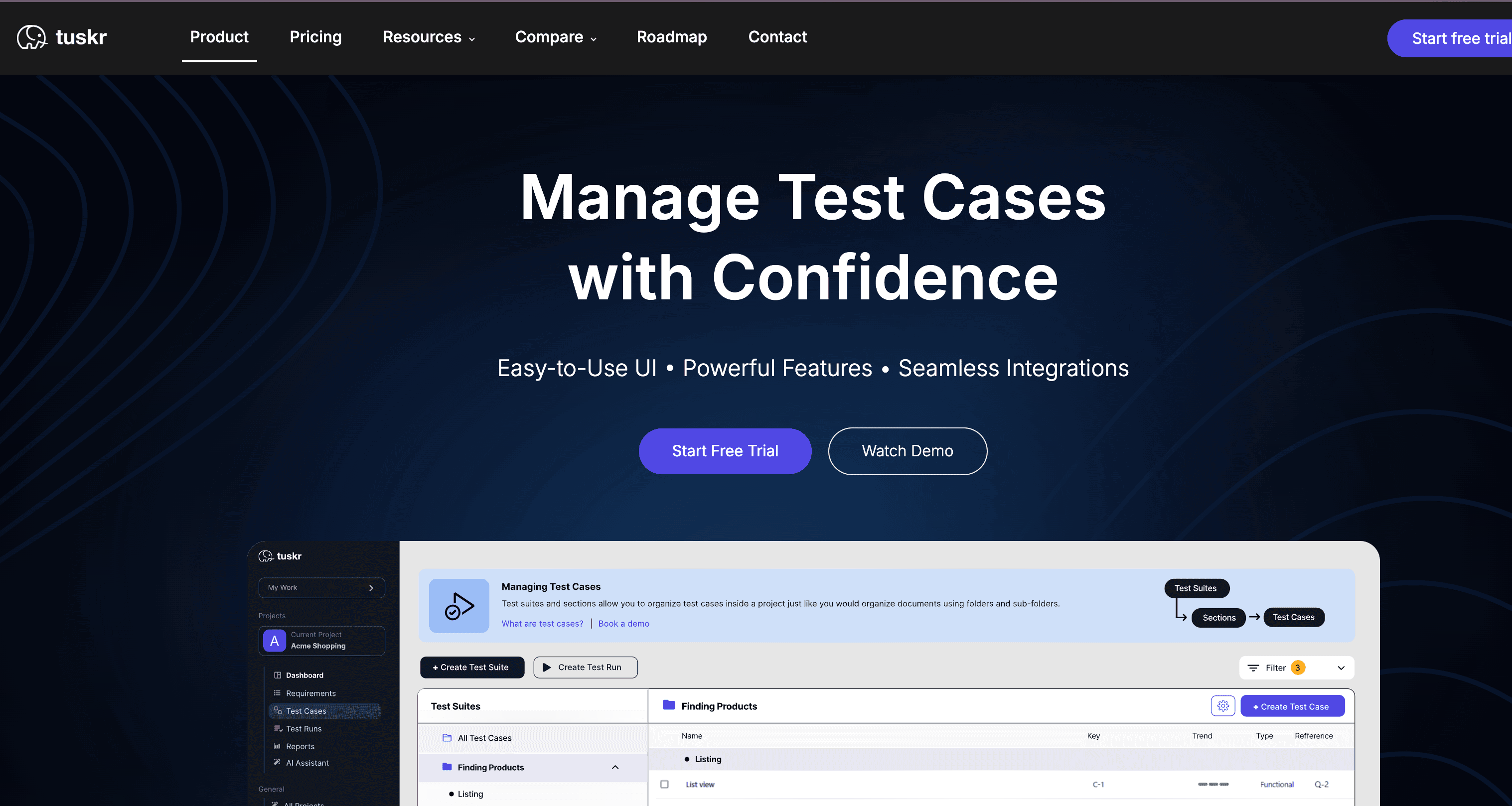
[Tuskr](https://tuskr.app/) is a cloud-based test management platform designed to connect manual and automated
testing workflows in a single, intuitive dashboard. It stands out for its generous free version and
AI capabilities, making it a robust choice for teams that need to optimize their QA process
without complex setups or high costs.
**Key Features:**
* Generous free plan for small teams (up to 5 users)
* AI-assisted test case generation and optimization
* Unified dashboard for manual and automated test results
* Seamless integrations with Jira, Slack, GitHub and many others
* WYSIWYG editor with rich text and bulk editing
**Strengths:**
* Intuitive interface with a very low learning curve
* Powerful workload management and performance charts
* Enterprise-grade features available in affordable tiers
* Flexible custom fields and robust data filtering
**Shortcomings:**
* Advanced security features locked behind paid tiers
* Storage limits apply to the free version
**Use Cases:**
* Agile teams needing a unified view of manual and automated tests
* Startups looking for a powerful yet free TestRail alternative
* QA teams requiring deep integration with Jira and CI/CD pipelines
### Loadium — Best for Performance and Load Testing

**Loadium** is a powerful tool designed for performance and load testing of web applications. It enables users to simulate thousands of users accessing the application simultaneously, helping to identify performance bottlenecks and ensure scalability.
**Key Features:**
* Supports various protocols like HTTP, HTTPS, WebSockets
* Integration with Apache JMeter for creating complex load test scripts
* Real-time monitoring and reporting of performance metrics
* Cloud-based and on-premises deployment options
* Supports distributed load testing
**Strengths:**
* User-friendly interface
* Detailed real-time analytics and reporting
* Scalable load testing capabilities
* Integration with popular CI/CD tools
**Shortcomings:**
* May require a learning curve for beginners
* Limited free version capabilities
**Use Cases:**
* Performance testing of web applications under high user load
* Identifying performance bottlenecks before production deployment
* Ensuring application scalability and reliability
### BrowserStack Test Management - Best for Centralized Manual & Automated Test Tracking
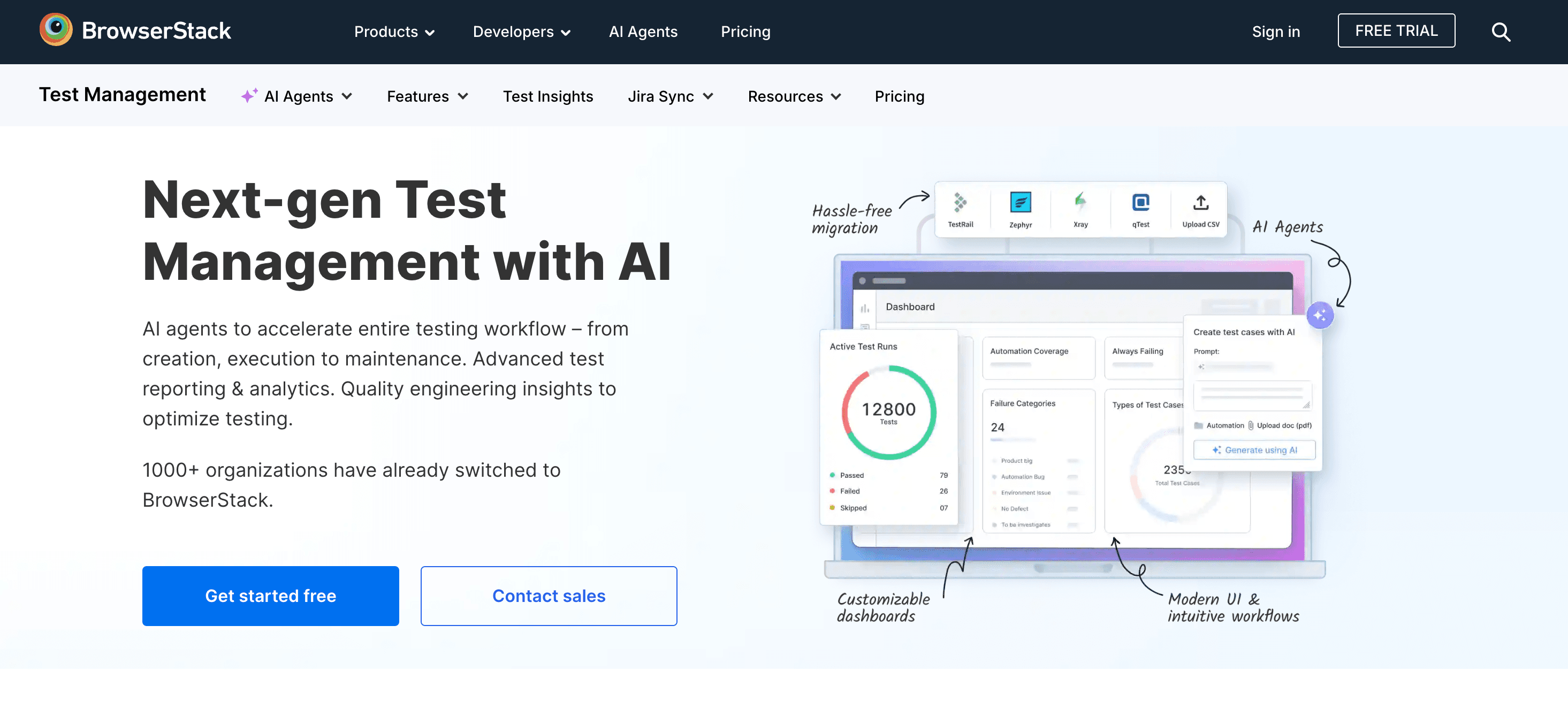
[BrowserStack Test Management](https://www.browserstack.com/test-management) is a centralized platform designed to organize, execute, and track all manual and automated test cases in one unified repository. It bridges the gap between manual testing and automated CI/CD pipelines, offering real-time visibility into release quality without forced workflow changes.
**Key Features:**
* Free plan ($0) covering core test case management, manual executions, and CSV imports
* Real-time, two-way Jira integration to link test cases directly to issue tickets
* One-click migration tools for importing projects from TestRail, Zephyr, and Xray
* Broad framework integrations (Playwright, Cypress, TestNG, JUnit) and CI/CD pipeline reporting
* Native connection to BrowserStack's real device and browser testing cloud
**Strengths:**
* Unified single source of truth for both manual and automated test runs
* Eliminates context switching with continuous two-way Jira synchronization
* Painless, fast migration from slow legacy test management tools
* Pre-built, actionable dashboards for tracking release readiness and test coverage
**Shortcomings:**
* Advanced automated framework integrations and two-way Jira sync require paid tiers
* While the entry-level plans cover the basics, accessing the platform's most advanced integrations and reporting capabilities requires an Enterprise subscription.
**Use Cases:**
* Teams looking to migrate away from clunky legacy tools like TestRail or Zephyr
* QA leads wanting a single dashboard to track manual tests alongside CI/CD pipeline runs
* Product and engineering teams that rely heavily on Jira for requirement-to-defect traceability
### Swing2App — Best for Easy Editing

**Swing2App** is an intuitive mobile app builder that allows users to create, edit, and manage mobile applications without extensive coding knowledge. It’s ideal for businesses looking to quickly develop and deploy mobile apps.
**Key Features:**
* Drag-and-drop interface for easy app creation
* Variety of templates and themes
* Integrated testing and preview tools
* Support for push notifications and in-app purchases
* Cloud-based platform
**Strengths:**
* Extremely user-friendly, suitable for non-developers
* Rapid app development and deployment
* Comprehensive support and documentation
* Cost-effective for small to medium-sized businesses
**Shortcomings:**
* Limited customization for advanced users
* May not support complex app functionalities
**Use Cases:**
* Quick creation of prototype apps for startups
* Small businesses looking to establish a mobile presence
* Educational projects and app development learning
### RedLine13 — Best for Executing and Managing Load Testing

**RedLine13** provides a cloud-based platform for executing and managing large-scale load tests. It integrates with open-source tools like JMeter, Gatling, and Selenium, offering a comprehensive solution for load testing web applications.
**Key Features:**
* Integration with JMeter, Gatling, [Selenium](https://bugbug.io/blog/test-automation-tools/selenium-alternatives/)
* Scalable load testing using cloud infrastructure
* Real-time monitoring and detailed analytics
* API support for automated test execution
* Customizable test scenarios
**Strengths:**
* Seamless integration with popular open-source tools
* Scalable infrastructure leveraging AWS cloud
* Cost-effective pay-as-you-go pricing model
* Extensive documentation and community support
**Shortcomings:**
* Requires some expertise in load testing tools
* Advanced features may require technical knowledge
**Use Cases:**
* Load testing web applications at scale
* Continuous performance testing in CI/CD pipelines
* Cost-effective load testing for startups and SMEs
`{"name":"cta-card","children":[{"name":"cta-card-title","children":[{"name":"paragraph","children":[{"attributes":{"bold":true},"data":"Automate your tests for free"}]},{"name":"paragraph"}]},{"name":"cta-card-details","children":[{"name":"paragraph","children":[{"data":"Test easier than ever with BugBug test recorder. Faster than coding. Free forever."}]},{"name":"paragraph"}]},{"name":"cta-card-cta","children":[{"name":"paragraph","children":[{"attributes":{"bold":true},"data":"Get started"}]},{"name":"paragraph"}]}]} **Automate your tests for free** Test easier than ever with BugBug test recorder. Faster than coding. Free forever. **Get started** `
### Appium — Best for Cross-Platform Mobile Testing

**Appium** is an open-source tool designed for automating mobile applications. It supports cross-platform testing, allowing the same test scripts to be used for both iOS and Android applications.
**Key Features:**
* Supports multiple programming languages (Java, Python, Ruby)
* Cross-platform testing for iOS and Android
* Integration with CI/CD pipelines
* Extensive community support and plugins
* Ability to test native, hybrid, and mobile web apps
**Strengths:**
* [Open-source testing tool](https://bugbug.io/blog/test-automation-tools/open-source-test-automation-tools/#faq%3A-free-testing-tools) and free to use
* Cross-platform support reduces testing effort
* Active community and comprehensive documentation
* Flexible and highly customizable
**Shortcomings:**
* Requires setup and configuration effort
* Learning curve for beginners
**Use Cases:**
* Automating [functional tests](https://bugbug.io/blog/software-testing/functional-testing/) for mobile apps
* Cross-platform mobile app testing
* Integration with CI/CD for continuous mobile testing
### qaManager — Best for Teams Looking for Simple Installation

**qaManager** is a lightweight test management tool designed for simplicity and ease of use. It focuses on providing core test management functionalities without the complexity of more advanced tools.
**Key Features:**
* Easy installation and setup
* Basic test case management and execution
* Simple and intuitive user interface
* Reporting and analytics
* Minimal system requirements
**Strengths:**
* Quick and easy setup
* User-friendly interface suitable for small teams
* Cost-effective solution
* Provides essential test management features
**Shortcomings:**
* Limited advanced features
* Not suitable for large-scale or complex projects
**Use Cases:**
* Small teams or projects requiring basic test management
* Quick setup for short-term testing efforts
* Teams with limited technical resources or budget constraints
### BugBug — User-Friendly, Codeless Test Automation
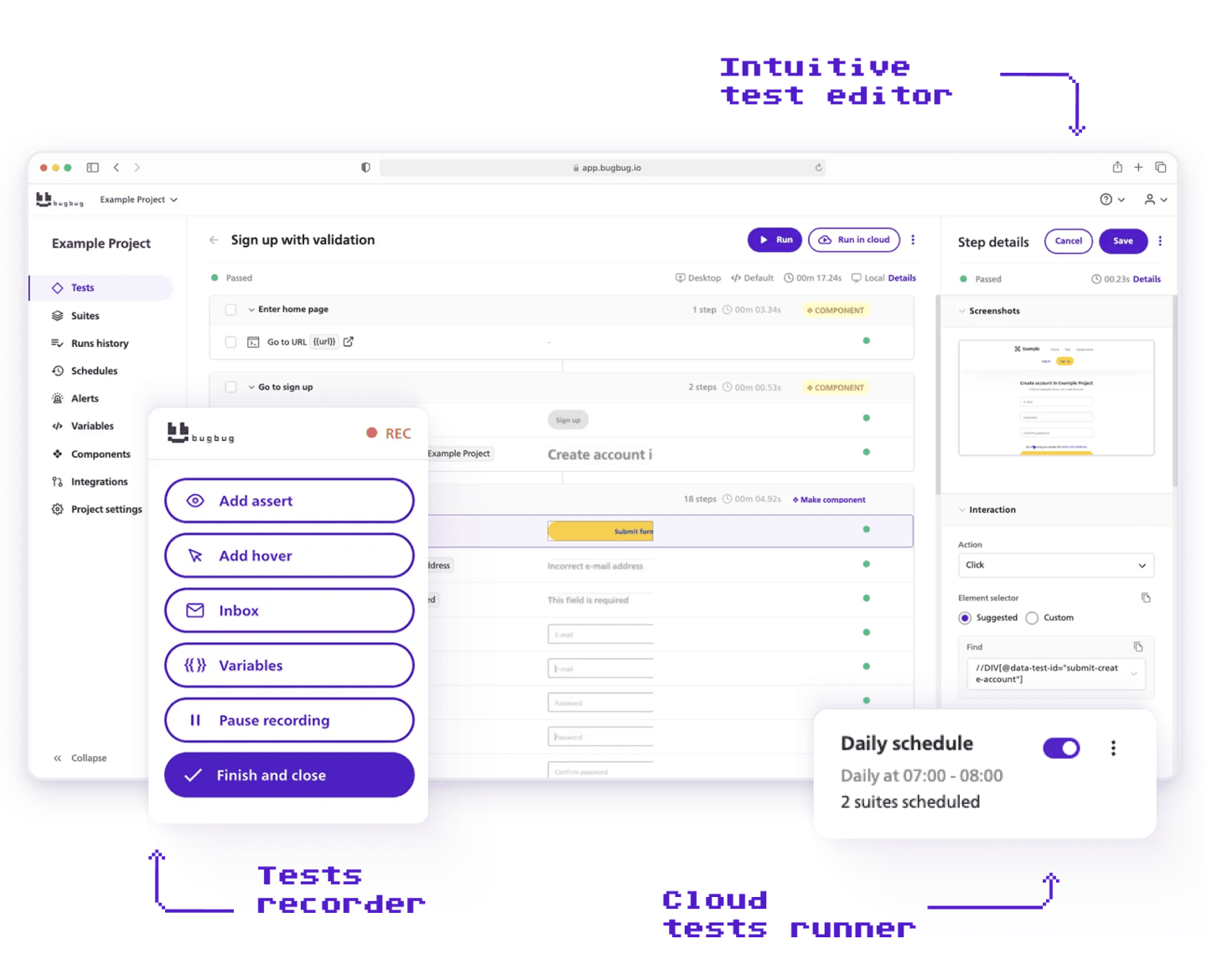
[**BugBug**](https://bugbug.io/) is a test automation tool tailored for web applications. It emphasizes ease of use and powerful automation capabilities, making it an excellent choice for teams looking to automate their testing processes efficiently. BugBug combines simplicity with advanced features, offering an intuitive interface and seamless integration with existing workflows.
**Key Features:**
* [**AI test recorder**](https://bugbug.io/ai-test-recorder/) — record tests by clicking through your app with the Chrome extension; it captures every click and text input and turns it into stable, automatically-generated steps. No XPath or CSS selectors to write by hand. First test typically running in under 10 minutes.
* [**Edit & Rewind**](https://bugbug.io/blog/product/edit-and-rewind/) — modify any step without re-recording the whole flow, and rerun execution from that exact point. This is one of the biggest time-savers for debugging and maintenance, especially when a test breaks mid-flow.
* [**CI/CD integrations**](https://bugbug.io/integrations/) — connects with GitHub, GitLab, Jenkins, and Slack via CLI or REST API, so regression suites run automatically on every deploy, plus custom JavaScript steps for edge cases that no-code can't handle
**Strengths:**
* **Effortless test case creation:** Use the recorder to quickly create automated test cases without coding.
* **Scalable solution:** Unlimited cloud-based testing allows for easy scalability and access.
* **Comprehensive test automation:** Supports complex scenarios and repetitive tasks.
**Shortcomings:**
* Limited to Chromium-based apps only
* Not focused on manual test management
**Use Cases:**
* **Web application testing:** Ideal for teams automating tests for web applications and websites.
* **CI/CD integration:** Perfect for integrating automated tests into continuous integration/continuous deployment workflows.
These tools each cater to specific needs within the software testing process, from load testing and mobile automation to simple test management solutions. By understanding their key features, strengths, shortcomings, and use cases, you can select the best tool to enhance your testing efforts and ensure the delivery of high-quality software applications.
## Final Thoughts
Choosing the right test management tool can significantly impact your team’s productivity and the quality of your software products. While paid tools often offer more features and better support, the free test management tools listed above provide substantial functionality that can meet the needs of many projects and teams.
Whether you are a small startup or a large organization, leveraging these tools can help you streamline your testing processes, improve collaboration, and ensure the delivery of high-quality software.
Remember, the best tool for your team depends on your specific needs, project size, and workflow. It’s worth trying out a few options to see which one fits best with your team’s processes and requirements.
Happy (automated) testing!